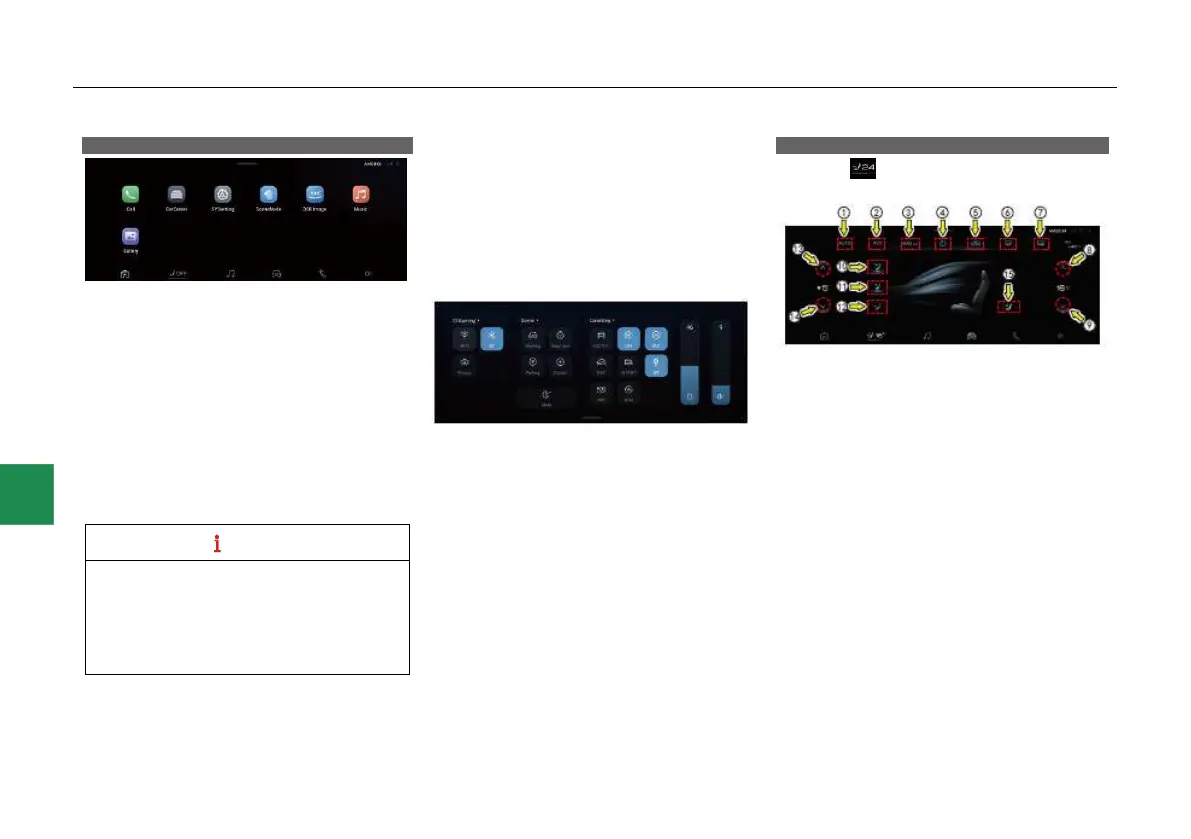
Activating or deactivating system
Set the ENGINE START/STOP button to “ACC”
or “ON” position, so the system is automatically
turned on and enters the main interface.
The main interface displays time, call,
CarCenter, system settings, AVM, music, image
and video, and bottom navigation bar. Where,
● The bottom navigation bar includes home
page, A/C/seat, multimedia, CarCenter,
Bluetooth call application gateways and
volume control shortcut button. Click the
application gateway on the bottom navigation
bar to enter the corresponding application
interface.
● The MP5 system will be updated
iteratively, and the illustrations shown herein
are based on the delivered version, and may
change slightly after the system update.
Please refer to the actual system of the
vehicle.
Top status bar
Generally, a row of icons are displayed at the top
right of the screen, showing the status
information of other function icons.
Shortcut menu interface
Slide the screen down in the main menu
interface to enter the shortcut menu interface:
● In the shortcut menu interface, you can set
the “WiFi”, “Bluetooth” and “Privacy mode”
functions; you can also set vehicle-related
functions; you can also turn on the scene
mode and AVM by one touch and operate the
screen to sleep.
A/C/seat control*
Click the “ ” icon in the bottom menu bar to
open the A/C/seat control interface:
The A/C system and seat ventilation function can
be set after the A/C/seat control interface is
entered.
A/C control
① Automatic mode (AUTO) button*
② “A/C” button
③ AC MAX button
④ A/C ON/OFF button
⑤ Recirculation/fresh air mode button
⑥ Front windshield fastest defogger mode
⑦ Rear windshield defroster button
⑧ Temperature up button



 To Next Page