● The camera performance will be affected and
degraded when the lighting conditions around
the vehicle are poor (insufficient or too strong
light).
● The detection may be limited in the case of
vehicle collision, violent vibration and other
situations that may change the radar and
camera positions.
● The JA performance may be limited when the
internal temperature of the radar or camera is
too high.
● The JA system may not function when a
vehicle’s accessories or loads protrude to the
side, front or top beyond the edges.
● The JA may apply the brakes when a speed
bump or steel plate road exists in front of the
vehicle during turning, or the vehicle is close
to rails or roadside objects (such as isolation
strips, transformers, and traffic signs) during
turning. Due to the inherent limitations of the
system, missed or false triggers cannot be
completely avoided.
Function failure
When the JA is faulty, the JA ON indicator lamp
will stay on, and the instrument cluster will
display “JA fault”. At this time, contact the
authorized dealer for inspection.
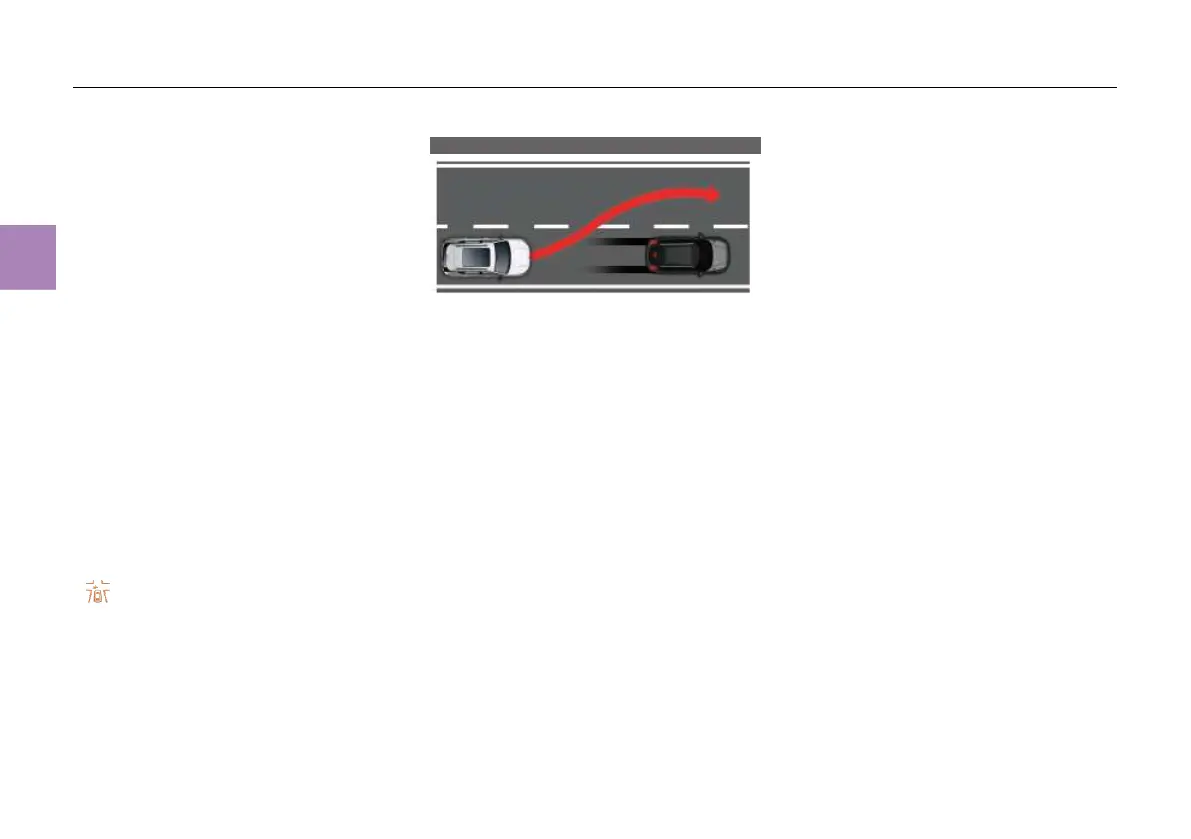
Emergency Steering Assist (ESA) *
The ESA is a driver steering assistance system
in emergency, which realizes functions via the
integration of front radar, corner radar, front
camera and steering system. When the sensor
detects a risk of collision ahead and the driver
makes a turn actively, the ESA assists the driver
in the turning and avoids the front target, thus
avoiding accidents.
The working speed range of ESA is 50~80km/h;
that is, the ESA will not be triggered when the
ego vehicle speed is not within this range. When
the system detects that there is a potential risk of
collision in the driving track of the ego vehicle
and the driver makes a turn obviously, it
provides steering assistance for the driver to
guide the ego vehicle to avoid collision targets
according to the safe driving track calculated by
the system. The collision targets here only
include vehicles. On the premise of complying
with traffic regulations, the ESA can work only
when determining that there is no other risk of
collision on the avoidance side.
The ESA is an auxiliary function, and the vehicle
is controlled by the driver during its activation
and control. If there is a risk of collision ahead
but the driver does not make a turn that can
trigger the ESA, the ESA will not work. If the
steering wheel torque applied by the driver is
large during the operation of the ESA, it will be
deactivated and hand over the vehicle to the
driver for control.
When the ESA works, it will guide the vehicle to
change lanes into the adjacent lane and then try
to straighten the vehicle head. However, the
performance of ESA is greatly affected by road
surface, vehicle load and driver's steering wheel
torque. Therefore, the driver shall not rely too
much on the ESA to deal with emergencies, and
shall maintain control of the vehicle at all times
during ESA operation and after ESA
deactivation.
Enabling/disabling ESA
The ESA can be enabled/disabled in the
“CarCenter” - “Driving assistance” - “FWA” -
“ESA” menu on the MP5 display.



 To Next Page