Passenger calling monitoring
During driving, if the system detects that the
front passenger or rear passenger is making a
call, MP5 will give a text pop-up window of “The
system volume will be reduced because the
system detects that a passenger is making a
call”, and reduce multimedia volume to 5. After
detecting the call ends, the system will return to
the previous volume.
● The system cannot identify behaviors of
answering/making calls when holding a
mobile phone away or broadcasting with
headphones unplugged (it can only
identify behaviors of answering/making
calls when putting a mobile phone beside
one ear).
● When a mobile phone is in a straight line
in the camera image, it may not be
identified.
● Transient neglected identification may
occur if a mobile phone does not appear
in the image for a short time because it is
shaken when a call is being made.
Leaving reminder
If the system detects that there is a child or pet
(cat or dog) left in the vehicle within 6min after
the doors are locked, the vehicle will flash lamps,
honk horns and intelligently leave window
seams, and the mobile phone bound to the
WindLink account will receive a leaving reminder
message.
● Different people have different stature. No
reminder will be given if adults or taller
children are left in the vehicle.
● No reminder will be given when children
or pets stay in the blind spot of the
camera (such as the rear of the front
seat).
● The leaving reminder function cannot
replace the driver's responsibility.
● This function is only used as an auxiliary
reminder. Before leaving the vehicle,
please make sure that no children or pets
(cats and dogs) are left in the vehicle.
Photographing via gesture
The photographing function can be achieved by
making an OK gesture in the defined area.
During driving, do not use gesture recognition
to avoid affecting driving safety.
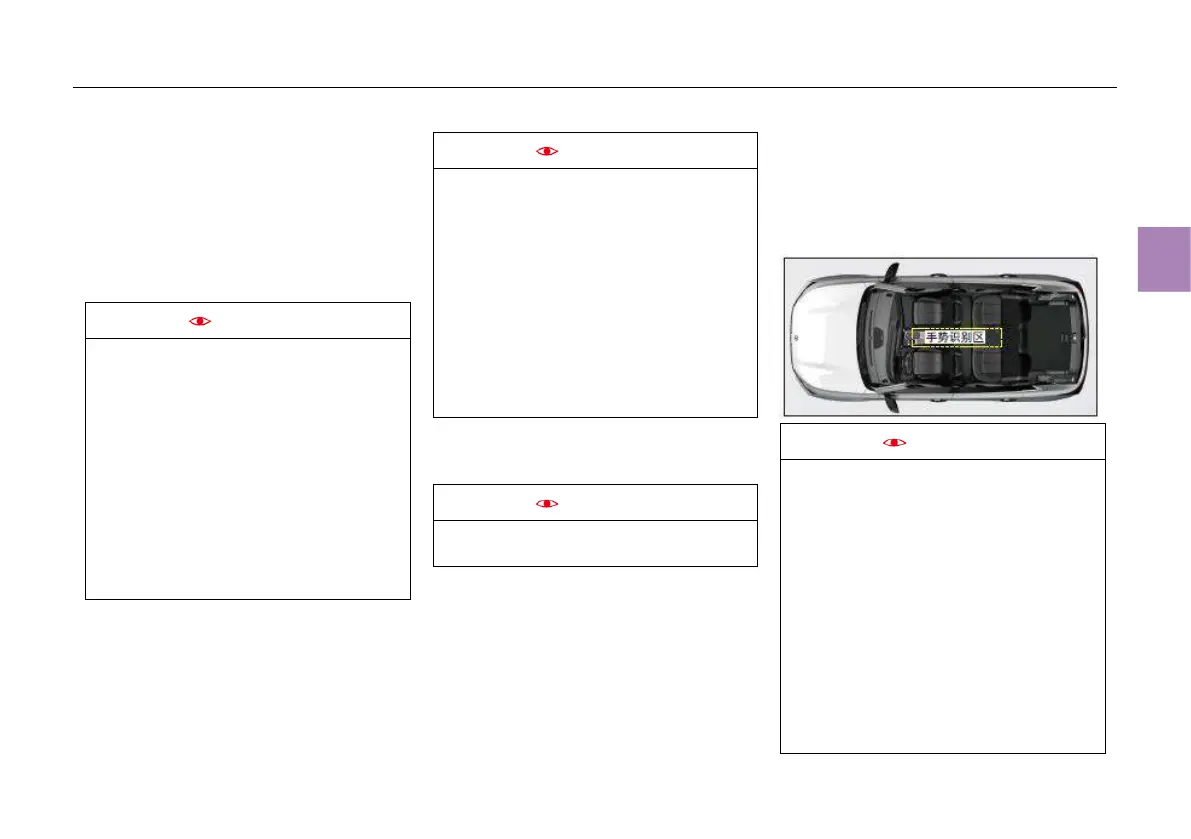
Gesture recognition area:
Please perform gesture operations in the
specified area. Gestures beyond this area may
not be identified.
The schematic diagram of gesture recognition
area is shown below:
There is a standard action description for
each gesture, because non-standard actions
will lead to a decrease in recognition
accuracy. The recognition rate of gestures in
the back row is lower than that in the front
row due to camera pixels. The standard
action description is shown below:
● OK gesture: The index finger is in contact
with the thumb fingertip, the other three
fingers are spread wide and straightened
or bent slightly, there must be a gap
between the other three fingers, and the
palm faces the camera.
The camera has RGB mode (daytime scene)
and IR mode (night or dark scene). The
photographing interface in IR mode is
displayed in black and white.



 To Next Page