GETTING S TARTED
VF6 Infinity Vista 2-5
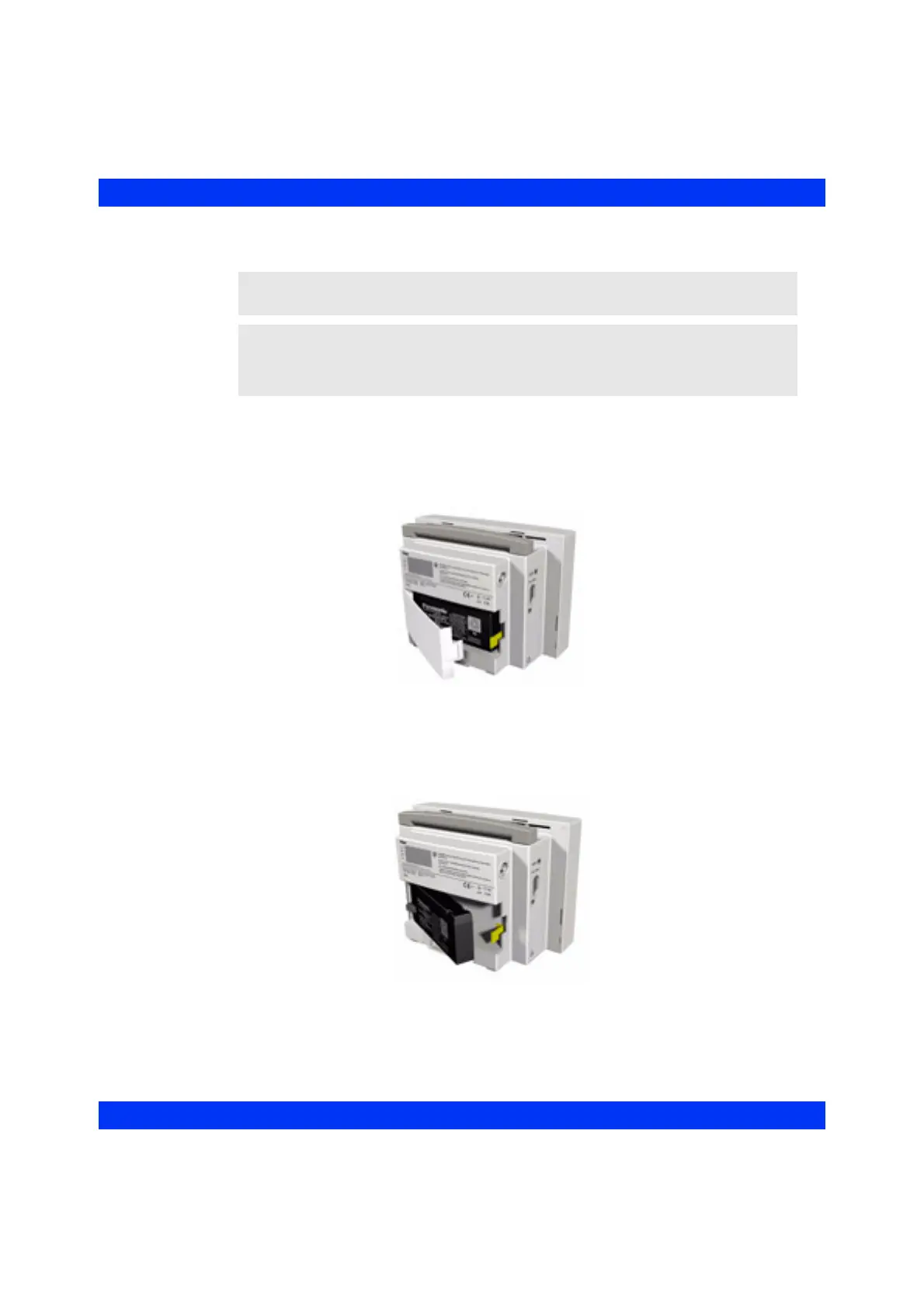
STEPS: Inserting a Lead Acid Battery into the Monitor
1. Turn the monitor so that its rear panel is facing towards you.
2. Press in on the tab in the right side of the battery compartment door and swing
the door open until it lifts off the hinges on the left side.
3. Insert the rechargeable battery in the compartment, electrical terminals side
first. The terminals of the battery must be pushed into the clip in the left side
of the battery compartment.
4. With the battery pushed into the left side of the battery compartment, press the
right side of the battery into the clip at the right side.
NOTE: Before installing the battery, read the cautions and warnings in the Important
General Safety Considerations section at the beginning of this manual.
NOTE: A lithium-ion battery can replace the lead-acid battery in the Vista patient
monitor. If a lithium-ion battery has been selected as an option, see the Installation
Instructions provided with the lithium-ion battery for inserting and removing the battery.











 To Next Page