46 Eos Family v2.9.0 Operations Manual
IP, CP, FP, BP Indicates that the value is referenced to a palette (Intensity, Color, Focus, or
Beam). This text is followed by a number, indicating which palette is being referenced.
This can be substituted with the palette label if the “Show Reference Label” setting is
activated (see
Show Reference Labels (on page144)
). Holding down [About] & [Label] will
toggle between the palette label and palette number.
ND Indicates that a channel has been patched as a non-dim fixture type.
N Indicates the value is null (from either {Make Null} or a filter).
P Indicates the channel is parked.
Ph Indicates the channel is at a preheat level.
Pr Indicates that the value is referenced to a preset. This text is followed by a number,
indicating which preset is being referenced. The preset label may also be shown if this
setting is enabled (see
Show Reference Labels (on page144)
). Holding down [Shift] &
[Label] will toggle between the preset label and preset number.
t The channel has discrete (parameter/category-specific) timing.
S Indicates that a channel is stored to a shielded submaster.
R Indicates a manual reference override. Manual changes have been made that override a
previously stored reference (such as to a palette or preset). Once recorded, the reference
will be broken. If updated, the referenced target will be updated as well, unless otherwise
instructed.
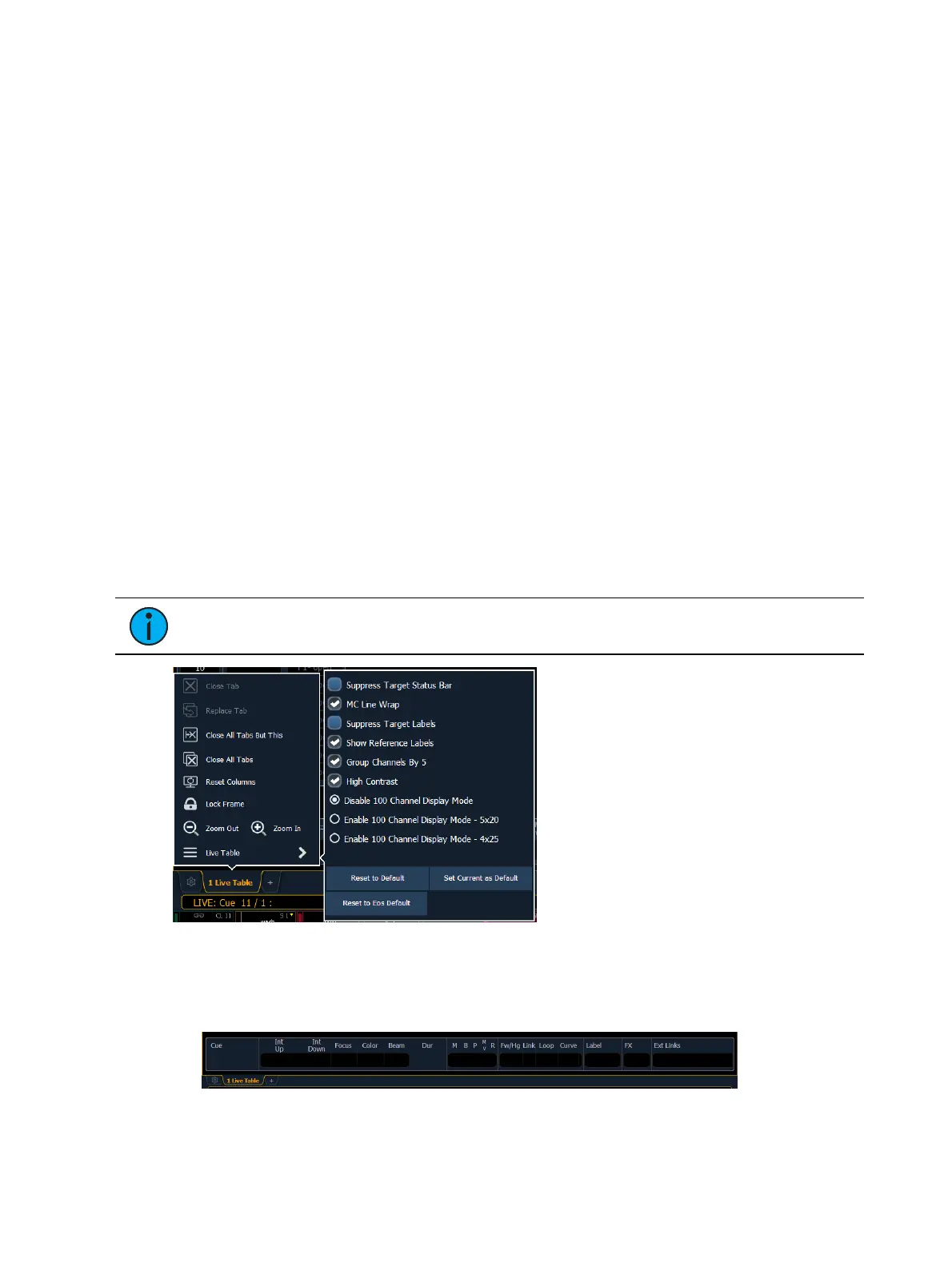
Live and Blind Configuration Menu
The Live/ Blind displays have a configuration menu. The configuration settings are available by
selecting the display tab and then double clicking on the tab to open the menu. With the Live/
Blind display selected, you can also select the gear icon, which is located to the left of the tabs,
to open the configuration menu.
Note: Each instance of Live/ Blind may be configured individually.
The following options are available:
Suppress Target Status Bar - Hides the target status bar from the display. The target status
bar displays at the bottom of the Live/ Blind displays.



 To Next Page