52 Eos Family v2.9.0 Operations Manual
Note: If any show control options are currently enabled in Setup>System>Show
Control, they will display at the top of the Playback Status Display.
For more details on information contained in the playback status display, see
Playback Status
Display (on page49)
.
Playback Status Display Configuration
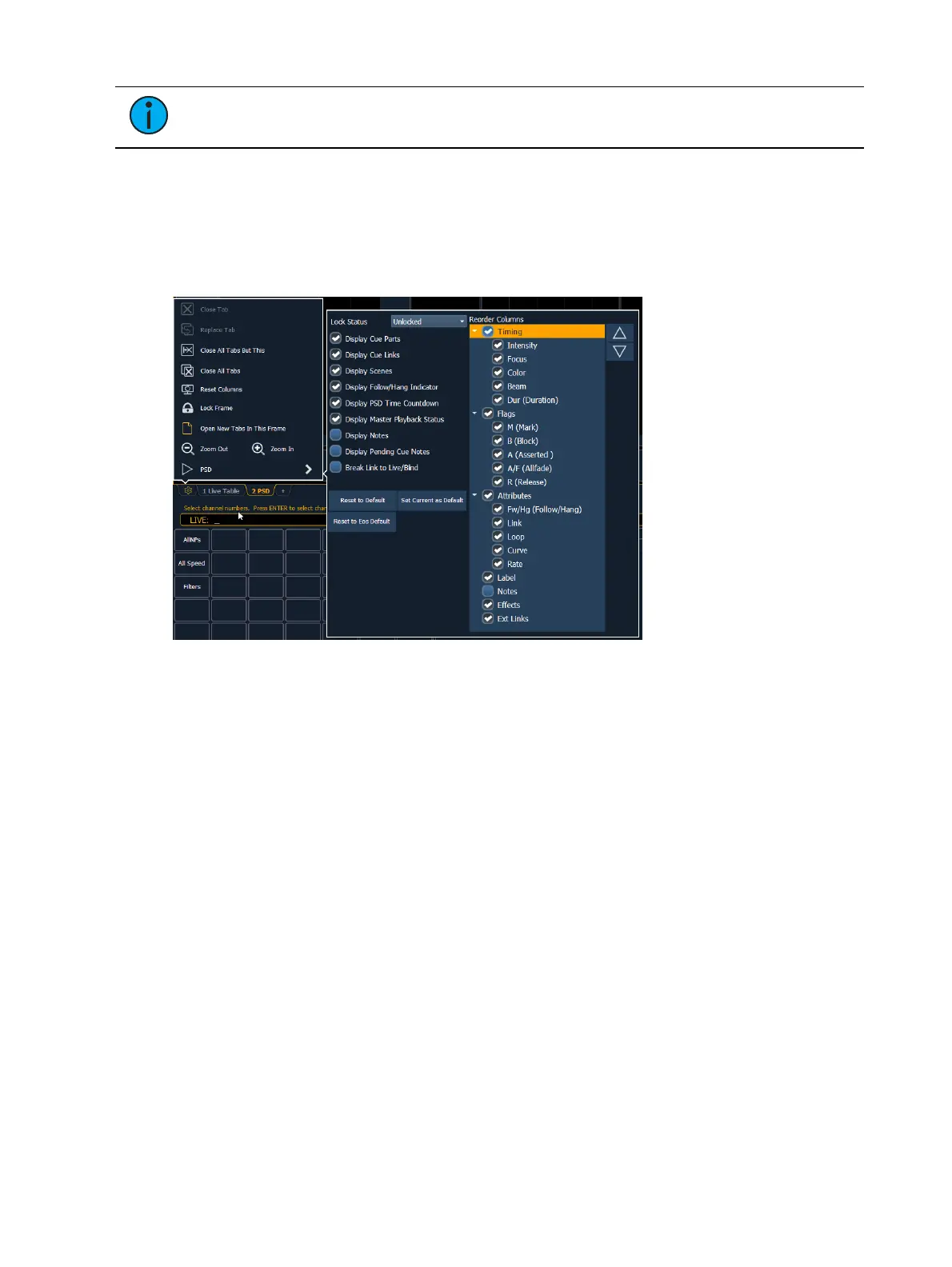
Playback Status Display (PSD) has a configuration menu, which is accessed by double clicking or
right-clicking on the PSD tab, or by selecting the gear icon, and clicking PSD.
The following options are available in the PSD Configuration Menu:
Target Grid - this option is only available when the PSDis split, and is used along with the
Lock Status option. Target Grid allows you to select either the top or bottom display. Press
[Format] to split the PSD.
Lock Status - allows you to lock the PSD to a certain cue list. When the PSD is split, you
will use Target Grid to first select top or bottom of the display, and then you can use Lock
Status to select the cue list.
Display Cue Parts - displays the individual parts of a part cue. When not enabled, the
number of parts for that cue will display as a superscript number beside the cue's number.
Display Cue Links - displays the
Link/ Loop
information.
Display Scenes - displays cue scene information.
Display Follow/ Hang Indicator - displays the Follow/ Hang arrow indicator before the cue
number of any cue that will be triggered by a follow or hang.
Display PSD Time Countdown - displays the cue category times countdown in the PSD as a
cue is fading.
Display Master Playback Status - displays the current cue's status information.
Display Notes - displays the
Cue Notes
in a horizontal bar at the bottom of the PSD.
Display Pending Cue Notes - displays the
Cue Notes
for the pending cue in a horizontal
bar at the bottom of the PSD.
Break Link to Live/ Blind - When selecting the Live/ Blind display, the PSD will also come
into view if it is currently hidden. This option allows you to break the link between the PSD
and the Live/ Blind displays so that the PSD will no longer come into view when selecting
Live/ Blind.



 To Next Page