031914 7-13
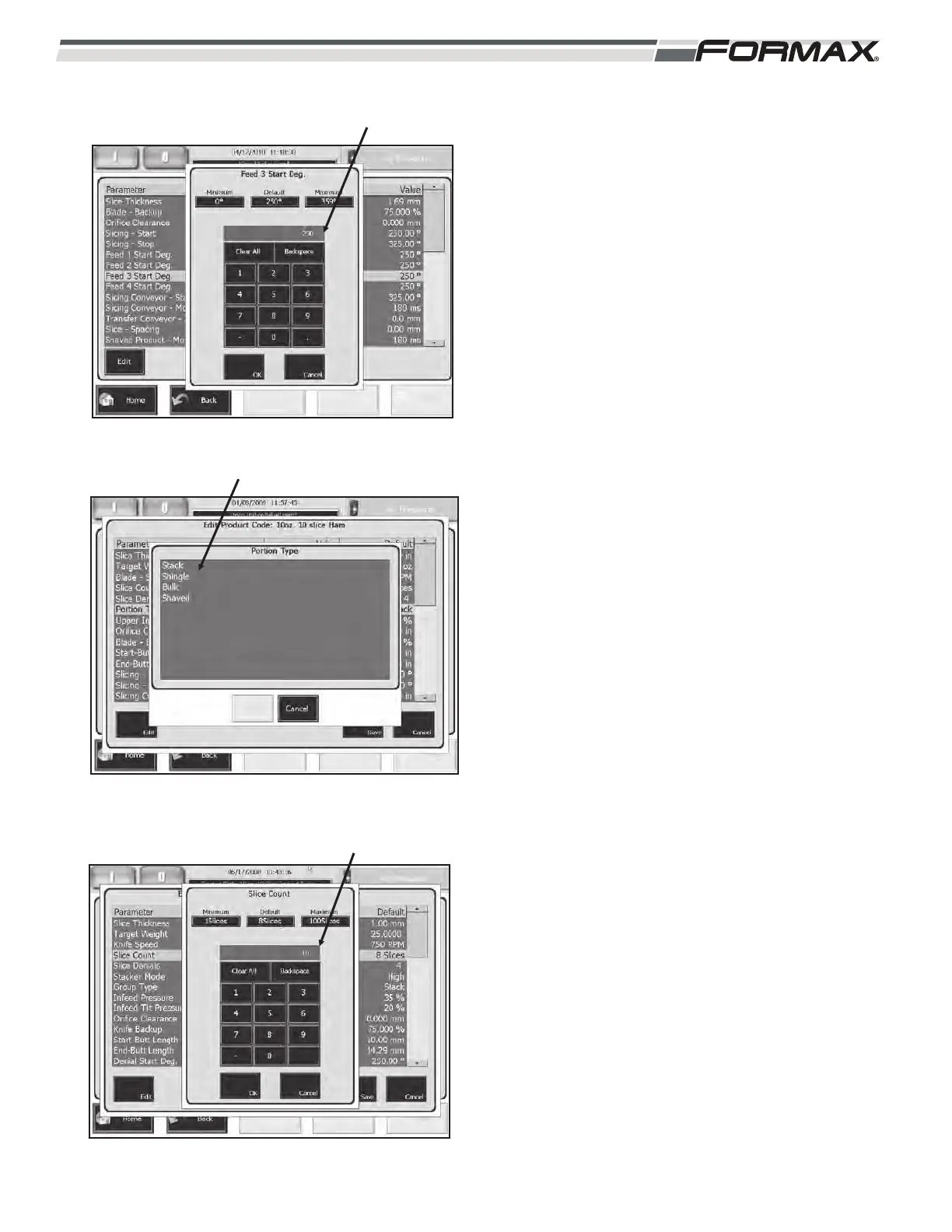
FEED 3 START DEGREE: The “Feed 3 Start Degree”
parameter controls “when” the #3 Gripper starts to
feed the product through the Shear Bar to start slicing.
(Illustration 33) This adjustment is set as a degree of
Blade rotation.
If the product starts feeding too late, you will have a
thin first slice. (Illustration 30)
If the product starts to feed too early, you will have
thick first slice. (Illustration 31)
PORTION
PORTION TYPE: There are 4 “Portion Types” that
select the type of product to be sliced “Stack,”
“Shingle,” “Bulk” and “Bunch.” (Illustration 34)
STACK: “Stack” mode creates a vertical stack
of sliced product.
SHINGLE: In this method, the Slicing
Conveyor moves forward as each slice is cut.
This results in a shingled draft.
BULK: In the “Bulk” mode, product is
continuously sliced for the entire length of the
loaves. There is no weight control. The product
is sliced to the thickness programmed in the
“Slice Thickness” parameter. The slice
thickness can also be adjusted on the “Weight
Data” screen.
SHAVED: In this mode, the product is thinly
sliced and shingled at a high rate of speed with
a 3-inch “Slicing Spacing.” The product travels
to the Transfer Conveyor where it rolls up,
creating a bunched pile of product. The length
and height of the bunched product is controlled
by the speed of the Transfer Conveyor. The
speed of the Transfer Conveyor is controlled
by the “Shaved Product - Spacing” parameter.
SLICE COUNT (DRAFTS/STACKS): The “Slice
Count” parameter sets the number of slices in each
draft/stack. This parameter can be set from 1 to 100
slices. (Illustration 35)
ILLUSTRATION 33
FEED 3 START DEGREE
ILLUSTRATION 34
PORTION TYPE
ILLUSTRATION 35
SLICE COUNT (DRAFTS/STACKS)



 To Next Page