031914 7-25
TRANSFERRING
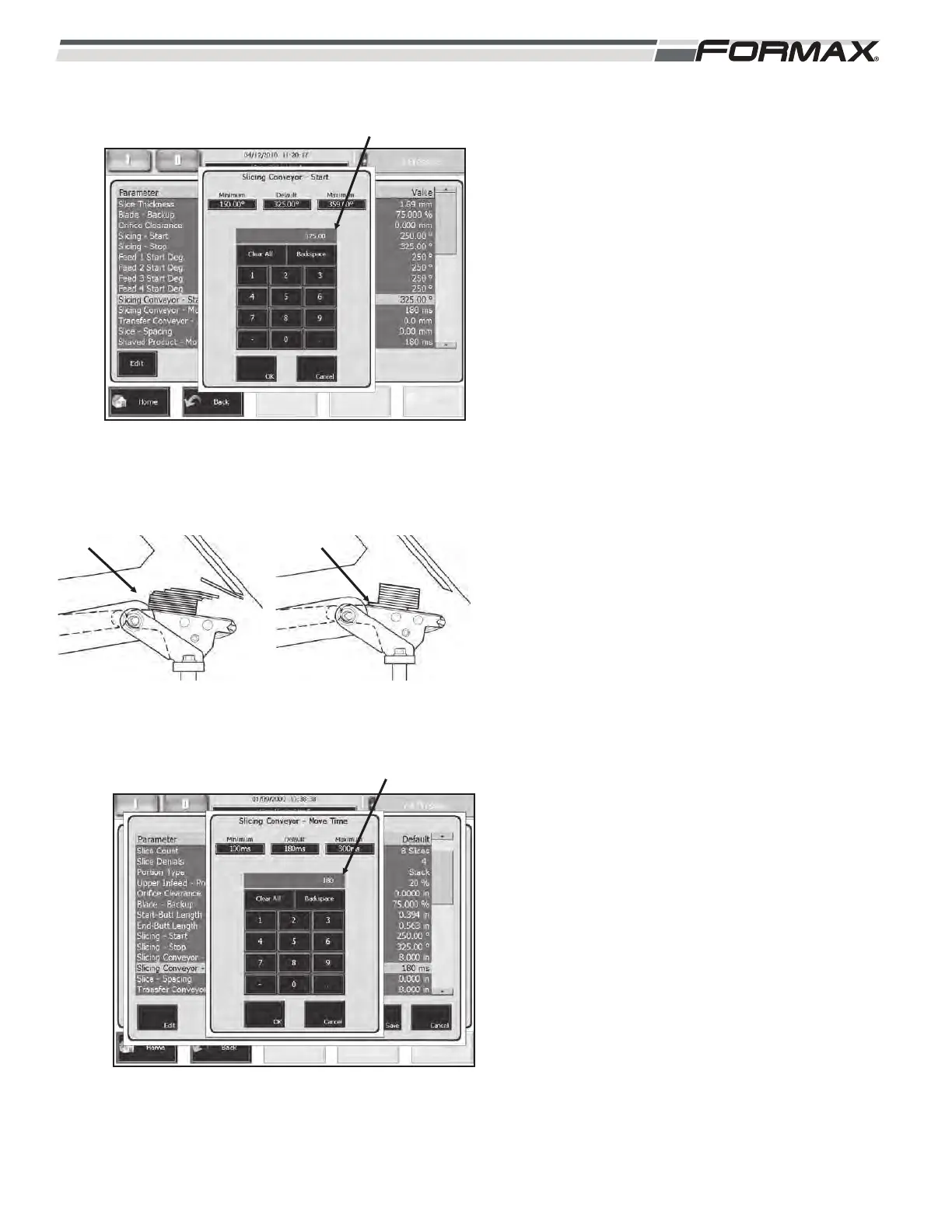
SLICING CONVEYOR START: The “Slicing
Conveyor Start” parameter programs “when” the
Slicing Conveyor will start to transfer the completed
draft or stack to the Transfer Conveyor.
(Illustration 54) The “Slicing Conveyor Start”
adjustment is set as a degree of Blade Rotation from
the Home position, in relationship to the start of the
Slicing Conveyor transfer.
If the “Slicing Conveyor Start” is set too low, the
product will transfer before the last slice has landed,
resulting in an offset top slice.
(Illustration 55)
If the “Slicing Conveyor Start” is set too high, the
Slicing Conveyor will still be moving when the first
slice lands. This will result in an offset bottom slice.
(Illustration 56)
SLICING CONVEYOR MOVE TIME: The “Slicing
Conveyor Move Time” parameter is programmed in
milliseconds and sets the acceleration rate of the
Slicing Conveyor when transferring product to the
Transfer Conveyor. If the “Slicing Conveyor Move
Time” is set to 180 milliseconds, the Slicing
Conveyor will take 180 milliseconds to go from a
stopped position to full speed. The higher the
“Slicing Conveyor Move Time” setting, the slower the
Slicing Conveyor travels. (Illustration 57)
A setting of 180 to 200 milliseconds is normal for
most products.
The “Slicing Conveyor Move Time” can also be
adjusted on the “Adjustments” screens. Fine-tune
this adjustment during production and enter that
setting in this parameter.
ILLUSTRATION 54
SLICING CONVEYOR START
ILLUSTRATION 55
TOP SLICE
OFFSET
ILLUSTRATION 56
BOTTOM SLICE
OFFSET
ILLUSTRATION 57
SLICING CONVEYOR MOVE TIME


 To Next Page