031914 M4-55
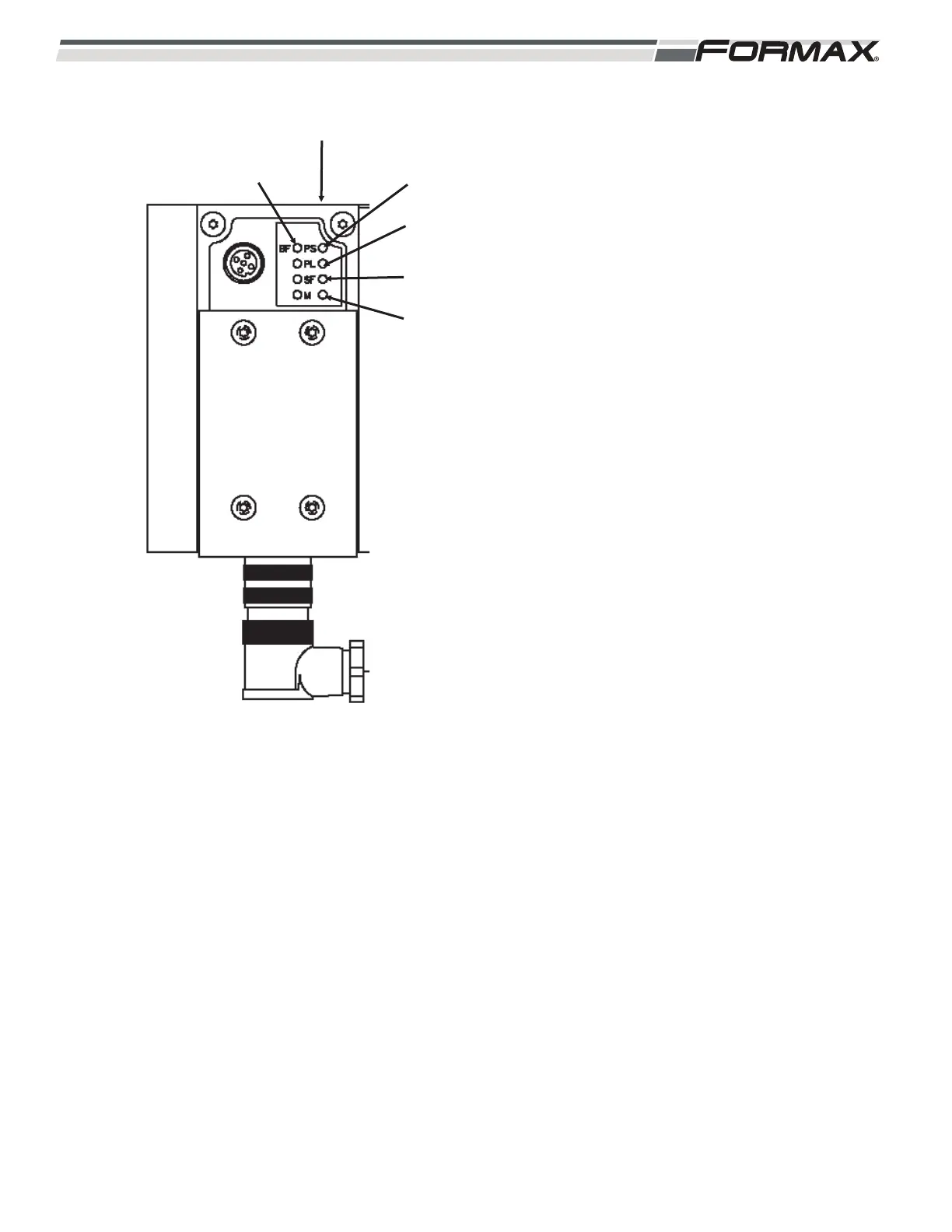
XS3 Gateway Module: The XS3 Gateway
Module transfers “Output” signals from the
Computer to the Directional Valves over the
Profibus Cable. There are 5 “Status” LED’s
used on the XS3 Gateway Module.
(Illustration 128) The LED’s are “BF,” PS,”
“PL,” “SF” and “M.” (Illustration 128)
BF LED: Reports the Bus/Status.
LED is Green: No Faults.
LED is Flashing Red: Check:
1. Wrong Address Setting.
2. Defective Module.
3. Faulty Connection.
4. Faulty Configuration of
Manifold.
PS LED: Reports Power Sensor/Logic
Supply Status.
LED is Green: No Faults.
LED is Flashing Green: Check:
1. Short Circuit/Overload.
2. Turn the Power “Off” and then
back “On.”
LED is “Off”: No Power.
ILLUSTRATION 128
PL LED
PS LED
SF LED
BF LED
XS3 GATEWAY MODULE
M LED



 To Next Page