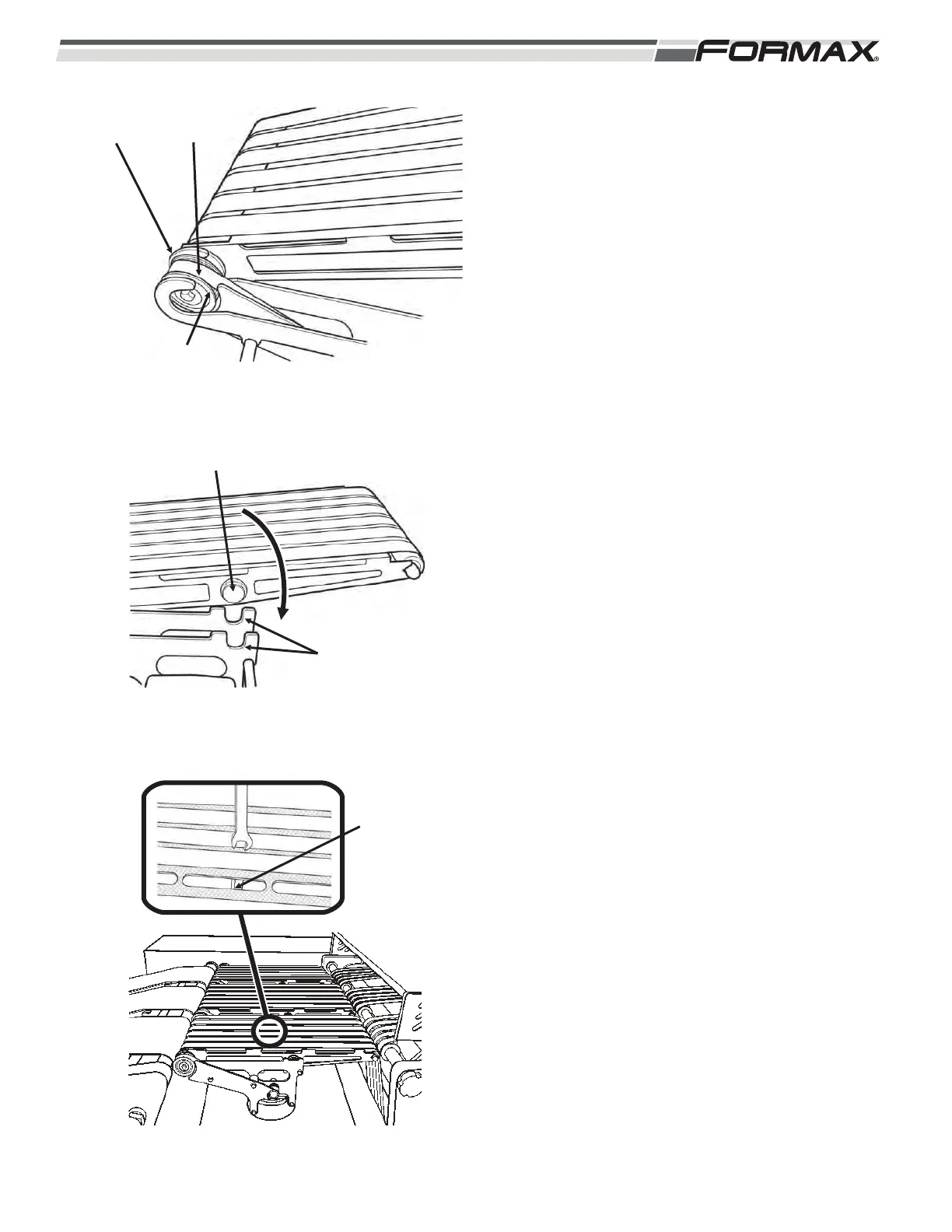
6. Loop the drive belt over the drive pulley and
slide the slots in the drive bushings into the
mounting brackets. (Illustration 17)
7. Lower the rear mounting studs into the slots
on the mounting brackets. (Illustration 18)
8. Use a 1/4 inch wrench and turn the
jackscrew towards the front of the conveyor
to lock the mounting studs in place.
(Illustration 19)
031914 5-5
ILLUSTRATION 18
MOUNTING STUDS
MOUNTING
BRACKET SLOTS
ILLUSTRATION 19
TIGHTEN
LOCKING NUT
ILLUSTRATION 17
DRIVE
BELT
DRIVE PULLEY
MOUNTING
BRACKETS



 To Next Page