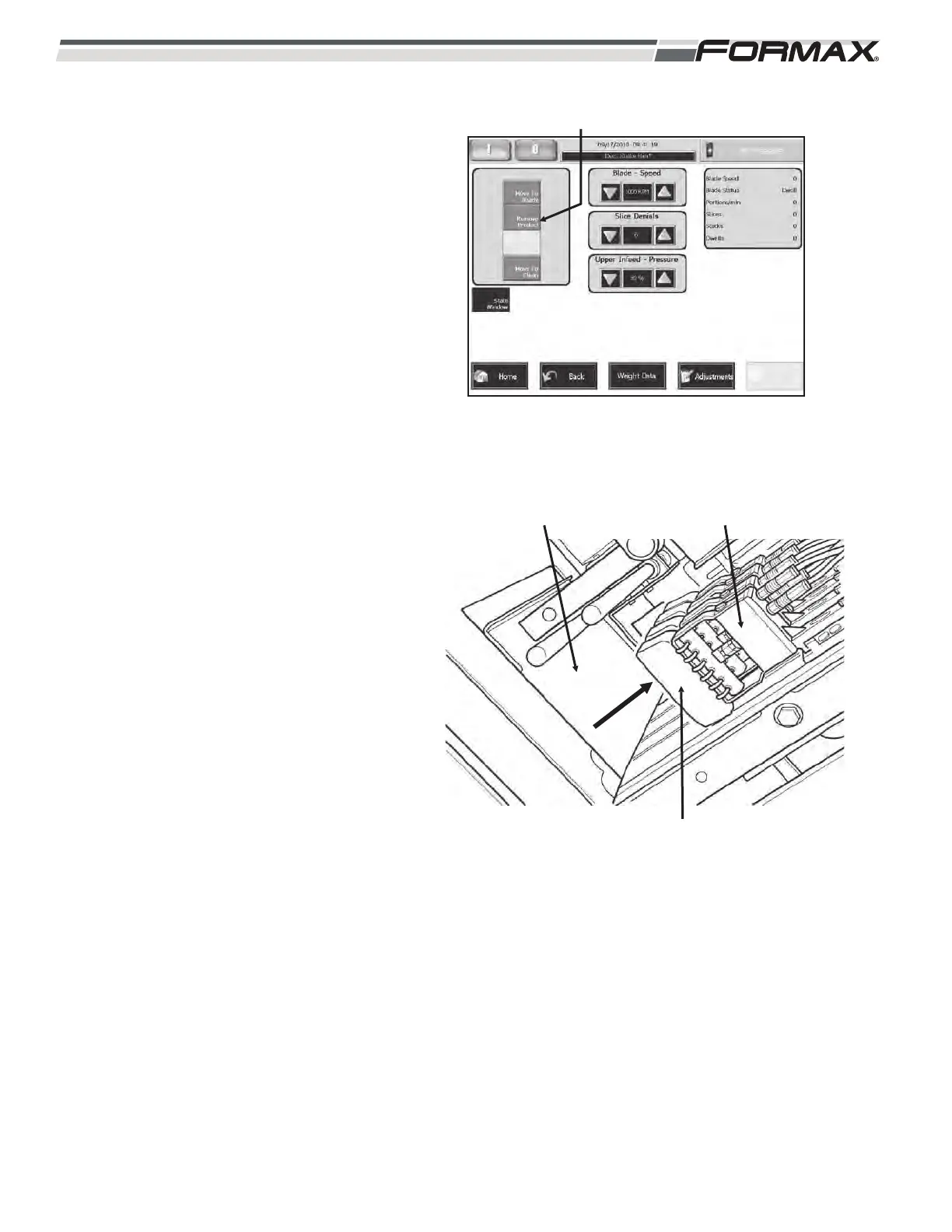
REMOVE PRODUCT: The “Remove Product”
button is used when production is complete or
when changing product before all of the
loaves have been sliced. (Illustration 24)
To the remove the product from the machine:
“Touch” and “Hold” the “Remove Product”
button.
1. The Grippers and Infeed Conveyors
will reverse direction and raise the
loaves out of the Shear Bar and Infeed
Conveyors. (Illustration 25)
2. When the loaves have cleared the
Loaf Gate, the Loaf Gate will close.
The Grippers will release the loaves
and leave them resting on the Loaf
Gate.
3. Remove the Product from the Slicer.
6-10 031914
ILLUSTRATION 24
“REMOVE PRODUCT” BUTTON
ILLUSTRATION 25
LOAF GATE
PRODUCT
GRIPPERS



 To Next Page