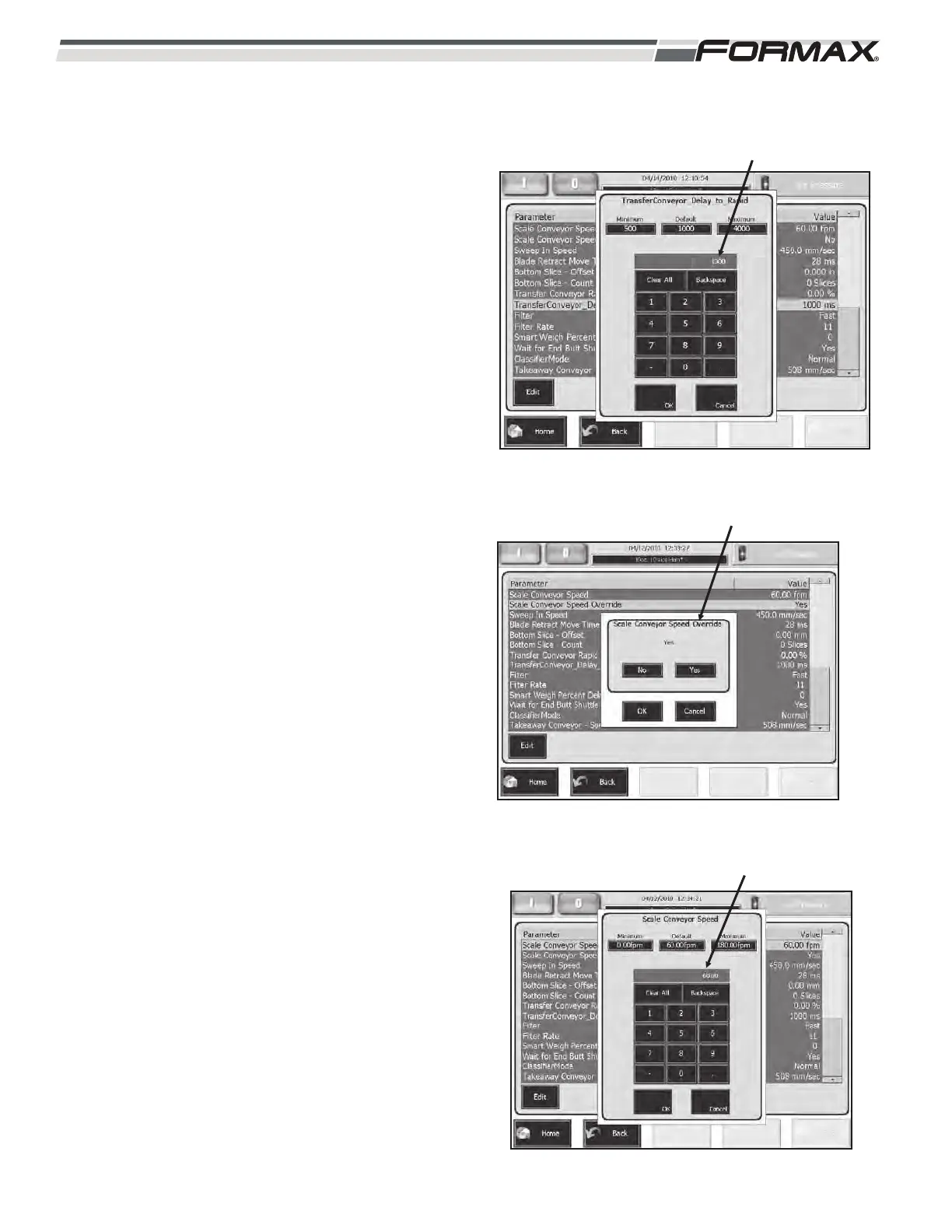
TRANSFER CONVEYOR DELAY TO RAPID: This
parameter allows you to delay the rapid
acceleration of the product as the Transfer
Conveyor sends the product to the Dynamic Scale
Conveyors. (Illustration 80) This adjustment is set in
milliseconds. The higher the setting, the longer the
delay. (Used in “Shaved” and “Folded Slice”
applications.
Filter: This adjustment is only used by the
Programmers and should not be adjusted, except
qualified personnel.
Filter Rate: This adjustment is only used by the
Programmers and should not be adjusted, except
qualified personnel.
SCALE CONVEYOR SPEED OVERRIDE: When
the “Scale Conveyor Speed Override” is set to
“Yes,” the Computer will automatically control the
transfer speed of the Dynamic Scale Conveyors.
(Illustration 81) When set to “No,” the Scale
Conveyors will run at the speed set in the “Scale
Conveyor Speed” parameter.
SCALE CONVEYOR SPEED: The “Scale Conveyor
Speed” parameter allows you to control the transfer
speed of the Dynamic Scale Conveyors
independently of the Computer. (Illustration 82) This
adjustment is set in “Feet per Minute.” If you want
the Computer to automatically control the speed of
the Conveyors, set the “Scale Conveyor Speed
Override to “Yes” and the Computer will ignore this
setting.
6-30 031914
SCALE CONVEYOR SPEED OVERRIDE
ILLUSTRATION 81
“SCALE CONVEYOR SPEED” ADJUSTMENT
ILLUSTRATION 82
ILLUSTRATION 80
TRANSFER CONVEYOR DELAY TO RAPID



 To Next Page