CR Console Operation Manual
3 - 50 2011. 06 897N0519M
3.4.6 Preparation before Exposure (Image Reading): Setting the Auto-repeat Exposure
Repeats exposures with the same selected exposure menus automatically. This setting can be
performed to the exposure menus to which the IP registration has been done but image reading not
yet performed. If the exposure menus of which exposure parameters have been changed are selected,
the change will reflect the exposure menus for auto-repeat exposure. However, the setting of image
trimming will be canceled.
Perform appropriate operation depending on the selected display mode of the Study Execution
Screen.
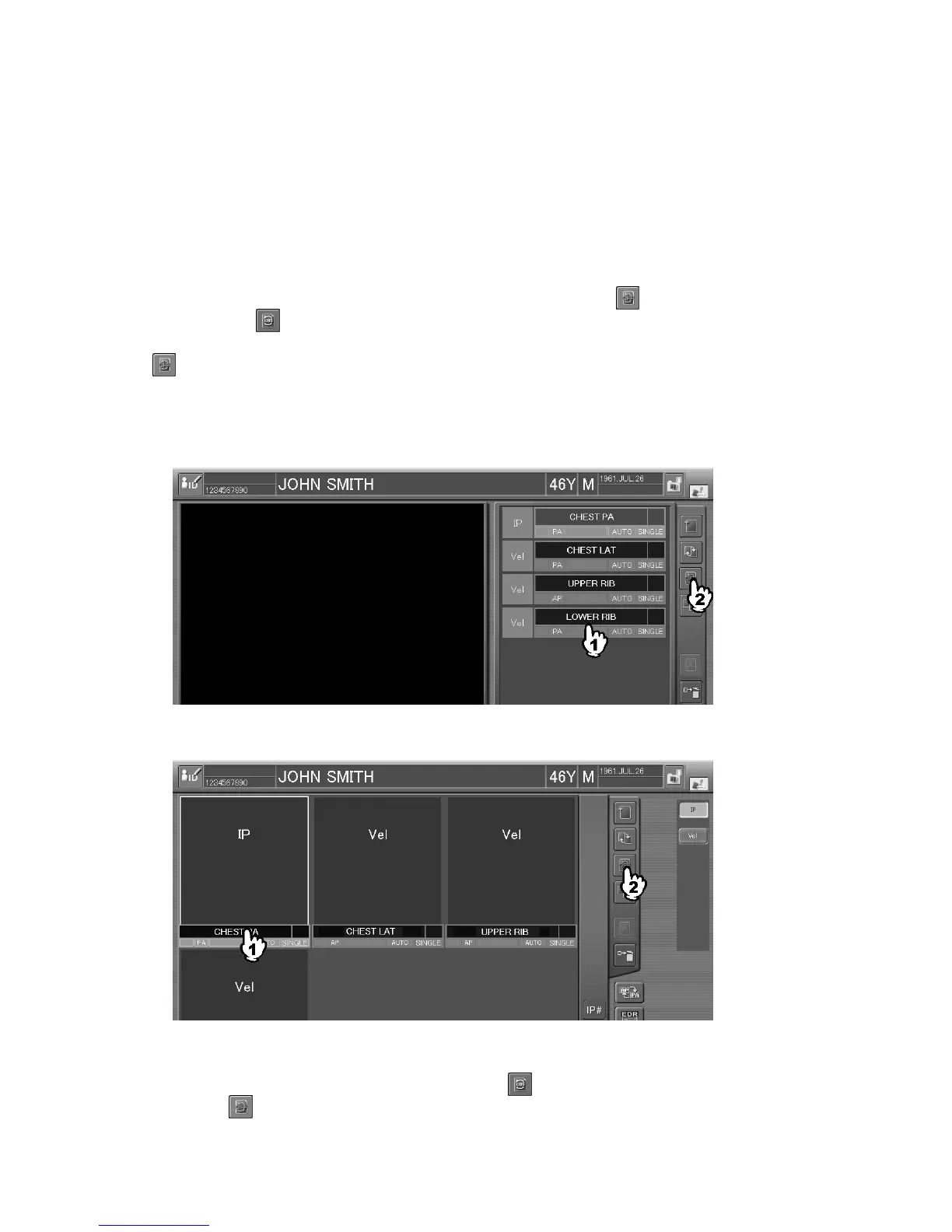
Select the exposure menus for the auto-repeat exposure, and then select
. The auto-repeat
exposure is set (
is displayed).
When the exposure menu to which the auto-repeat exposure is set as a default condition is selected,
is displayed automatically. As the default condition can be set with the User Utility, refer to
[
Chapter 2 MENU SETTING / CR Console OPERATION MANUAL - THE USER UTILITY
OPERATIONS
].
Sample of one-image display mode :
Sample of six-image display mode :
Whenever performing the IP registration/image reading for the exposure menus to which the auto-
repeat exposure is set, the same exposure menus will be displayed (selected).
Repeat image reading processing as needed, and select
to terminate it. The auto-repeat exposure
is released ( is displayed).



 To Next Page