CR Console Operation Manual
4 - 8 2006. 10 897N0519C
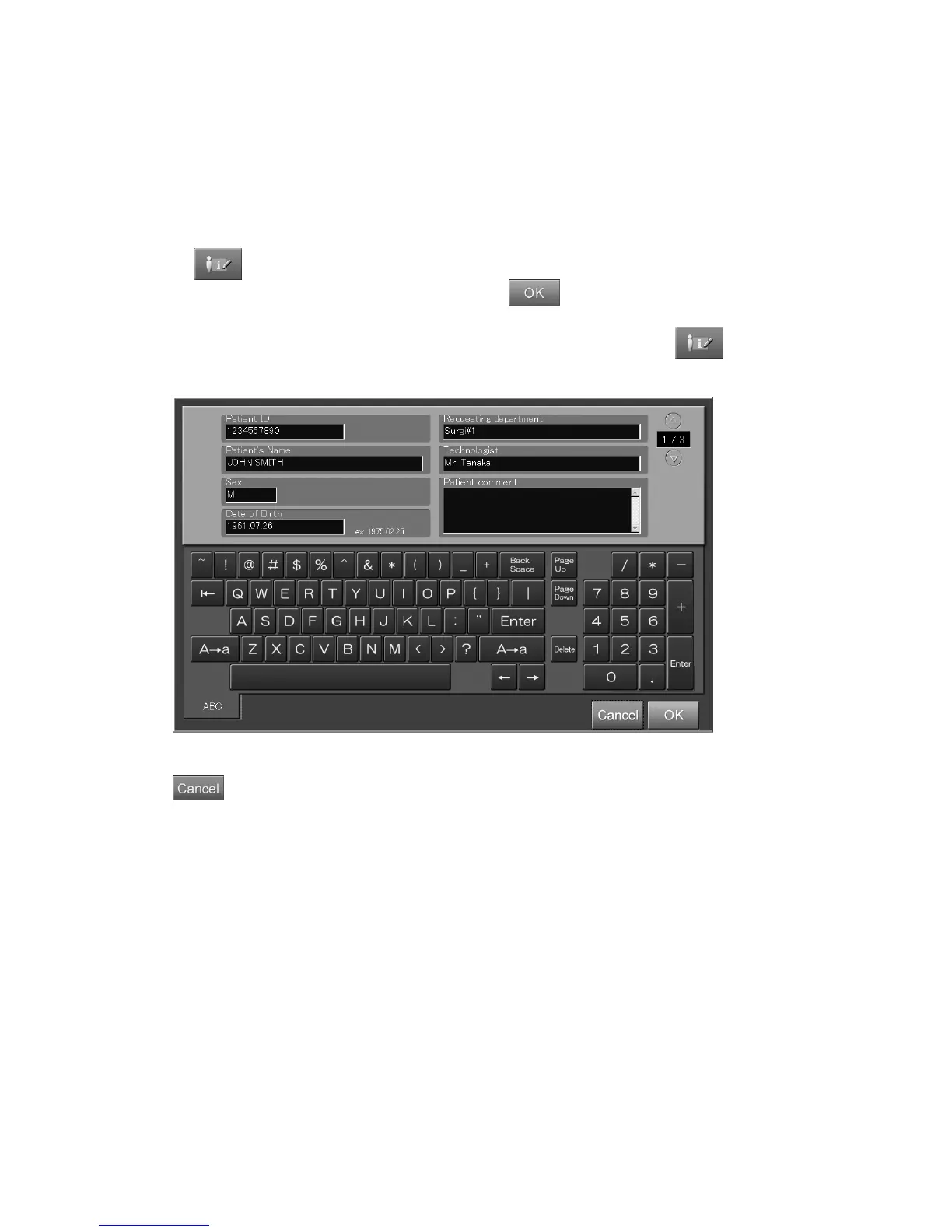
(2) Editing patient information
Edits patient information as follows.
When the user authentication has been specified according to the setting performed at installation, the
permission to use this function can be set to each user by the User Utility. For details, refer to
[
Chapter 3 TABLE SETTING / CR Console OPERATION MANUAL - THE USER UTILITY
OPERATIONS
].
When
is selected, the edit box is displayed.
After modifying information items as necessary, select
.
However, patient information cannot be edited at the Image Edit Screen by an image level. To
modify patient information, return to the Study Execution Screen and then select
.
Refer to [
3.2.1 Modifying Patient Information
].
“Patient information input box”
: Cancels operation.



 To Next Page