CR Console Operation Manual
2010. 03 897N0519J 2 - 25
2.2.10 Image Edit Screen
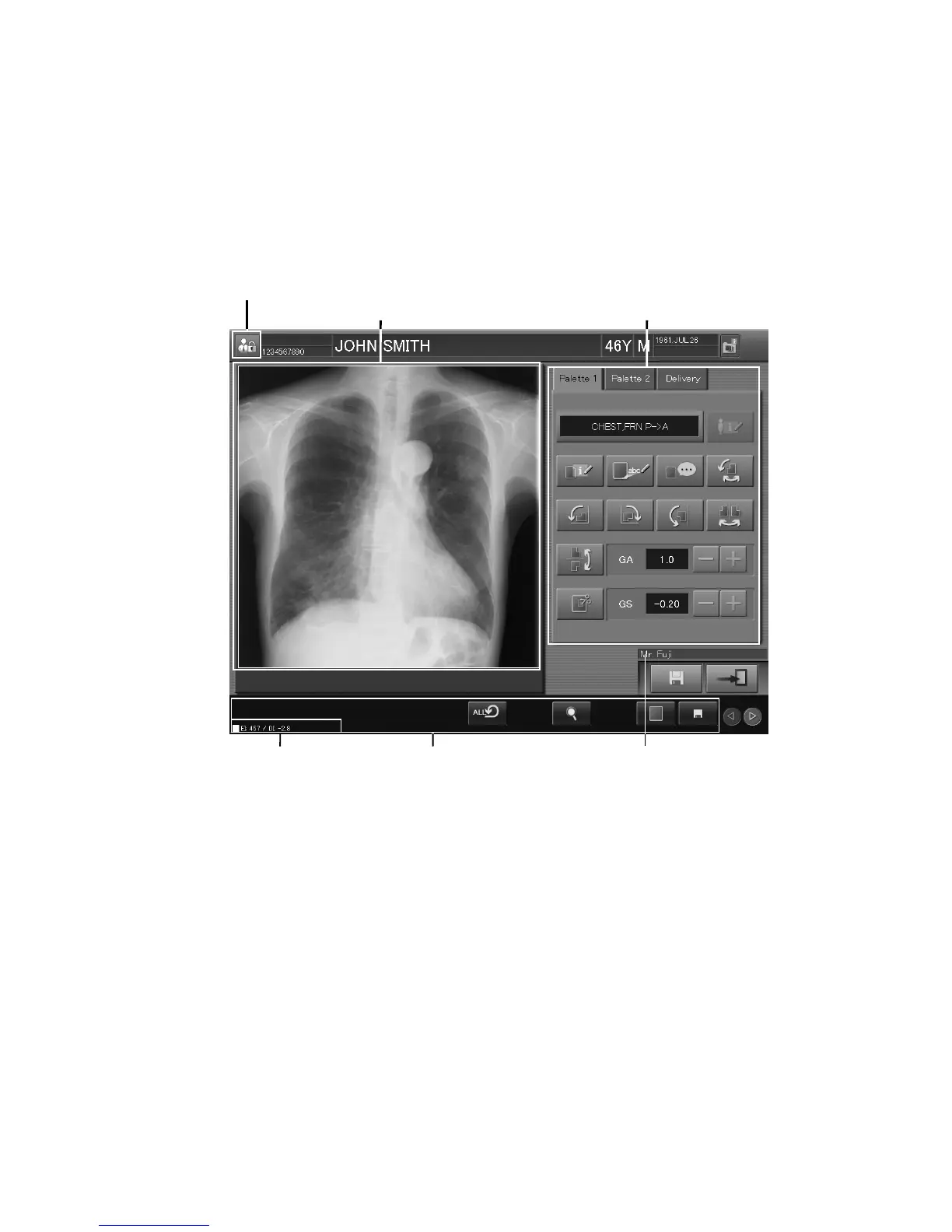
This is a screen for editing image information by an image level and also by a study level. For image
information editing by an image level, processing such as image information editing and film output
will be performed on images read on the “Study Execution Screen”.
For image information editing by a study level, processing such as image information editing and
image output will be performed on images of a study for which the exposure has already been
completed.
Image edit function
: Authenticates the operational authority of functions that change the
authentication button
FCR image processing parameters. Alternately selects the display or
non-display of the FCR image processing parameter-changing buttons.
Whether a function authentication button is displayed or not depends
on the setting made at the time of installation.
Image display field
: Displays the image to be edited.
Information folder
: Edits information in each folder.
Technologist display field
: Displays a name of logged-in technologist.
Whether a technologist (user) name is displayed or not in the
“Technologist display field” depends on the setting performed at
installation.
QA image controller button
: Operates various utility functions (Magnifying display image/
Alternately switching image processing type /Reprinting display
image/Setting failed image/Locking study/Saving image/Outputting
DICOM files).
EI/DI display field QA image controller buttons Technologist display field
Information folder
Image edit function authentication button
Image display field



 To Next Page