CR Console Operation Manual
2011. 06 897N0519M 3 - 21
3.3.2 Setting for Issuing the Examination Order
After completing the performance setting, set the examination order on the “Examination Order
Issuance Screen”.
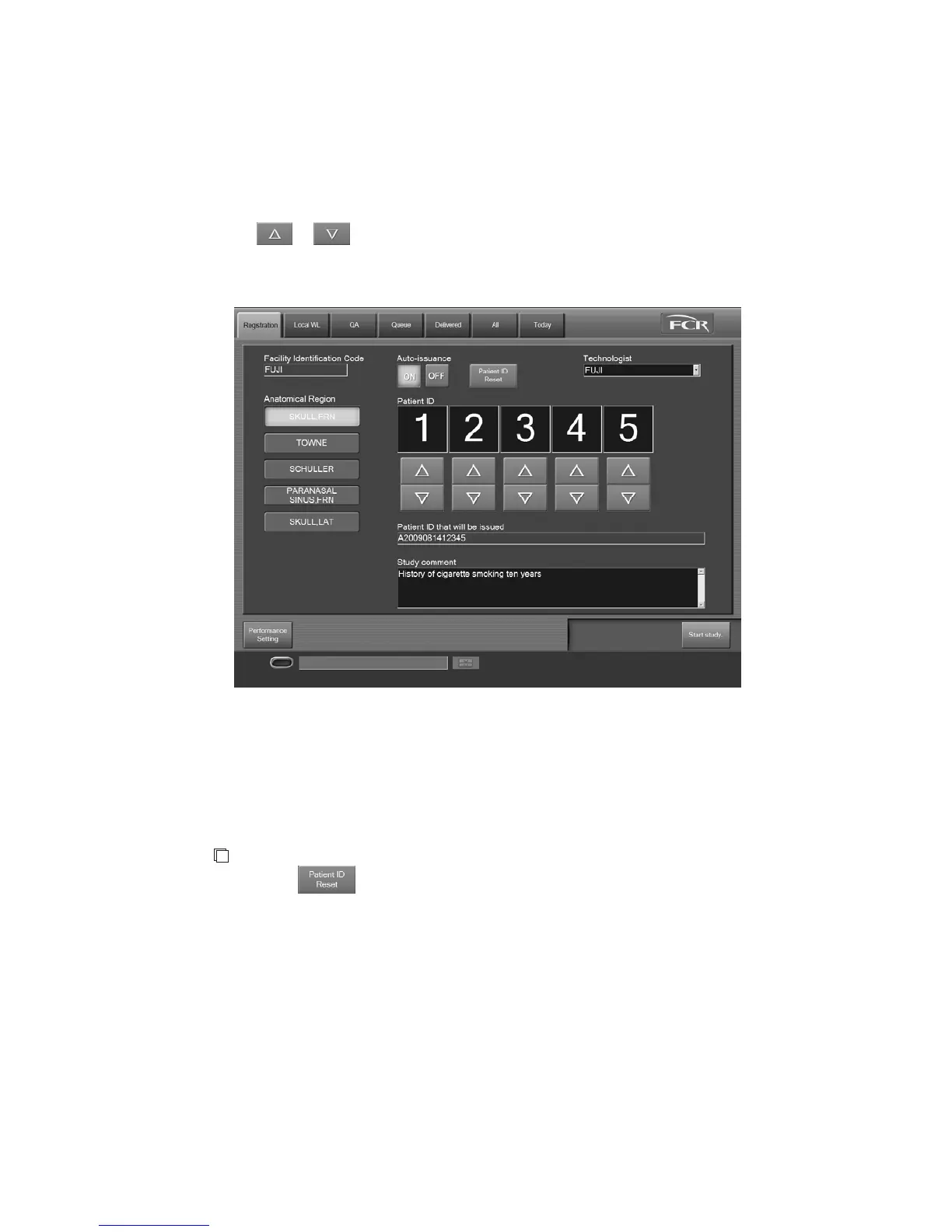
Setting a patient ID number
Select
or to set the patient ID number to be newly issued.
The “Patient ID that will be issued” field displays the patient ID including the value that is set
according to the issuance format.
“
Examination Order Issuance Screen
”
If a patient ID number is set to “0”, the study can be started for making a test exposure. In this case,
as the number is not stored in the history, a patient ID number with one added to the number issued
before the text exposure is displayed after completing the exposure.
NOTE
Selecting
resets the set patient ID and displays the initial value.
Note that this deletes the history of all the patient IDs issued under the code in “Facility
Identification Code” field.
Setting comments on study, technologist and anatomical regions
Set the comments on study, technologist and anatomical regions as required. For details, see [
2.2.6
Patient Information Input Screen
].



 To Next Page