CR Console Operation Manual
2009. 09 897N0519H 4 - 15
(9) Trimming Adjustment
Adjusts trimming processing.
When the user authentication has been specified according to the setting performed at installation, the
permission to use this function can be set to each user by the User Utility. For details, refer to
[
Chapter 3 TABLE SETTING / CR Console OPERATION MANUAL - THE USER UTILITY
OPERATIONS
].
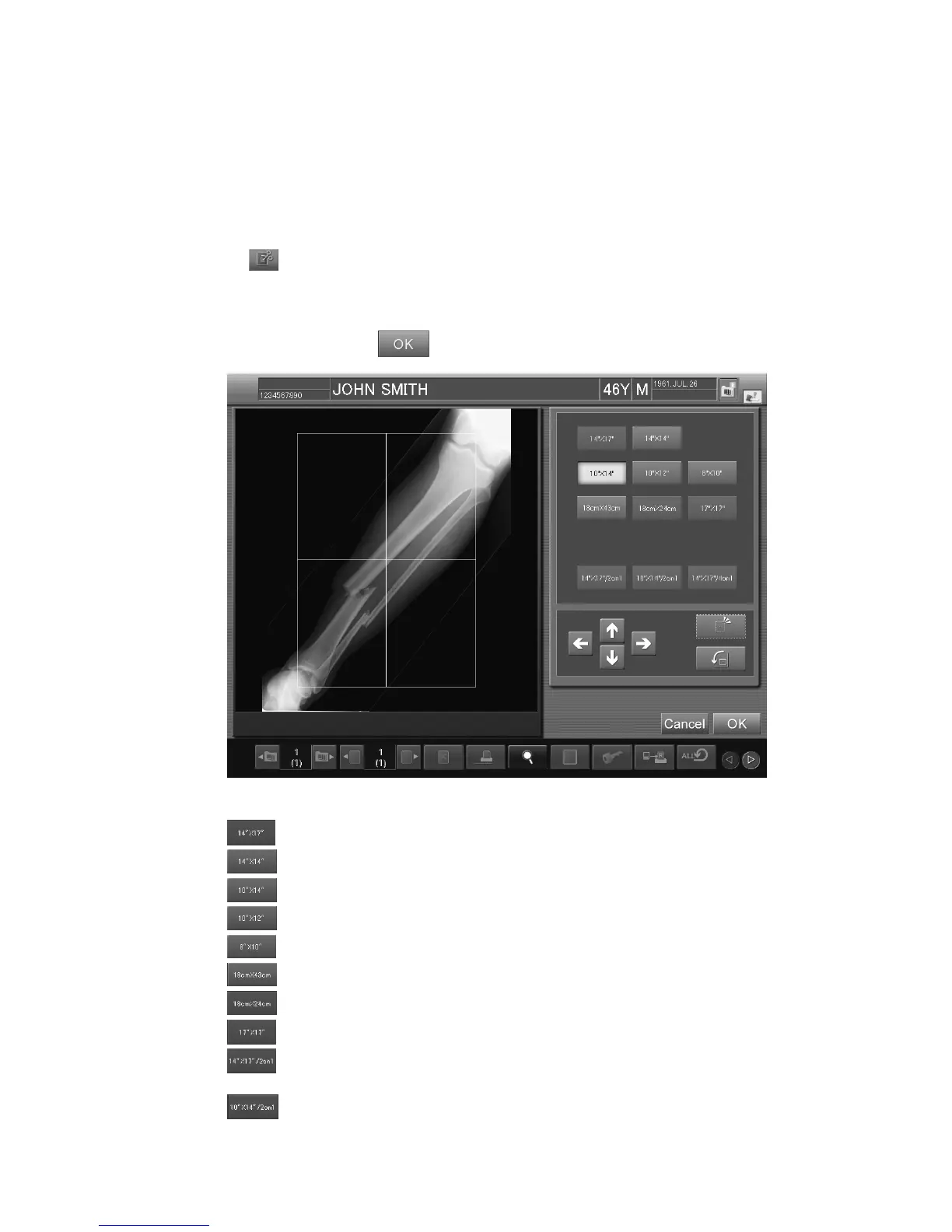
When
is selected, the setting box is displayed.
To change the trimming size, select either of the following five icons.
Select an extraction size (two or more extraction sizes can be selected) and reference position for
extraction, and then select
.
“Trimming adjustment setting box”
: Trims a read image to the 14”x17” size.
: Trims a read image to the 14”x14” size.
: Trims a read image to the 10”x14” size.
: Trims a read image to the 10”x12” size.
: Trims a read image to the 8”x10” size.
: Trims a read image to the 18x43cm size.
: Trims a read image to the 18x24cm size.
: Trims a read image to the 17”x17” size.
: Trims a read image to the 8”x14” size, the half of 14”x17”, if the 2on1 film format is
selected for the read image.
: Trims a read image to the 7”x10” size, the half of 10”x14”, if the 2on1 film format is
selected for the read image.



 To Next Page