CR Console Operation Manual
5 - 10 2006. 10 897N0519C
5.2 List Operation
Described herein are operations of the lists.
(1) Filtering
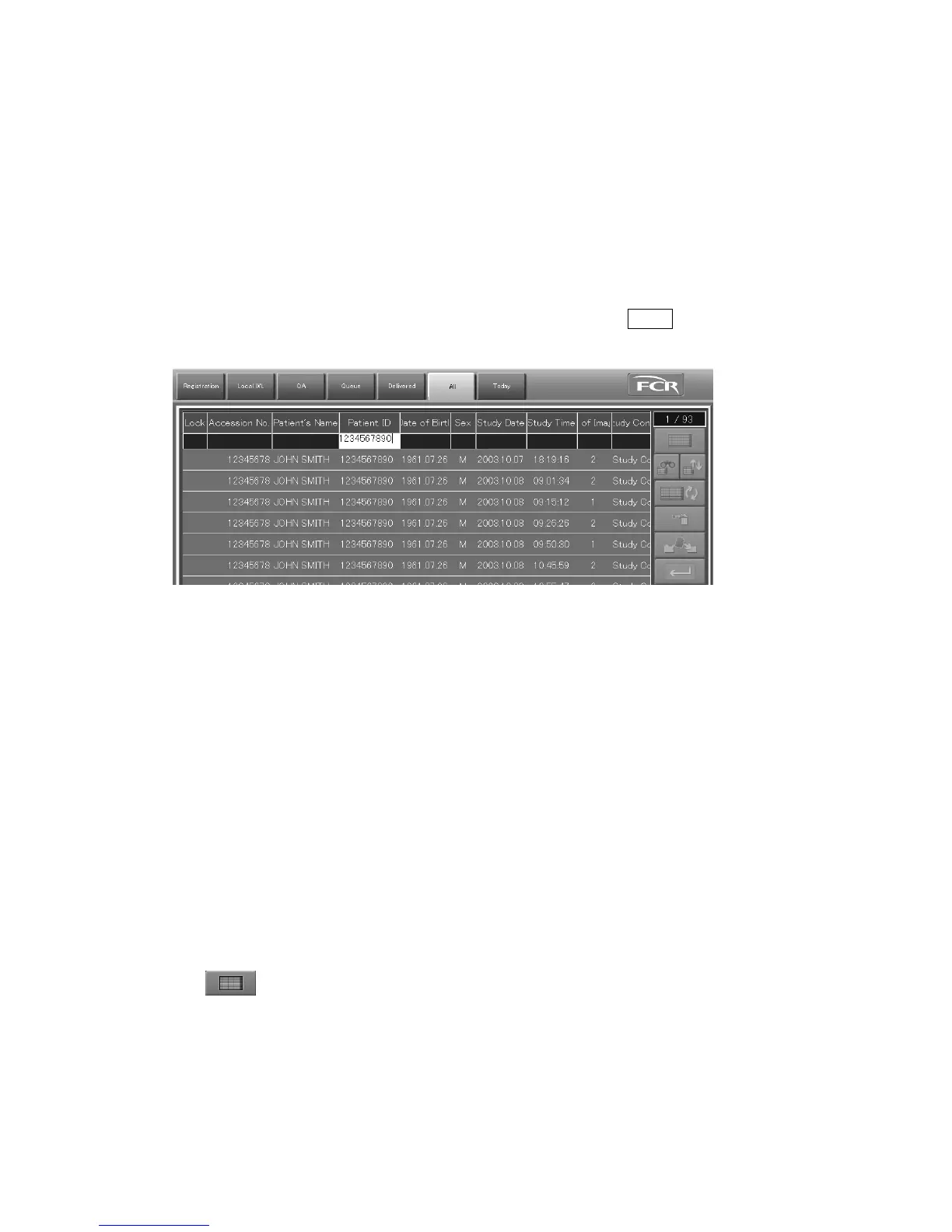
Filters study information to be listed up. The target for filtering is the study information in all CR
Consoles set as the range of search. This function is valid for each list of “Local WL” / “QA” /
“Delivered” / “All” / “Today”. For more information, see [
(16) Setting Study List
Range of
search
].
Input keywords in the input field of the information items, and then press Enter key. The study
information that corresponds to the keywords will be listed up.
For the filtering operation
• Upper case/lower case is not distinguished for keywords.
• The study information listed up is forward-corresponded to the keywords input in “Patient’s
Name” / “Study Menu Name” and completely corresponded to the keywords input in other
keyword items.
• Keywords cannot be input for “ ! ” / “Lock” / “Study Condition”.
• If keywords are input in multiple items, the study information is filtered with AND conditions.
• The card reader (option) can be used to input keywords for “Patient ID”.
• The barcode reader (option) can be used to input keywords for “Patient ID” or “Accession No.”.
(The usable item is determined by setting performed at the time of installation.)
• If only one study is found for the corresponding study information by filtering using the card reader
or barcode reader, the CR Console selects the study automatically and transits to next processing.
• When the filtering is performed using the card reader or barcode reader immediately after lists are
switched alternately and so on, the existing study information may not be listed up. If this happens,
perform the same filtering again.
• The keywords once input will be kept unless they are deleted. To release all filtering conditions,
select
. It is also possible to release them automatically when a study list is re-displayed
after the study in the filtered study list is executed and finished.



 To Next Page