CR Console Operation Manual
20008. 09 897N0519F 4 - 7
NOTE
Before using image processing, ensure that it does not affect image reading. If image processing
task affects image reading, adjust the image processing parameters appropriately.
There is apprehension that depending on the exposure conditions applied, subject to be exposed or
X-ray generator used for exposure, image processing task becomes burdensome, which then
causes artifacts to occur, resulting consequently in undesirable. effects in image reading.
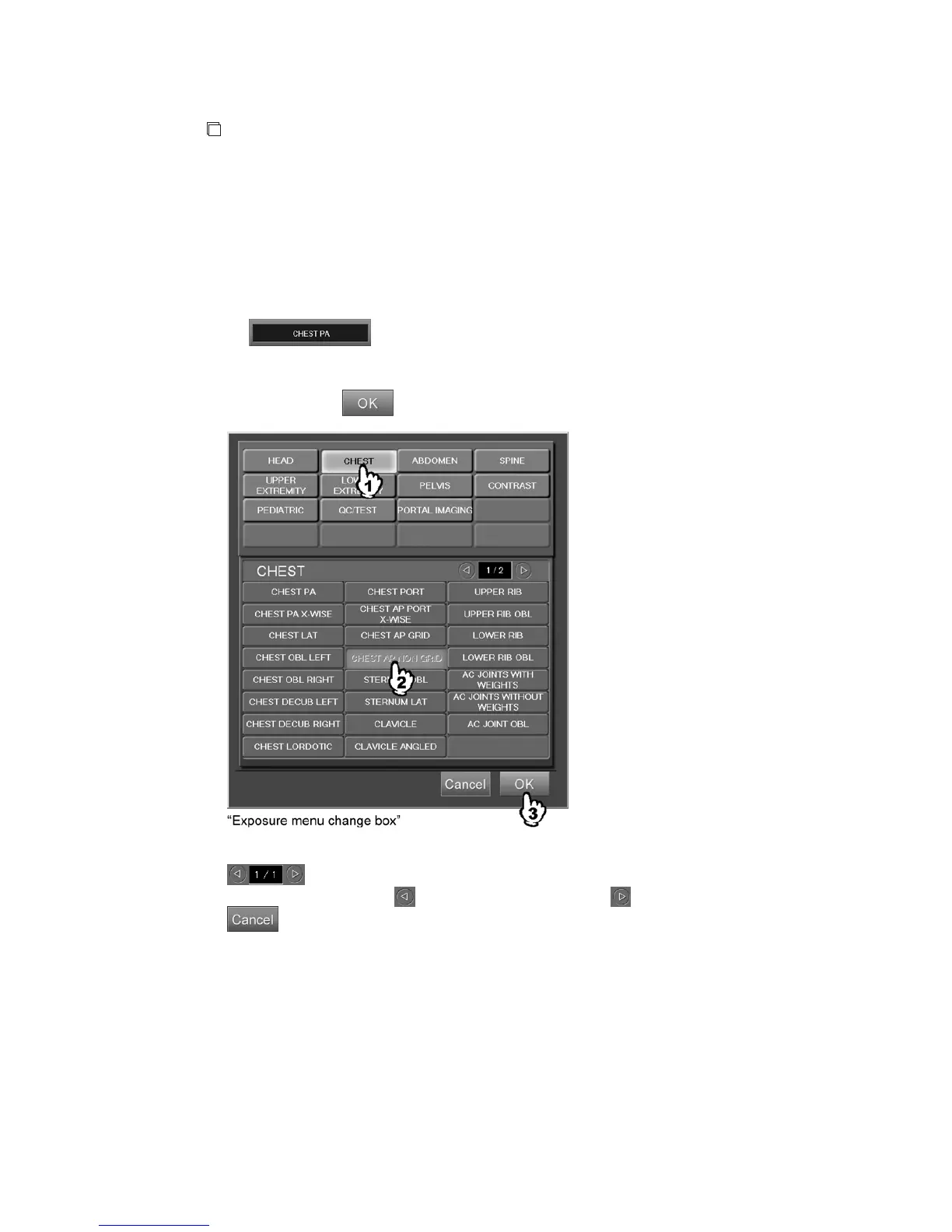
(1) Changing exposure menus
Changes exposure menus.
When
is selected (an exposure menu of the current image is displayed),
the exposure menu change box is displayed.
Select a menu item in the menu group to display the exposure menu. Select the displayed exposure
menu and then press
.
: Displays page number of the exposure menu selection button.
Selecting
turns one page backward and one page forward.
: Cancels operation.



 To Next Page