CR Console Operation Manual
2011. 06 897N0519M 3 - 81
3.9 Suspending Studies
Suspends exposures to hold the current study. Operate appropriately depending on the status of study
process.
NOTE
Before suspending a study, make sure that IP is registered to all the exposure menus, for which
exposures have already been made.
(1) In the case that the image reading has been done for all exposure menus in the study
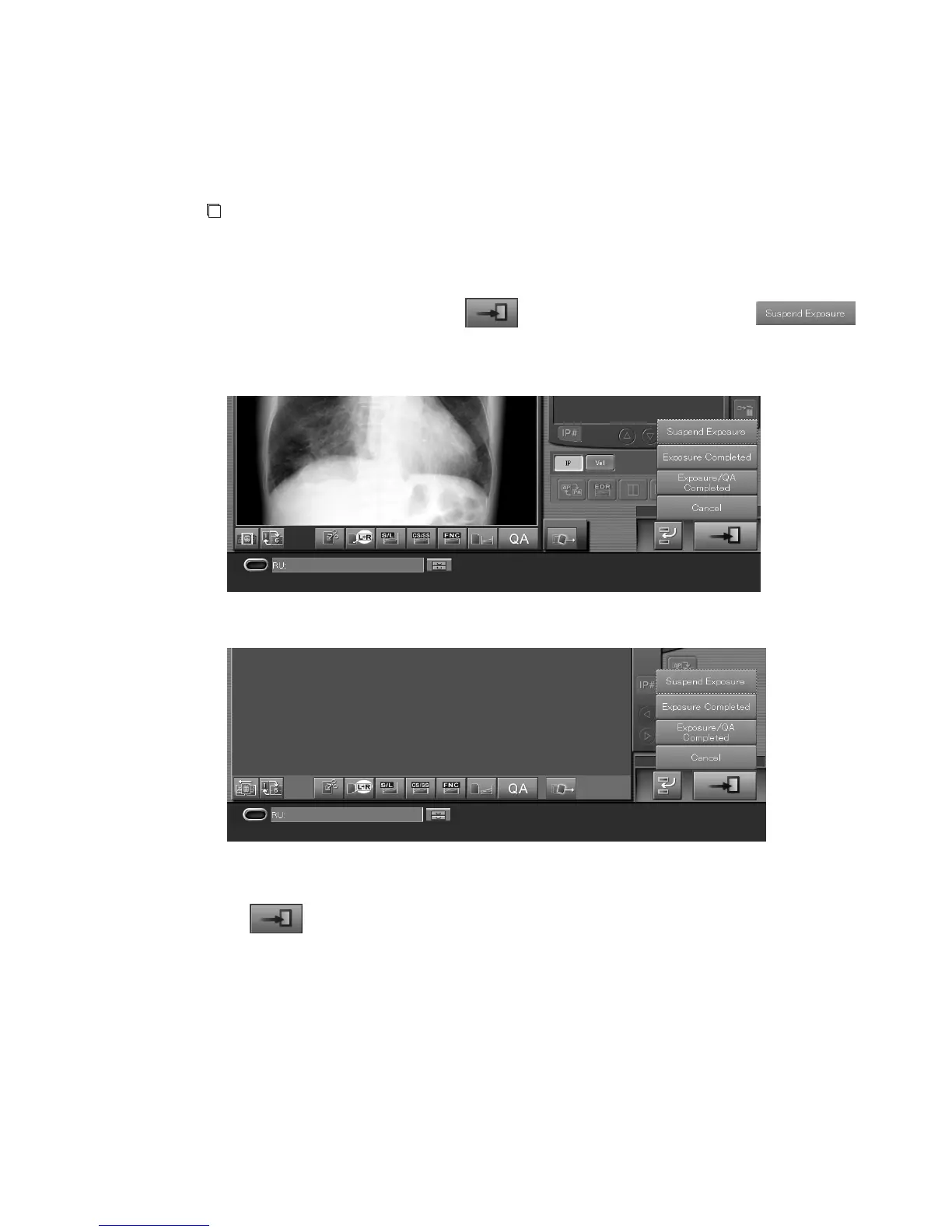
Wait for a moment while holding down
to display the menu, and then select .
The study will be suspended and stacked in the “Local WL” list.
One-image display mode :
Six-image display mode :
(2) In the case that exposure menus of unregistered IP remain in the study
Select
. The condition set in “The method at the time pushed Study Finish button (The
unregistered menu exists.)” field is applied at the Property Setting of the User Utility.
If an exposure menu, for which IP has been registered but images not yet read, is remaining
unprocessed, the study will be suspended for all exposure conditions. In such cases, the study will be
stacked in the “Local WL” list.
When starting multiple studies at the same time (simultaneous multiple studies startup option):
Similarly, exposure conditions set up in “The method at the time pushed Study Finish button (The
unregistered menu exists.)” field will also be applied, when starting multiple studies at the same time.



 To Next Page