CR Console Operation Manual
2009. 09 897N0519H 6 - 5
(2) When the Dose Area Product Measuring System is used
To ensure the accurate reception of necessary information from the dose area product measuring
system connected to the CR Console, it is essential that the precautions and operational procedures
described below be strictly followed.
If the precautions are not followed, inconsistencies may arise in the setup data used for each exposure,
possibly causing the data to be lost or to fall outside of the guaranteed range.
Precautions regarding the line connection to the Dose Area Product Measuring System
•
When the
is displayed at the top-right of the CR Console monitor, select the and check
to see if any error message regarding the dose area product measuring system or its connection
status appears or not. If an error message appears, check the connection between the CR Console
and the dose area product measuring system. If the connection is fine but the error message
remains, contact our authorized distributor.
•
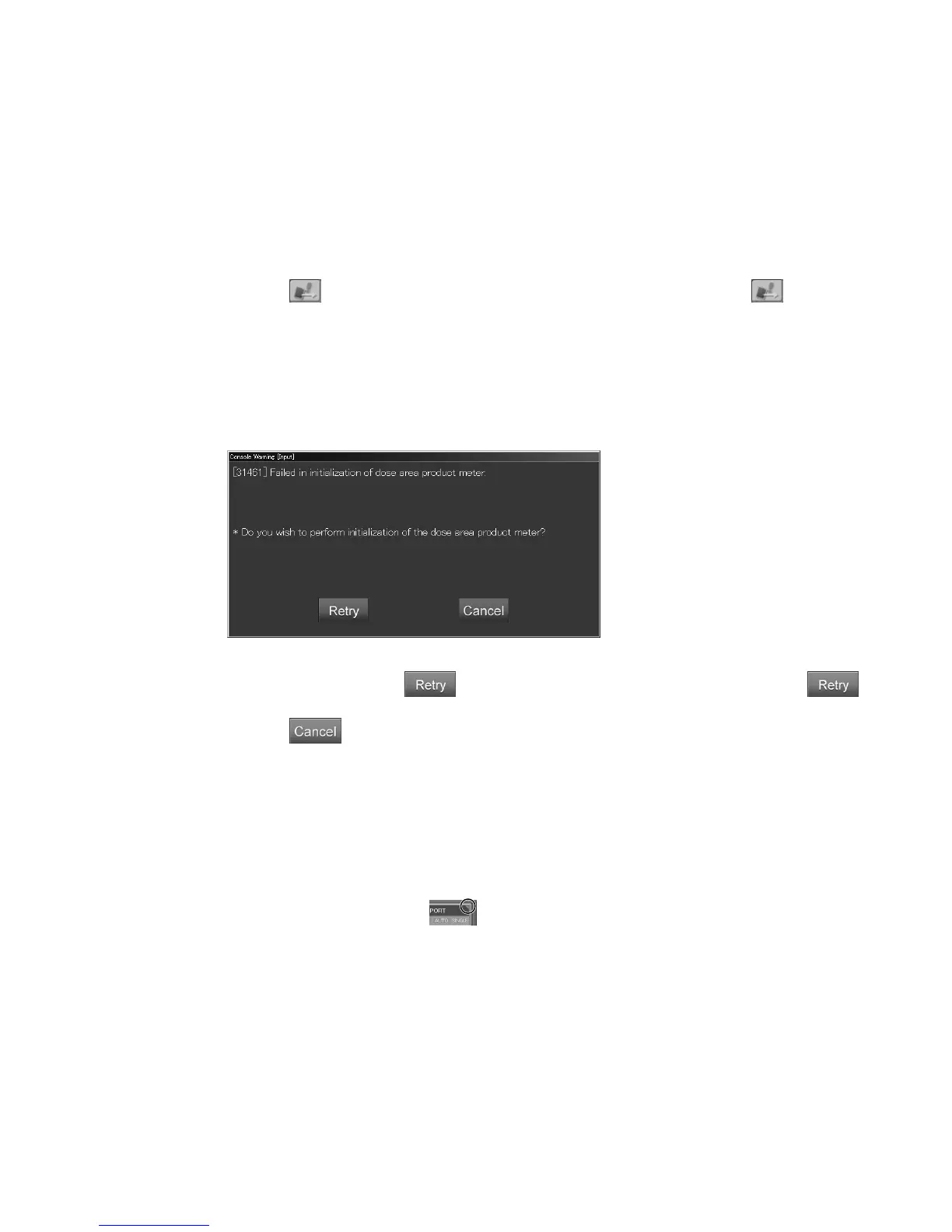
If a problem with the line condition occurs at the start of a study, the following error message box
will appear.
If you see this message, select
. If the error message box remains even after selecting
several times, contact our authorized distributor.
If you select
, exposure will be started without the receipt of X-ray exposure parameters.
Operational procedure when using the cassette-in FCR Image Reader
1. Register the exposure menu first before starting the study.
2. Select one exposure menu and then do the necessary tasks, such as preparation of the IP cassette.
3. Perform the X-ray exposure.
4. Perform IP registration of the exposed IP cassette.
After IP registration, the CR Console receives the X-ray exposure parameters from the dose area
product measuring system. The
should be displayed, so confirm that it does.
At a facility where only one FCR Image Reader is used and IP registration is not performed, the
X-ray exposure parameters are received at the time the IP cassette is inserted into the FCR Image
Reader.
5. View the “study information box” to confirm that there are no differences between the exposure
data displayed on the dose area product measuring system display unit and the exposure data
received by the CR Console.
6. Start the next exposure.



 To Next Page