CR Console Operation Manual
4 - 4 2009. 09 897N0519H
4.2 Displaying Screen
Displays the Image Edit Screen by a study level. When displaying the Image Edit Screen by an image
level, refer to [
3.7 Editing Images
].
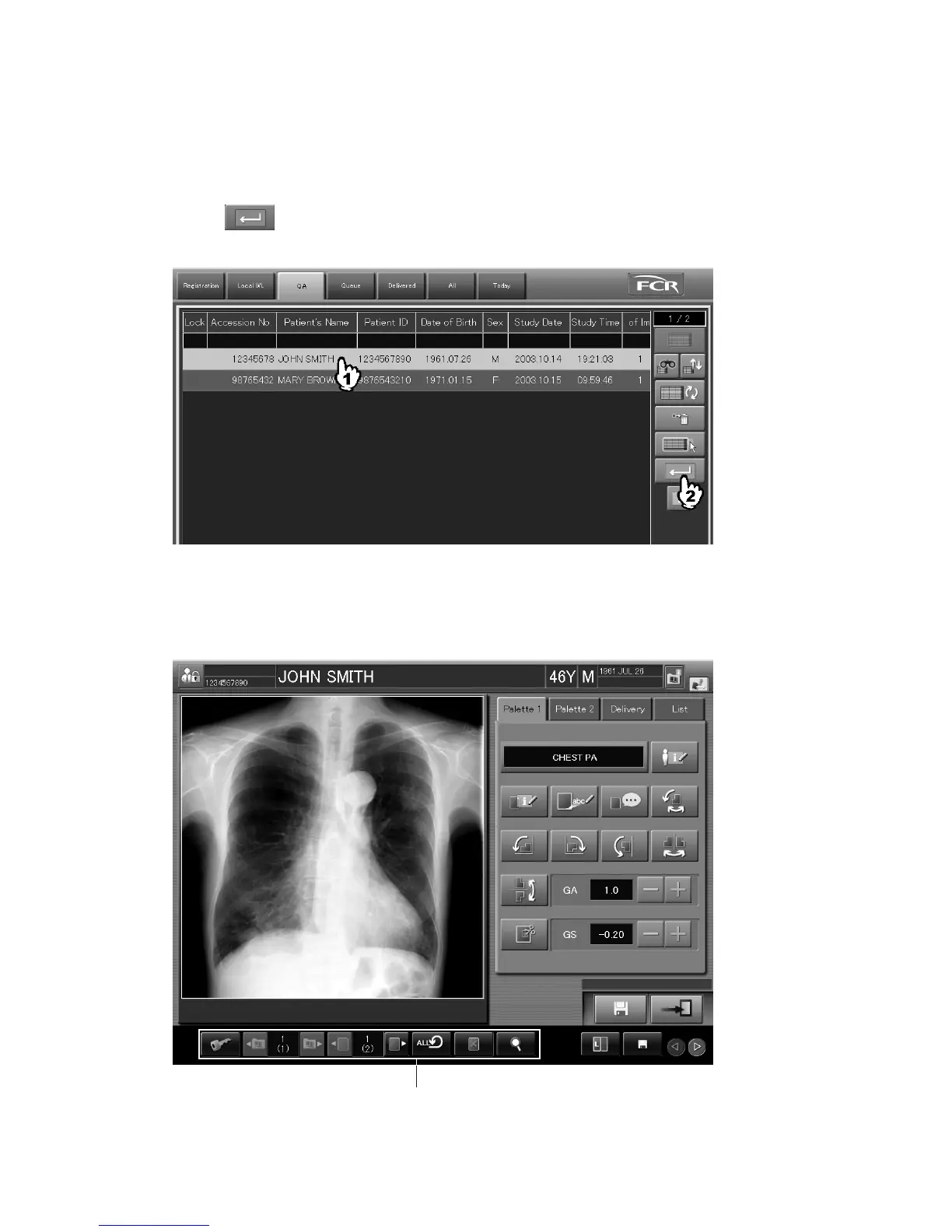
Select a study for which exposures are already completed in each list (QA/Delivered/All/Today), and
then select
. However, the studies to which the image editing (QA) is currently performed at
other CR Consoles cannot be opened.
The Image Edit Screen is displayed.
When multiple CR Consoles are connected, a study whose images are saved in other inactivated
CR Consoles cannot be targeted for image edit processing.
“Image Edit Screen”
QA image control buttons



 To Next Page