CR Console Operation Manual
3 - 26 2011. 06 897N0519M
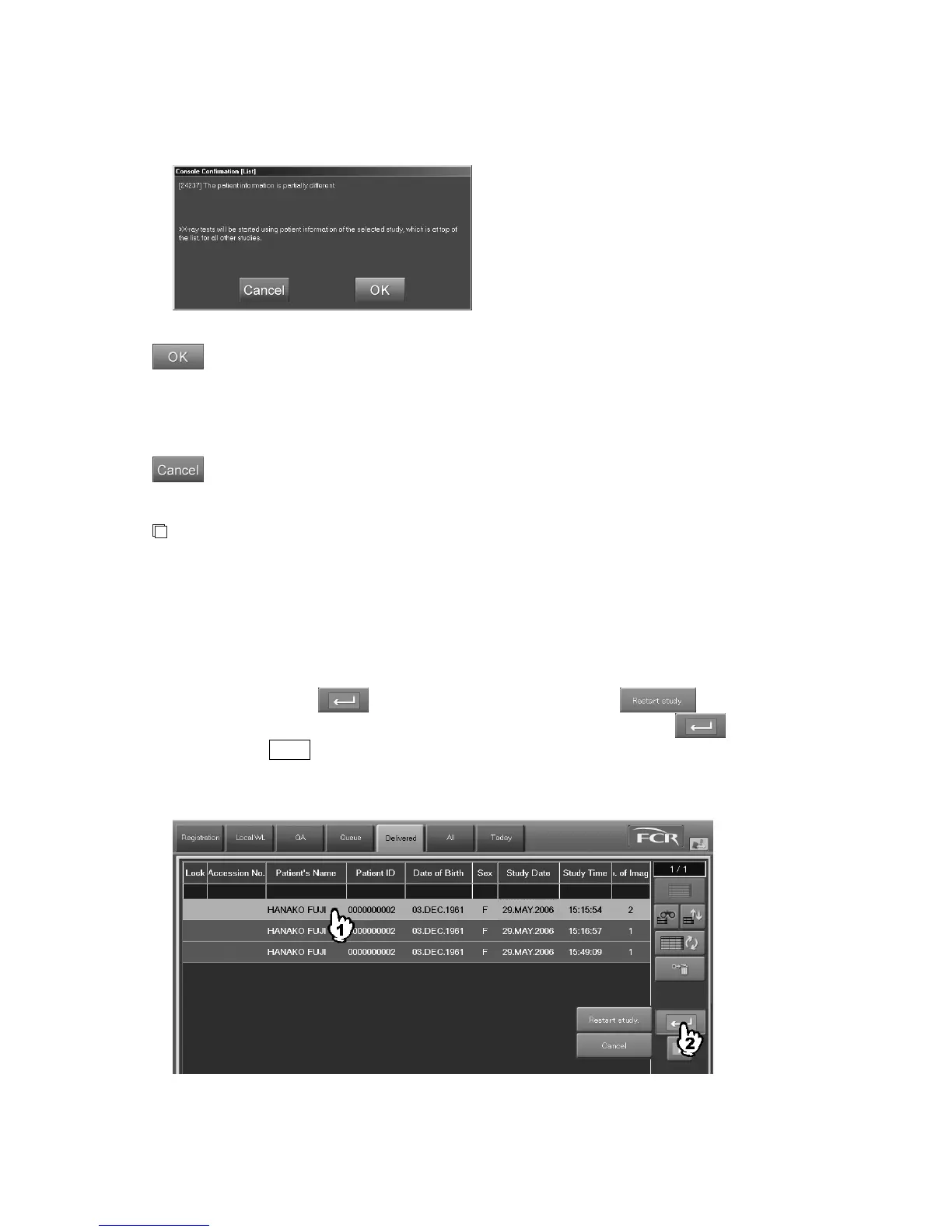
If patient information of the selected studies includes inconsistent data for the information items
listed above, a message appears saying that “The patient information is partially different.”
: Displays studies selected in the “Local WL” list onto the Study Execution Screen.
At this time, patient information of the study shown at the head of the list of selected
studies will be reflected on all of the selected patient information. For this reason, there are
cases where some of the patient information items are overwritten by the patient
information items of the study that is at the head of the list.
: Cancels processing to start multiple studies at the same time, returning then to the “Local
WL” list.
NOTES
• Multiple studies cannot be started at the same time, if those studies include studies where only
patient information for which no exposure menus exist have been reserved.
• It is not allowed to start studies registered at the CR Console and those transmitted via RIS
(connection by DICOM MWM service) all together at the same time.
(3) Starting Studies from the “Delivered” List (additional exposures)
Performs additional exposures for the study stacked in the “Delivered” list. Select a study, and then
wait a few seconds while
is selected to display the menu. Select .
It is also possible to resume study by selecting a study first and then by selecting
while
holding down the Shift key. When doing so, the study to which the exposure or image editing (QA)
is currently being performed at a different CR Console cannot be selected. (Refer to [
Chapter 5.
OPERATIONS - LIST
].)
The “Study Screen” is displayed.
For more information about the “Study Screen”, see [
2.2.9 Study Screen
].



 To Next Page