CR Console Operation Manual
2009. 09 897N0519H 4 - 27
After the above operation is completed, select .
: Cancels operation.
NOTES
• FNC cannot be applied to bone and soft tissue images derived from energy subtraction processing.
• When FNC was applied, F will be output on film proving that it was actually applied.
• Frequency processing parameters to be used are different whether FNC is applied or not. When
FNC is to be applied, MFP frequency processing parameters are slightly enhanced. When FNC is
not to be applied, MFP frequency processing parameters same as those for when FNC is applied
are used. When FNC is not to be applied, check images and re-set the applied parameters, as
necessary.
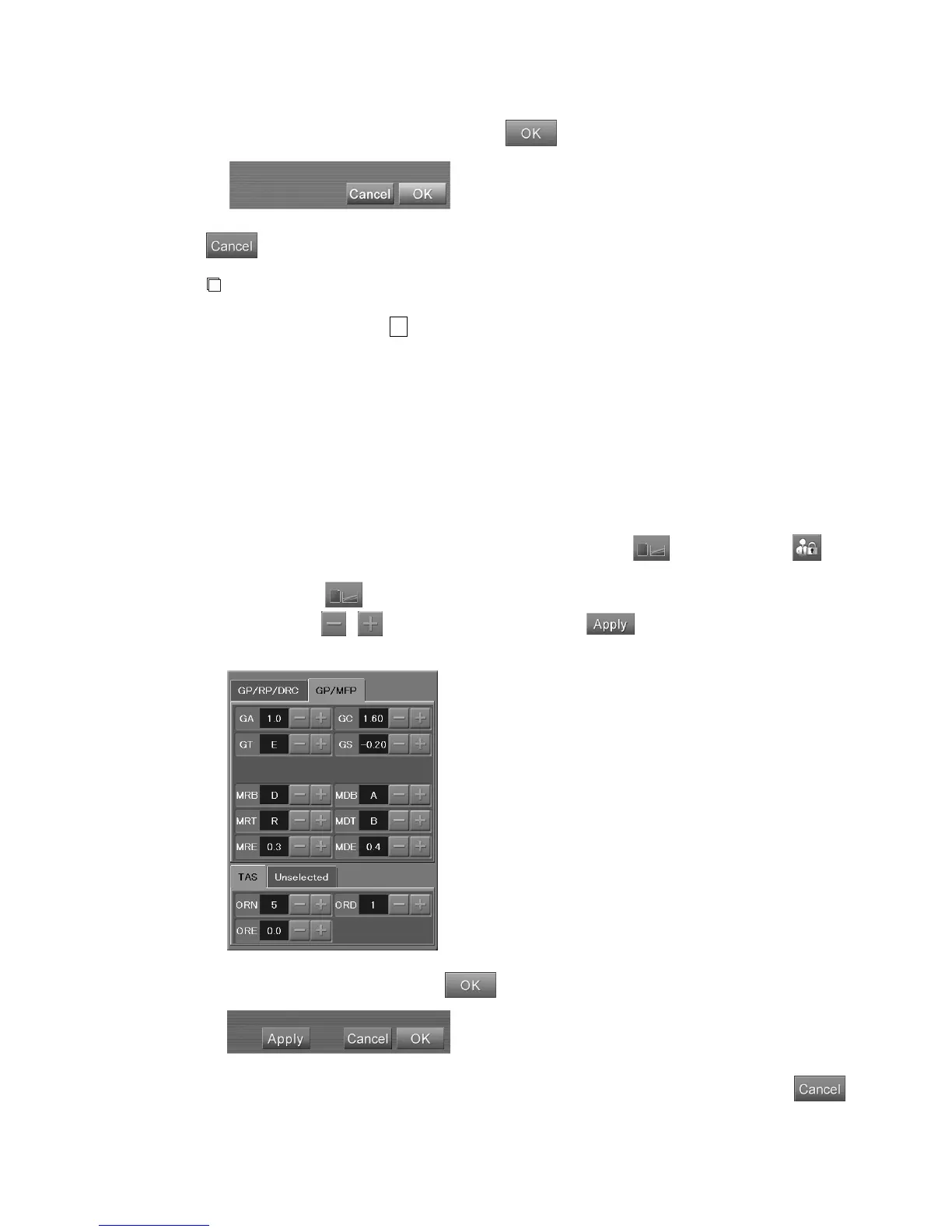
(15) Detailed Image Processing Parameters Change Box
Modifies the GP (gradation processing), RP (frequency processing), DRC (dynamic range compression
processing) and TAS (Tomographic Artifacts Suppression Processing) of the displayed image.
If use of user authentication was set at the time of installation, the is displayed when has
been selected and user authentication has been done.
When you choose
, the detailed image processing parameter change box appears.
After you choose
/ and change the setting, choose . The change in setting will be
reflected in the displayed image.
After you change the setting, choose
.
To cancel the setting and close the detailed image processing parameter change box, select
.



 To Next Page