CR Console Operation Manual
2009. 09 897N0519H 6 - 3
6.2 How to Cope with an Error...
(1) When the System Hangs Up...
If an illegal processing is performed while this equipment is operating, the screen may freeze and the
system may hang up (processing disabled).
In that case, shut down the equipment forcibly according to the following procedure, and then re-start
it.
NOTE
If the screen freezes and a hangup occurs, remove the keyboard and mouse and reconnect them. If
this operation does not solve the problem, restart the CR Console.
If the operating system is Windows XP
1) Press the Ctrl + Alt + Del keys simultaneously.
2) “Windows Security” is displayed.
Click “Task Manager”.
3) “Windows Task Manager” is displayed.
Select the application currently running (may be more than one) in the list in “Applications” tab,
and then click “End Task”.
4) The message box is displayed.
Click “End Task” to terminate all software applications.
Depending on equipment units in use, operations at steps 4) and 5) may not be required.
5) The desktop screen of the operating system (Windows XP) is displayed.
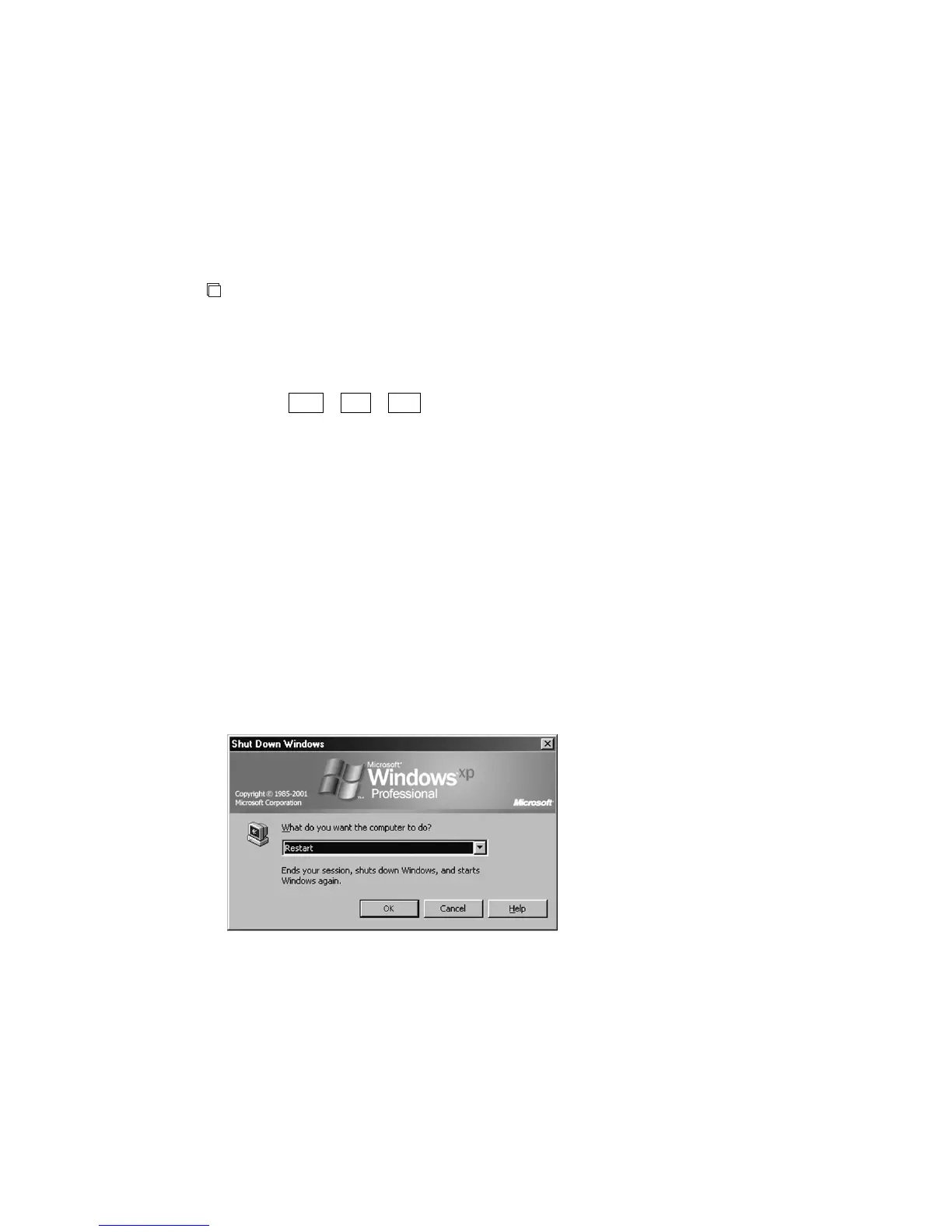
Close “Windows Task Manager”, and then click the “Start” button in the lower left in the screen.
Click “Shut Down”. Shut down processing is then executed.
6) Re-start this equipment.



 To Next Page