CR Console Operation Manual
2011. 06 897N0519M 3 - 19
Setting a facility identification code
Input a facility identification code (a maximum of 64 characters).
NOTE
Facility identification code cannot be set up to 64 characters, depending on the setting made at
the time of installation.
If you change a facility identification code to the existing one, a patient ID number with one added
to the number issued last is displayed on the “Examination Order Issuance Screen”, when the display
returns to the “Examination Order Issuance Screen”.
Setting the patient ID history
Enter the number of days to store the history of patent IDs issued automatically.
This can be set in the range of 1 to 365.
NOTE
When this period has elapsed, the patient IDs are deleted on startup of the CR Console.
To clear the history of all the patient IDs issued, select
.
Setting the comments
To clear comments on completion of the study, select the “Clear study comments upon study
completion.” checkbox.
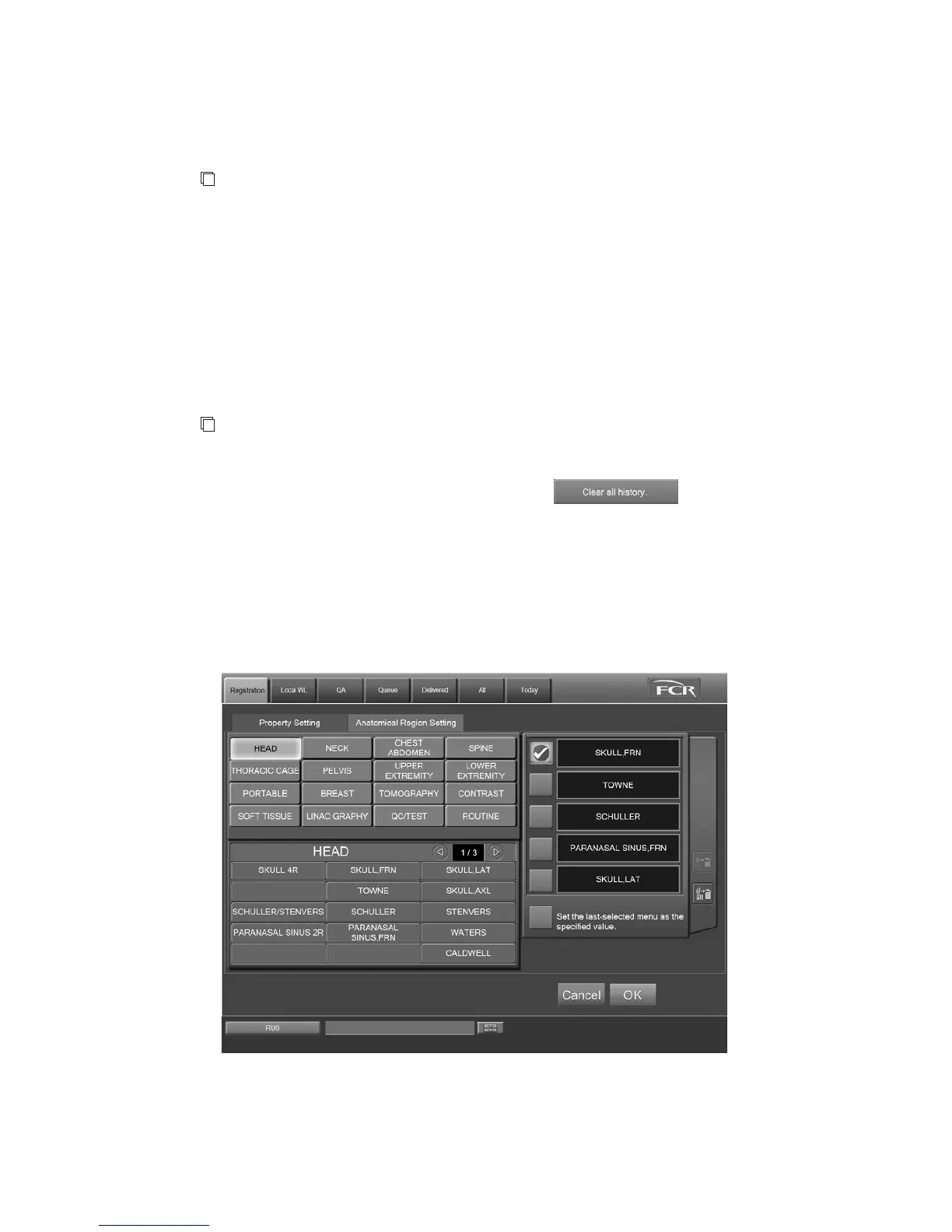
(2) Setting the Anatomical Region
Select the “Anatomical Region Setting” tab.
“Anatomical Region Setting Screen”
You can set the exposure menus for examination order in advance. Note that only up to five exposure
menus can be set. For selecting and modifying the exposure menus, see [
3.1.3 Selecting Exposure
Menu
] and [
3.2.3 Modifying Exposure Menu
].



 To Next Page