CR Console Operation Manual
2011. 06 897N0519M 3 - 75
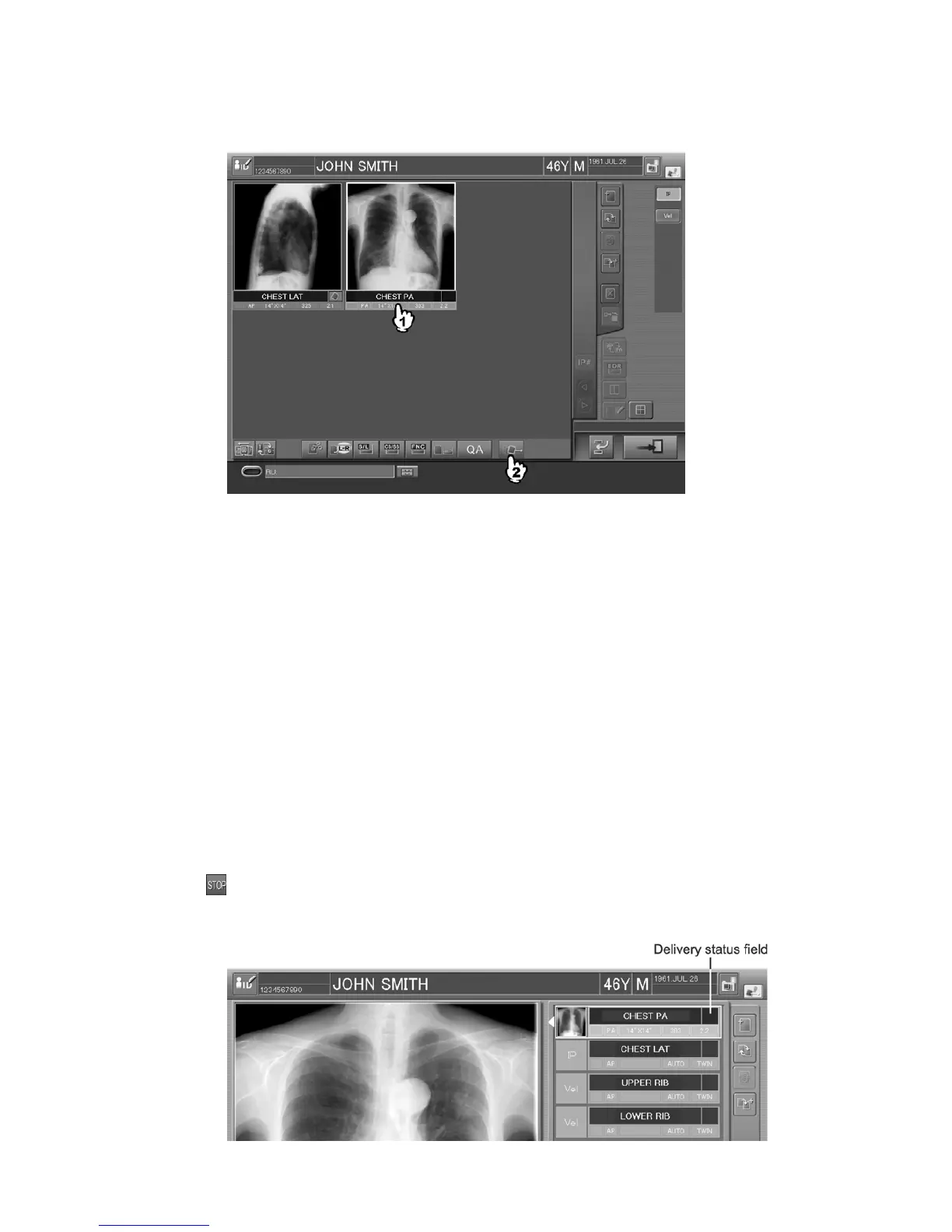
Sample of six-image display mode :
(6) Distributes only Print attribute automatically when a certain period of time has
passed after image reading
When a certain period of time has passed after image reading completion, the image will be output on
film. In this case, other deliveries excepting film output are executed after the exposure terminating
operation is done at the Study Execution Screen. For the image to which the delivery processing is
started, the image-delivery mark is displayed. The time from image reading completion to film output
can be set at the User Utility. Refer to [
Chapter 4 PROPERTY SETTING / CR Console
OPERATION MANUAL - THE USER UTILITY OPERATIONS
].
A study of which delivery setting is done with this setting cannot select “Exposure finish” (Finish
exposure only) at the time of study finish.
It is possible to disable auto-distribution processing even a certain period of time has passed or
deliver immediately before the preset time has passed. Operate appropriately as needed.
Auto-distribution disabled even a certain period of time has passed
Use this processing when delivery is required after image confirmation. Perform operations
depending on the display mode of the Study Execution Screen.
When images are not read yet, select the delivery status in the exposure menu field.
is displayed at the delivery status box.
Sample of one-image display mode :



 To Next Page