CR Console Operation Manual
2011. 06 897N0519M 3 - 9
3.1.3 Selecting Exposure Menu
Selects an exposure menu as follows. A maximum of 48 menus can be selected.
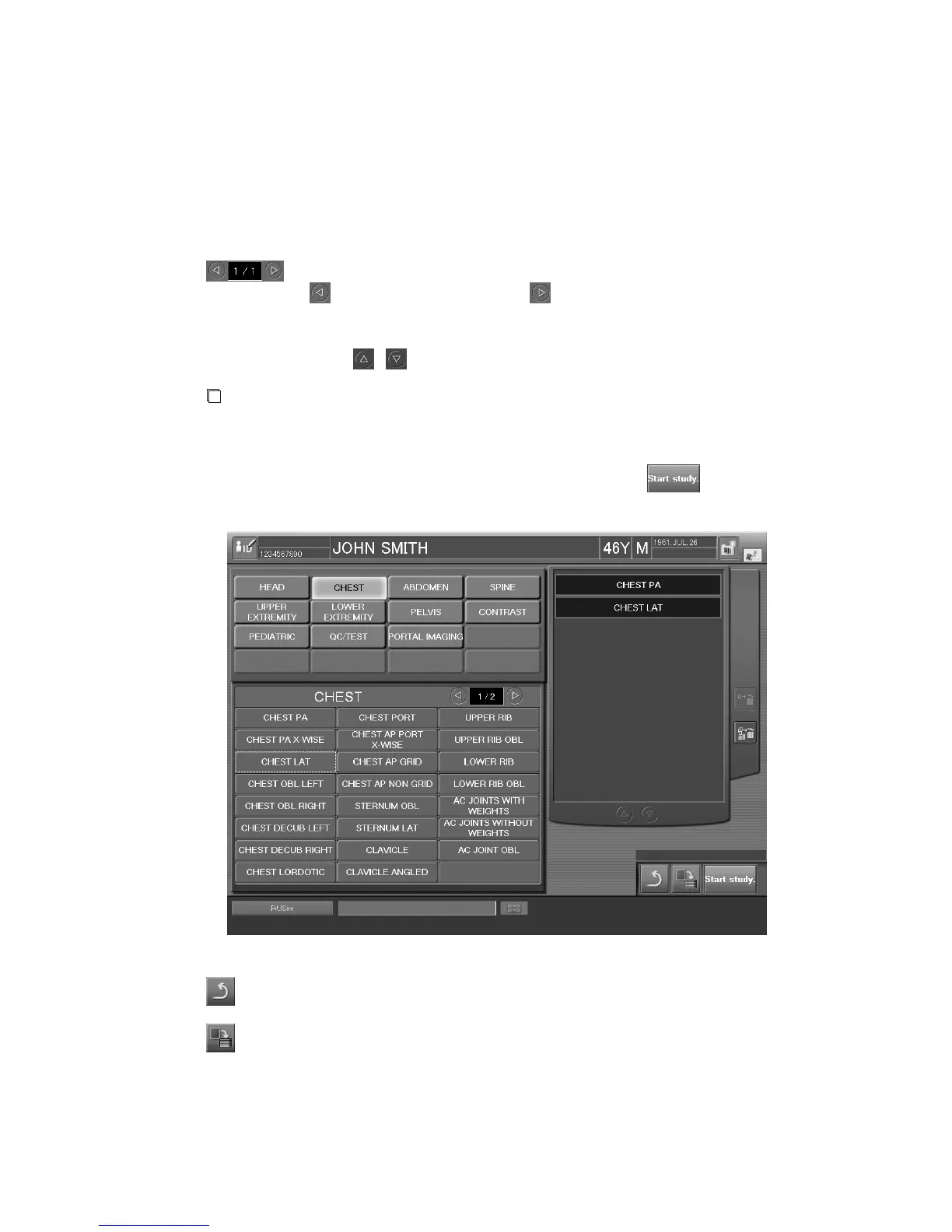
When the patient information input is completed, the exposure menu selection box is displayed.
Select a menu item in the menu group to display the desired exposure menu, and then select an
exposure menu (more than one menu can be selected). The selected exposure menu(s) is displayed in
the selected exposure menu list on the right side of the screen.
: Displays page number of the exposure menu selection button.
turns one page backward, and turns one page forward.
Change order
: To change order of selected exposure menus, move a desired menu up or down on
the exposure menu list.
Scroll
: Select
/ to scroll the selected exposure menu list.
NOTE
When using a long-view exposure menu, make sure that the total number of exposure menus is
less than 48, including two exposure menus added after registering IPs.
Confirm that the exposure menu selection is correct, and then select
.
This finishes selection of exposure menu, and proceeds to the next step.
“Exposure Menu Selection Screen”
: Cancels the settings on the Patient Information Input Screen and the Exposure Menu Selection
Screen. Then, ends the current study to return to the Patient Information Input Screen.
: Reserves a received study as an unexecuted study. Displays the Patient Information Input
Screen to receive the next study. The reserved study is stacked to the “Local WL” list. For how
to perform an already-reserved study from the “Local WL” list, see [
3.4.1 (2) Starting
Studies from the “Local WL” List
].



 To Next Page