CR Console Operation Manual
2011. 06 897N0519M 2 - 21
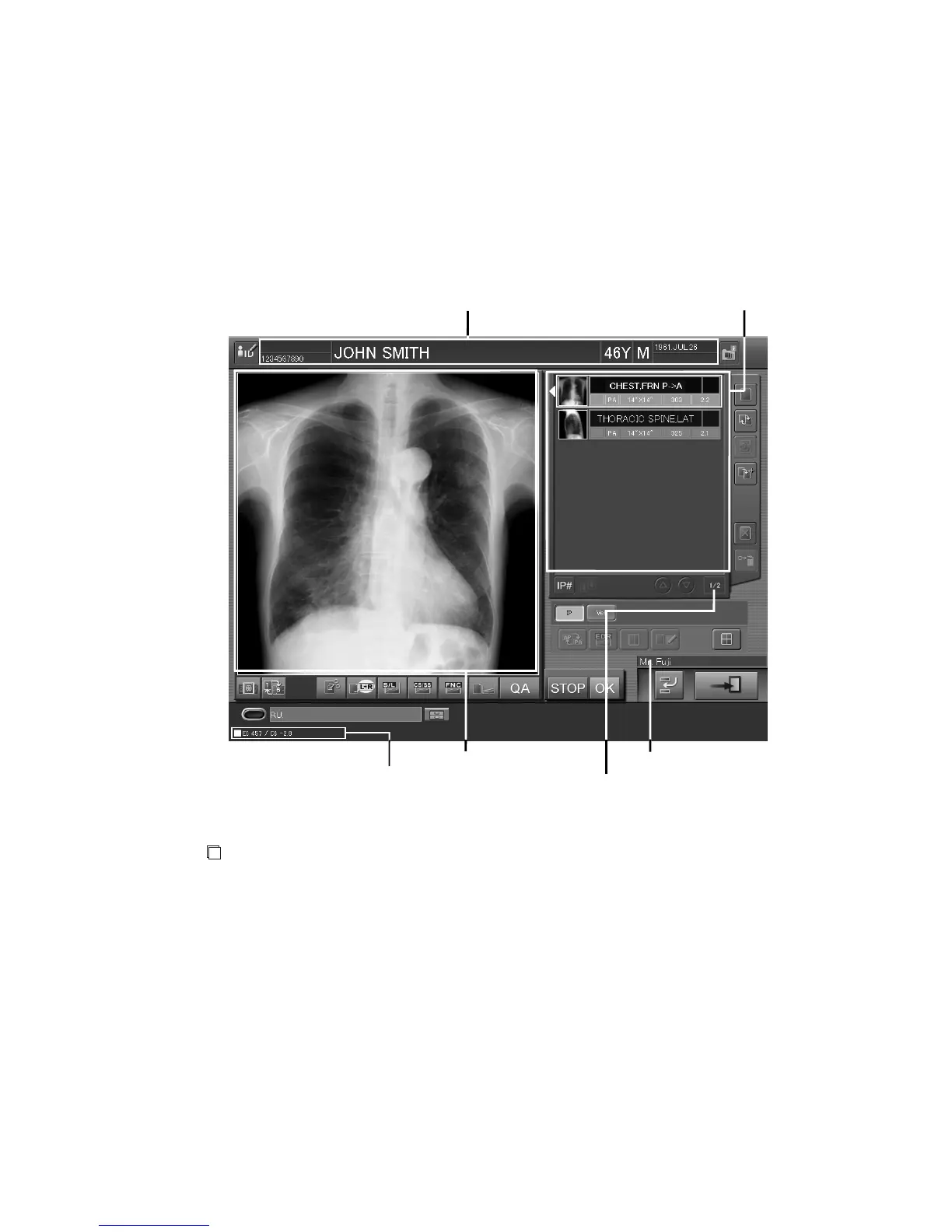
2.2.9 Study Screen
This is a screen for executing a study. On this screen, you can read images and have various kinds of
image processing be reflected on those images.
The “Study Execution Screen” display offers one-image display mode and six-image display mode.
A maximum of six images can be displayed in six-image display mode at the same time. When
starting a study, you can use the User Utility to select a desired mode for image display. Shown
herein are samples and explanations of image display in individual modes.
NOTE
The “Study Execution Screen” in this subsection is that of software version V8.3 or later.
This Operation Manual may contain the “Study Execution Screen” of version V8.2 or earlier,
which is partially different from the latest version.
EI/DI display field
Image display field
One-image display mode
Technologist display field
Selected exposure menu number display field
Patient information display field Exposure menu list



 To Next Page