CR Console Operation Manual
4 - 26 2009. 09 897N0519H
(14) FNC
Sets FNC (Frequency Noise Control) processing.
If use of user authentication was set at the time of installation, the
is displayed when has
been selected and user authentication has been done.
When the user authentication has been specified according to the setting performed at installation, the
permission to use this function can be set to each user group by the User Utility.
For details, see
[Chapter 3 TABLE SETTING/CR Console OPERATION MANUAL - THE
USER UTILITY OPERATIONS]
.
When
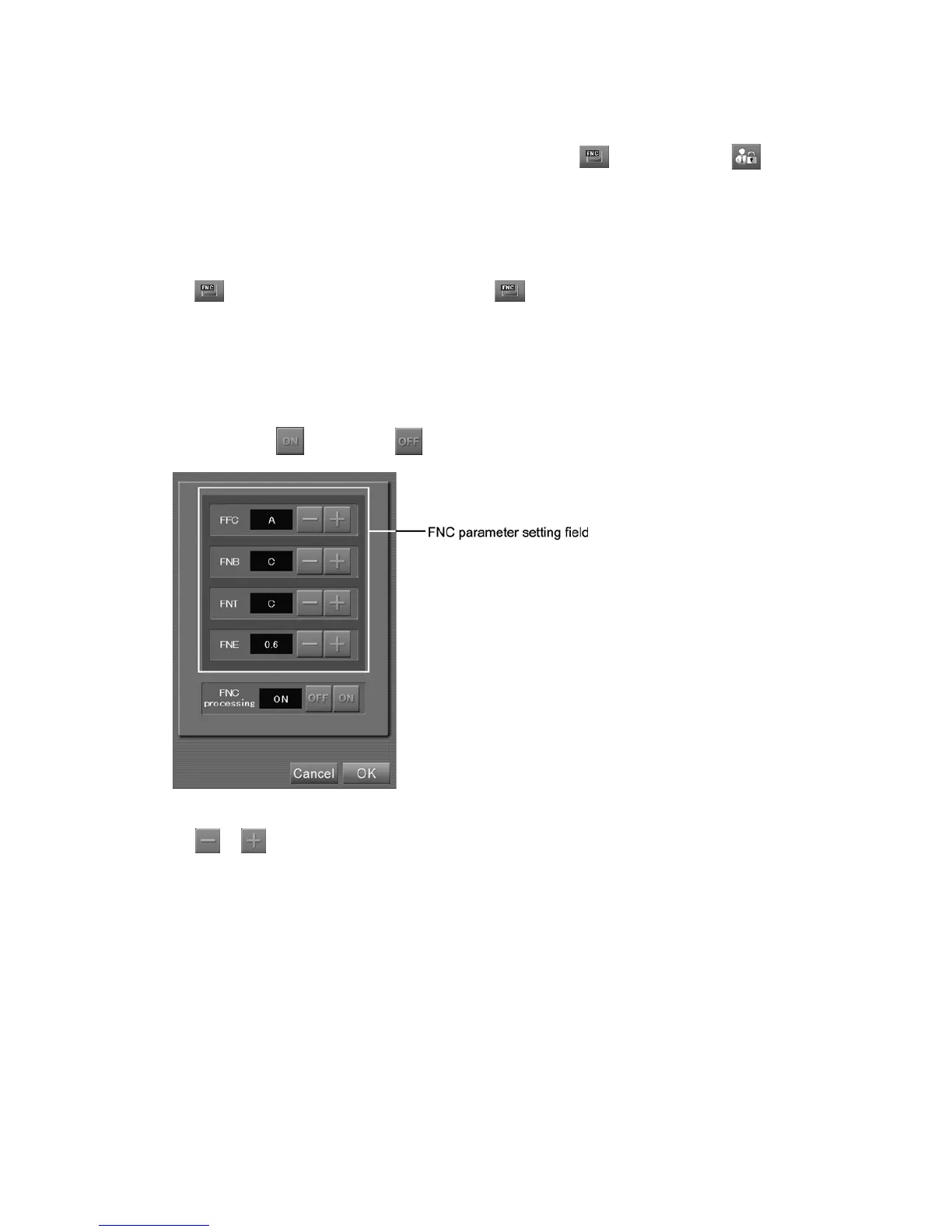
is selected, the setting box is displayed. ( is effective for RT, WS (source for image
composition/composed image) or ES (L). However, it is not effective for ES (B, S).
Note that the FNC parameter setting field is displayed only the FNC parameter change is determined
to be changeable. (As this setting can be done at the “User Utility”, refer to [
Chapter 4
PROPERTY SETTING / CR Console OPERATION MANUAL - THE USER UTILITY
OPERATIONS
].
To set FNC, select
. If not, select .
“FNC setting box”
Select or to set FNC parameter values.
FFC
: Parameters used to determine the degree of noise control depending on the X-ray exposure
dose. This value can be set in the range of A to Z. A is for general exposures, and Z is for
linacgraphy.
FNB
: Parameters used to determine the degree of noise control according to the frequency
element. This value can be set in the range of A to Z. The closer to A, the low-frequency
noise control value is larger.
FNT
: Parameters used to determine the degree of noise control relating to the image density. The
value can be set in the range of A to Z.
FNE
: Parameters used to determine the degree of noise control processing. According to
determined values, processing intensity is adjusted. This value can be set in the range of 0.0
to 1.0.



 To Next Page