CR Console Operation Manual
3 - 70 2011. 06 897N0519M
3.7 Editing Images
Edits information for a display image.
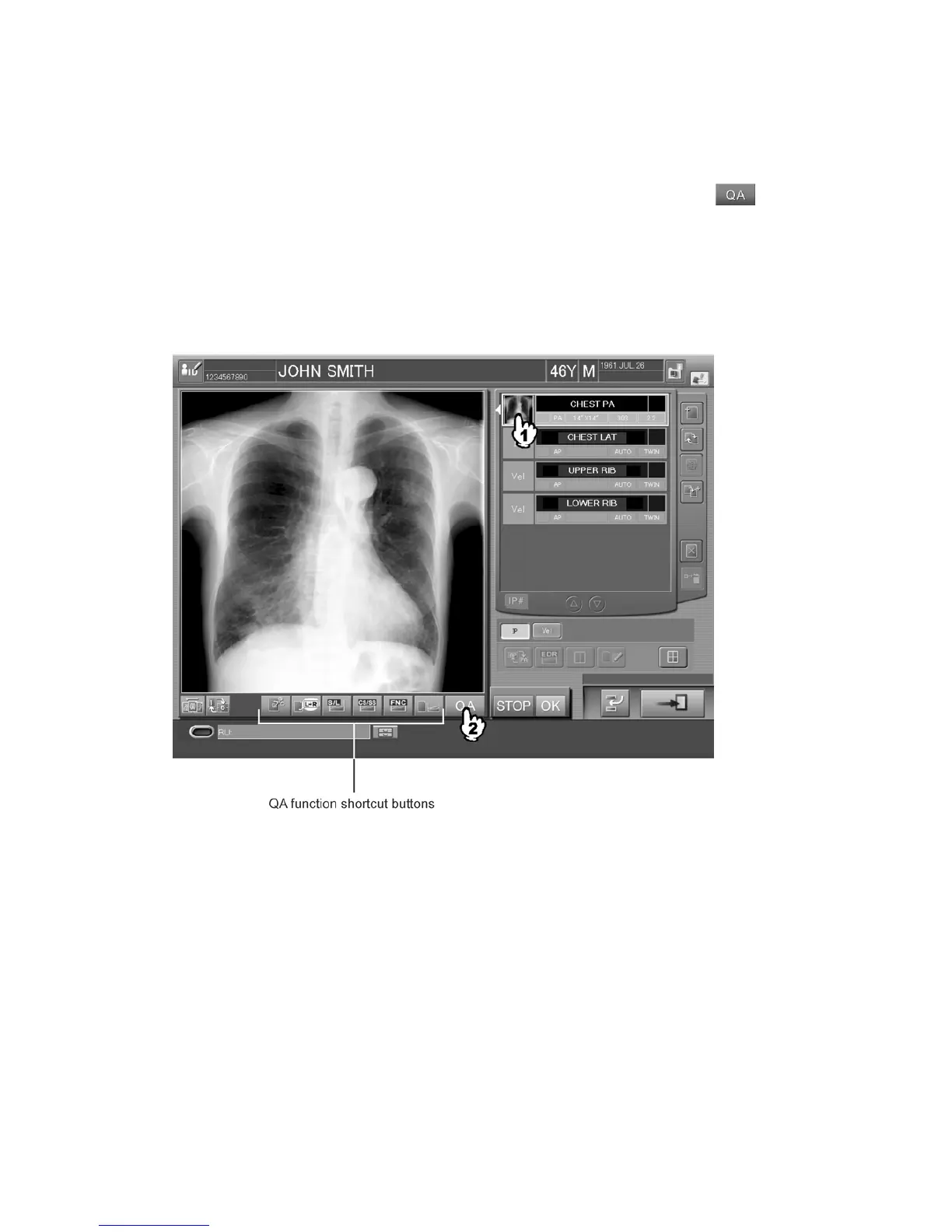
After displaying the target image, select one of the QA function shortcut buttons or the
button.
The image processing function that includes image trimming or rotation is denominated the QA
function. Individual QA functions are assigned to the relevant shortcut buttons and displayed on the
“Study Execution Screen”.
Display settings for the QA function shortcut buttons (icons) can be configured by the User Utility.
For more information, see [
Chapter 10 CUSTOMIZING THE SCREEN DISPLAY / CR Console
OPERATION MANUAL - THE USER UTILITY OPERATIONS
].
When the QA function shortcut buttons are selected, any of the following processing will be
activated.
Directly operating images;
Displaying setting boxes or
Displaying setting boxes not by way of the Image Edit Screen



 To Next Page