CR Console Operation Manual
2010. 03 897N0519J 4 - 45
4.4.6 Saving Image
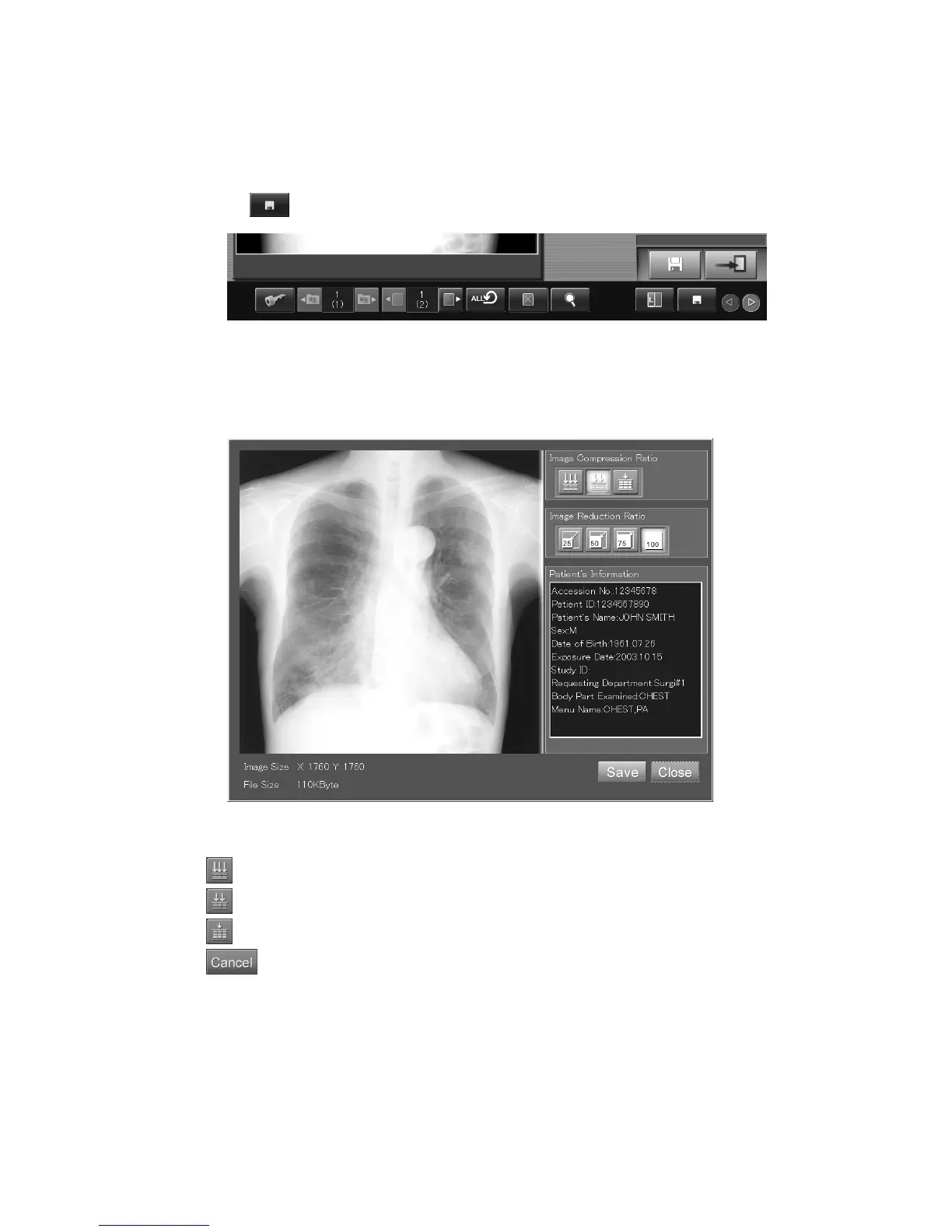
Performs the JPEG conversion to the currently displayed image and saves it in a medium (floppy disk,
USB flash memory, etc.).
Select
.
The image saving box is displayed.
Select any one of these icons at the “Image Compression Ratio” item to set a compression ratio
applied for the image.
“Image saving box”
: High compression ratio (low image quality)
: Standard compression ratio (standard image quality)
: Low compression ratio (high image quality)
: Closes the box.



 To Next Page