CR Console Operation Manual
2011. 06 897N0519M 3 - 37
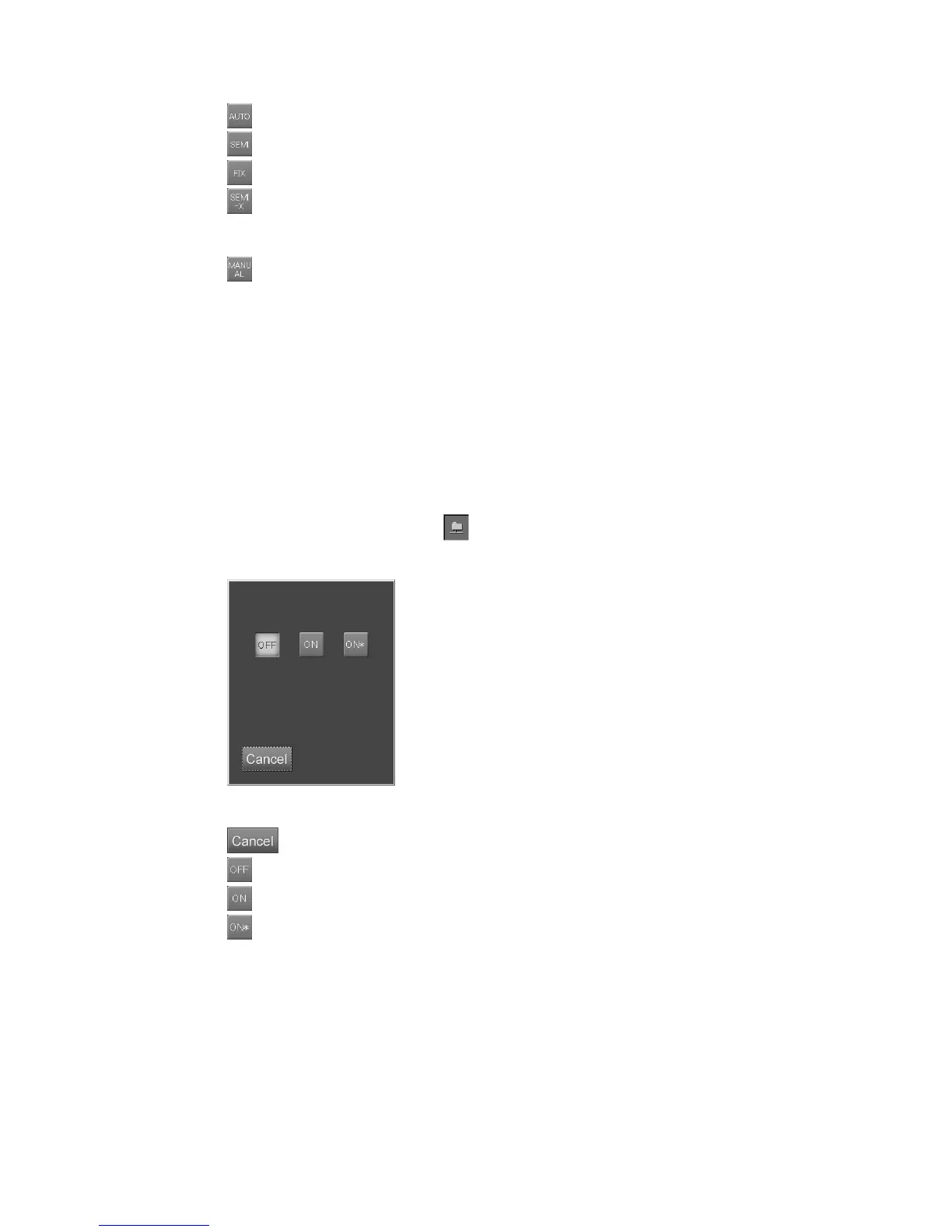
: AUTO mode.
: SEMI AUTO mode.
: FIX mode. When this mode is selected, input S value (4 to 20047) in the item “FIX”.
: SEMI-X mode. When this mode is selected, select photometric position in the item
“SEMI-X”, and input a Dave value (0.30 to 2.64) of average density for a photometric
region.
: Manual EDR mode. When performing the manual EDR processing at the Image Reader,
make it effective by selecting it in combination with other mode. Each time selecting it,
valid/invalid is switched alternately.
If this mode is effective, the combined mode (AUTO/SEMI AUTO/FIX) with it
indicates the EDR mode performed for the image the first time it is displayed at the
Image Reader. (When combining this mode with the SEMI-X mode, the same
processing as the SEMI AUTO mode will be performed.) For example, when it is
combined with the AUTO mode, the manual EDR processing can be performed for the
images to which the AUTO mode processing has been performed first.
(4) Filing mode
Sets image filing mode to a filing unit (ODF, etc.).
Select the parameter display field of
to display the setting box.
Select one of the icons.
“Filing mode setting box”
: Cancels operation.
: Does not record the image in the filing unit.
: Records the image in the filing unit.
: Converts the image from high resolution (with the pixel density as is) to standard
resolution (smaller pixel density) and records the converted image in the filing unit.



 To Next Page