CR Console Operation Manual
3 - 62 2011. 06 897N0519M
The image read is displayed on the screen of the CR Console. Repeat the selection of exposure
menus and image reading as many times as needed. After completion of image reading processing,
the following image-delivery marks are displayed to the images for which the delivery processing has
already been started:
•
for the image of auto-delivery at each time of image reading
•
for the image of auto-delivery when a certain period of time has passed after image reading
3.5.2 Changing the Order of Exposure Menus
For one-image display mode, moving selected exposure menus up and down will allow you to
change order of those exposure menus.
When the six-image display mode is used, order of exposure menus cannot be changed. If you want
to change the order, select
to switch the mode to one-image display mode.
3.5.3 Switching Images
For an auto-delivery setting that is to be performed after the completion of QA processing, switching
images alternately is possible.
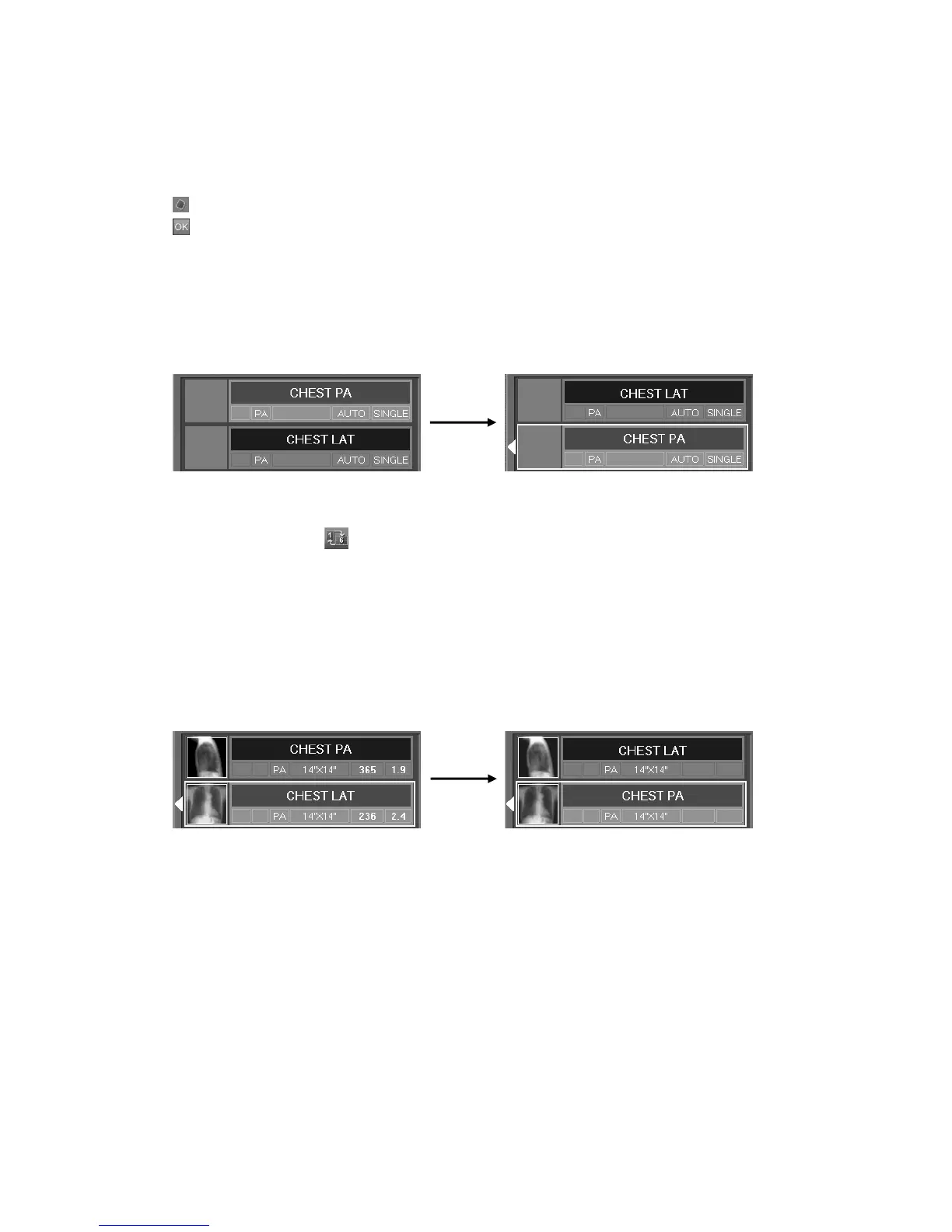
Select an image and wait for a while. The image frame will be displayed in boldface. And select
other image. These two images will be switched alternately.
Image frame that appears after waiting for a few seconds, with the image selected accordingly
(sample of one-image display mode)
This function is not valid for energy subtraction images, images with the image-delivery marks, and
the composite images.
Images can be switched over as desired even when multiple studies are being implemented at the
same time. Note, however, that it is not possible to switch over study images derived from different
modalities with each other.



 To Next Page