CR Console Operation Manual
4 - 10 2006. 10 897N0519C
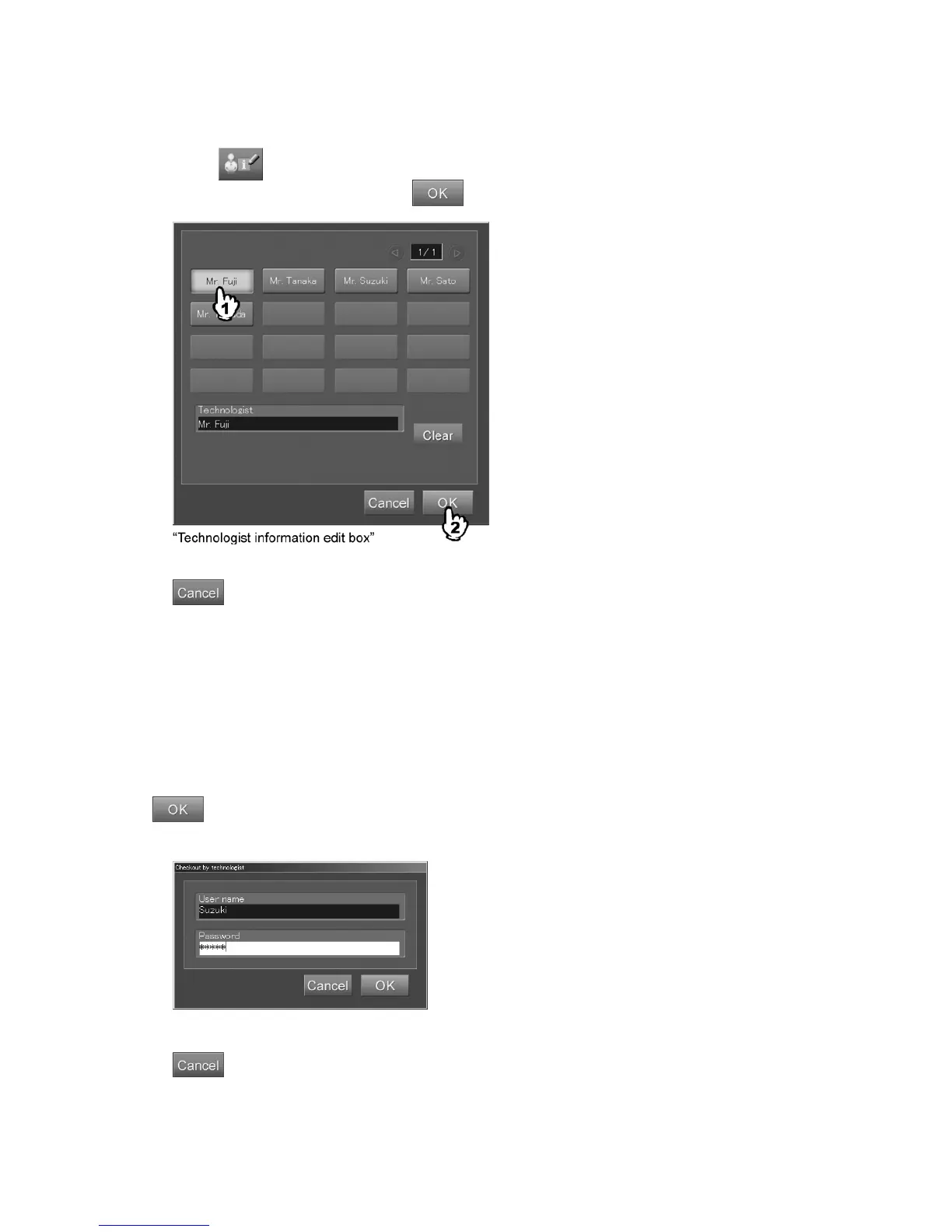
(4) Editing technologist information
Edits technologist information of the currently displayed image.
When the
button is selected, the edit box is displayed.
After modifying the technologist, select
.
: Cancels operation.
When the “Checkout by technologist box” displays in an attempt to change the
“Technologist” field
When the user authentication has been specified to be used according to the settings performed at
installation, an attempt to change the technologist (user) in the “Technologist” field will display the
“Checkout by technologist box”. This box displays user name with which the user logged in the
program and the password.
Input the “User name” and “Password” after another technologist has been selected and select
. The technologist shown in the “Technologist information edit box” will then be changed
accordingly. (Note that a logged-in technologist will not be changed.)
“Checkout by technologist box”
: Cancels operation.



 To Next Page