CR Console Operation Manual
2011. 06 897N0519M 3 - 35
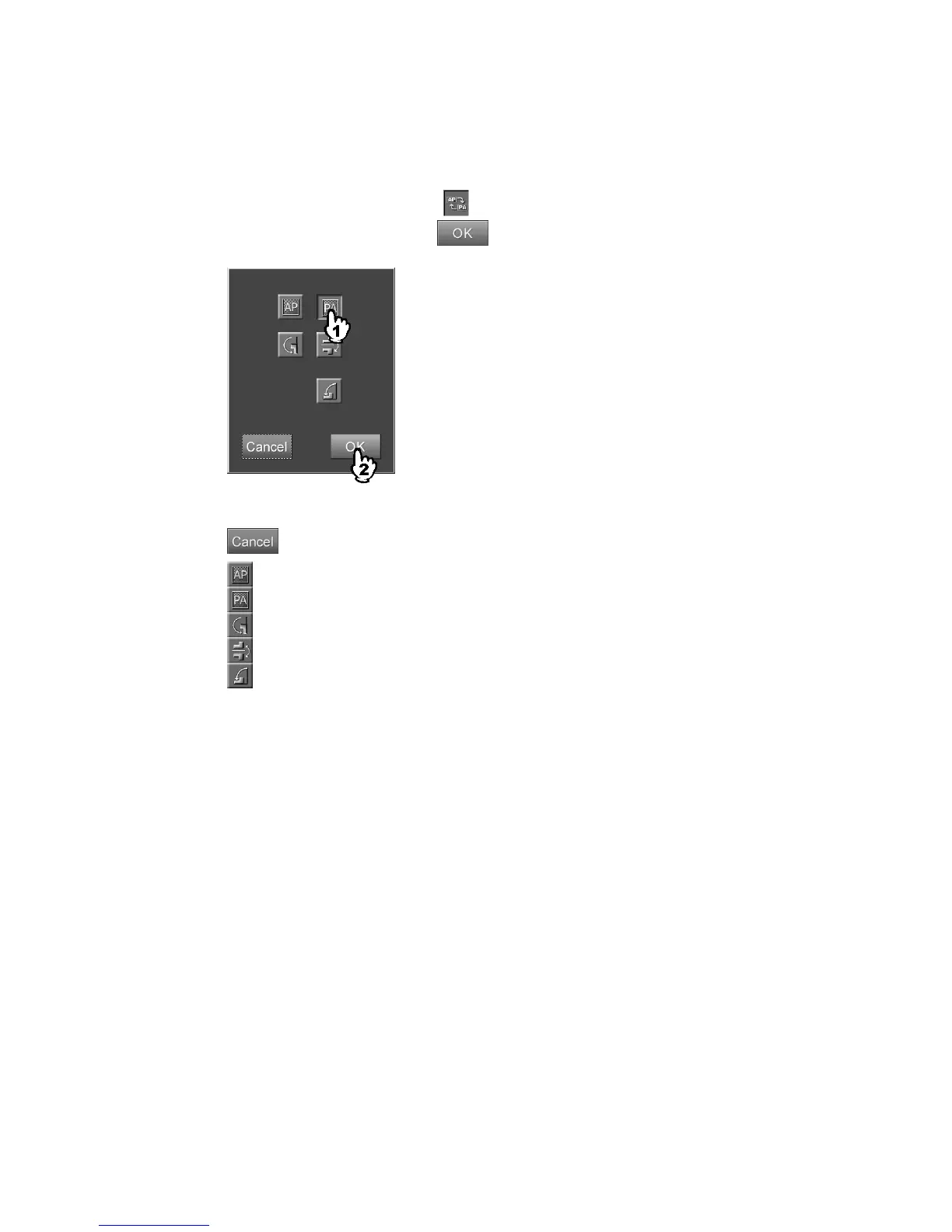
(1) Setting image flip
Sets image flip display. This processing can be performed to the exposure menus to which the IP
registration has been done but image reading not yet performed.
Select the parameter display field of
to display the setting box.
Select one of these icons and select
.
“Image flipping setting box”
: Cancels operation.
: Normal image.
: Flips the image horizontally.
: Rotates the image 180 degrees.
: Flips the image vertically.
: Rotates the image 90 degrees to left.
When the image is set to be flipped (horizontally or vertically), the flip marker is displayed
automatically on the read image. To make use of this function, it is required that necessary settings
have been made by a designated service supplier.
For change of the settings (type, color and default display position of the flip marker), consult our
official dealer or local representative.
In case the setting of the image flip display is changed, the setting change will be cleared and the
initial setting restored, if the exposure menus are changed or the images are switched after image
reading.



 To Next Page