CR Console Operation Manual
2011. 06 897N0519M 3 - 63
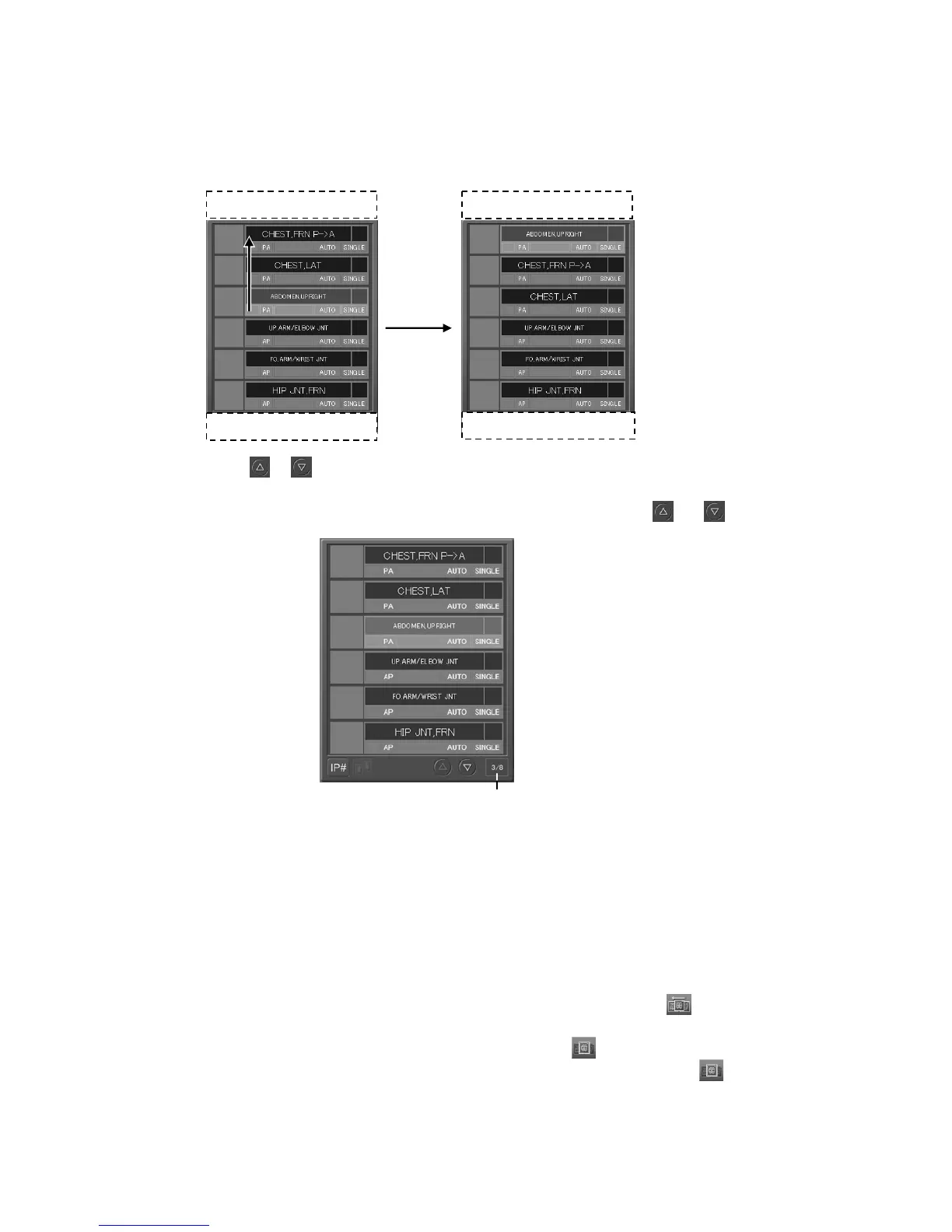
3.5.4 Scrolling the Exposure Menu List
If there are more than seven exposure menus, moving an exposure menu with it selected to the upper
or lower scroll area can move the menu accordingly.
Select
or to scroll the exposure menu list in one-image display mode and the image display
field in six-image display mode. The number of the exposure menu currently being selected and the
total number of all exposure menus are displayed on the right side of
and .
3.5.5 Changing Display Image
Select a thumbnail image to change the image displayed on the left side of the screen in one-image
display mode.
3.5.6 Changing the Monitor Mode
This is a mode to automatically display read images. This mode is set ( display) in the default.
When a thumbnail image is selected to change the image displayed on the left side of the screen in
one-image display mode, the monitor mode is released (
display) to give priority to display of
that image. To set a monitor mode after the monitor mode is released, select
.
Scroll area
Scroll area
Scroll area
Scroll area
Number of the exposure menu currently being
selected among all exposure menus



 To Next Page