CR Console Operation Manual
4 - 6 2008. 09 897N0519F
4.3 Editing Images
Edits information of a displayed image in the [Palette], [Delivery] and [List] folders, when an image
is edited by a study level. Select each folder tab, and edit an information item appropriately.
When editing an image by an image level, you can edit information of a displayed image in the
[Palette] and [Delivery] folders of the Image Edit Screen. The [List] folder will not be displayed.
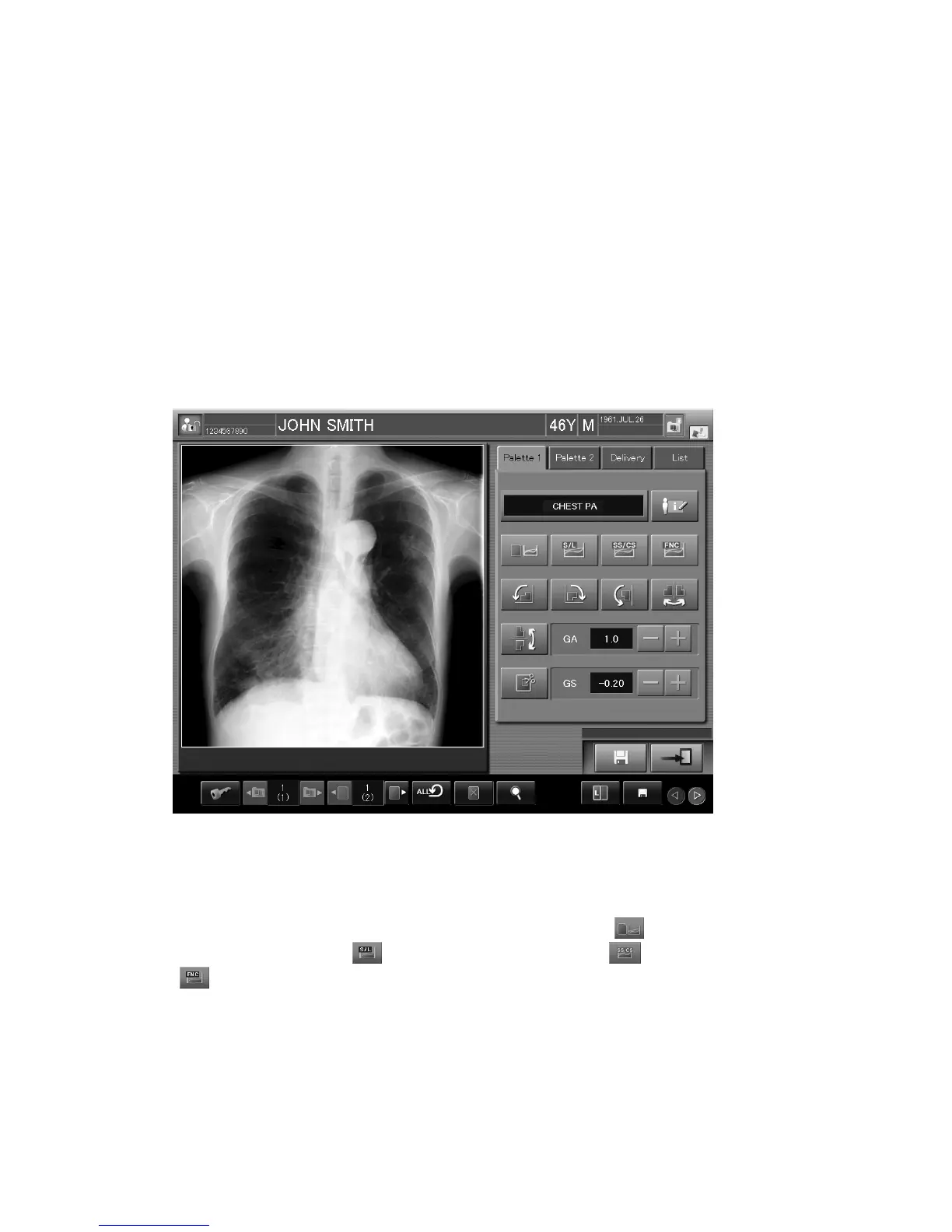
4.3.1 Palette
Select the tab of the “Palette 1” or “Palette 2” folder.
It is pre-selected immediately after the screen is displayed.
As the tab names can be set at the “User Utility”, refer to [
Chapter 10 CUSTOMIZING THE
SCREEN DISPLAY / CR Console OPERATION MANUAL - THE USER UTILITY
OPERATIONS
].
The display environment of the QA button folder can be set at the “User Utility”.
Refer to [
Chapter 10 CUSTOMIZING THE SCREEN DISPLAY / CR Console OPERATION
MANUAL - THE USER UTILITY OPERATIONS
].
When the conduction of user authentication has been set at installation,
(for changing detailed
image processing parameters),
(for changing the S and L values), (for changing SS/CC)
and
(for changing FNC parameters) do not appear for users without operational authority. To
display these icons, user authentication must be performed by entering a password. For details, see
[
4.1 OPERATION OUTLINE
].
Each item is explained hereafter.



 To Next Page