CR Console Operation Manual
2009. 09 897N0519H 4 - 25
(13) Changing SS/CS
Changes values of SS/CS.
If use of user authentication was set at the time of installation, the
is displayed when has
been selected and user authentication has been done.
When the
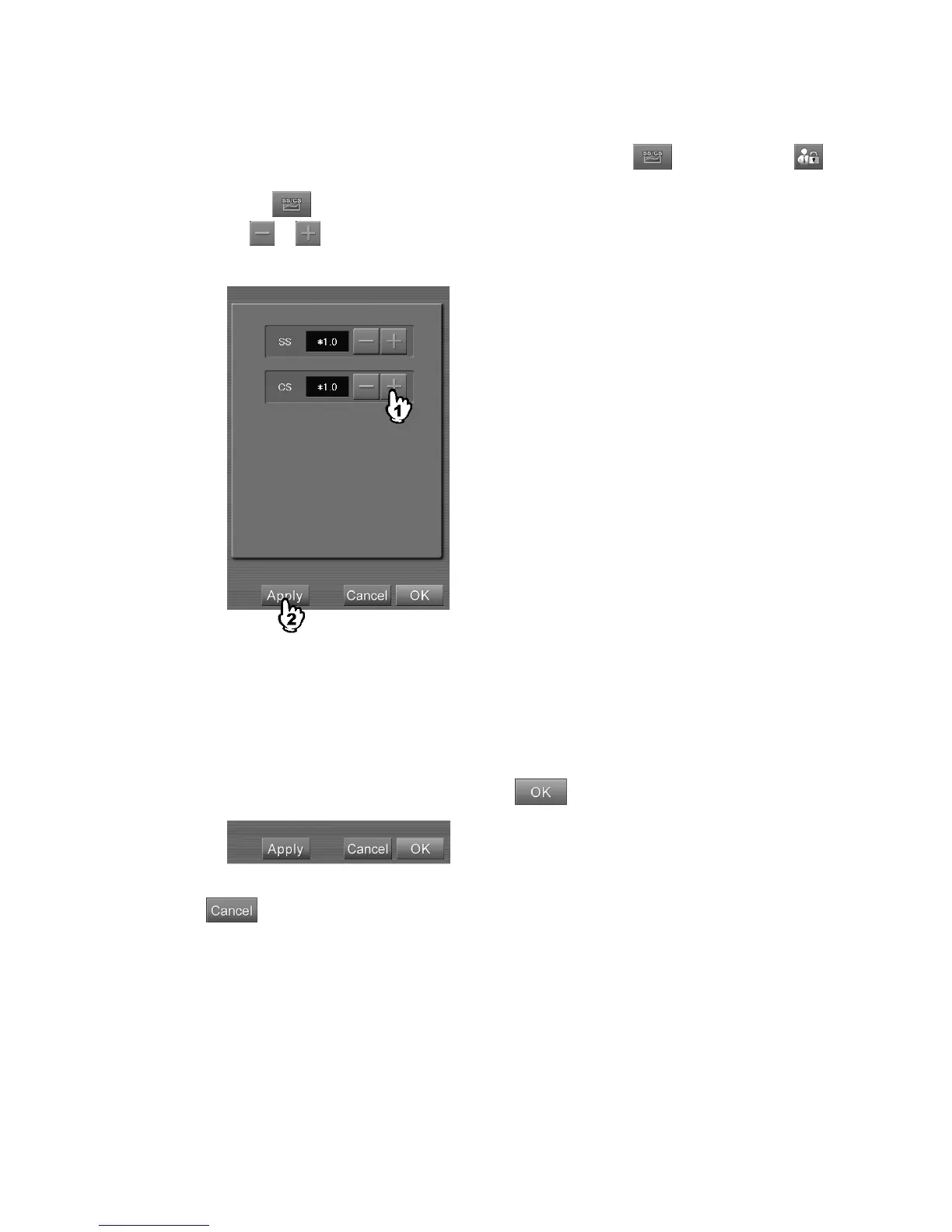
button is selected, a setting box is displayed.
Select
or to change values, and then select . The changed values will be reflected on the
display image.
“SS/CS values setting box”
SS
: The coefficient given to the parameter concerning the reading sensitivity. It changes the
density of images. This value can be set in the range of /(÷)2.0 to *(x)2.0.
CS
: The coefficient given to the parameter concerning the tonal curve. It changes the contrast of
images. This value can be set in the range of *(x)0.5 to *2.0.
When the above separation is completed, select
.
: Cancels operation.



 To Next Page