CR Console Operation Manual
2 - 22 2010. 03 897N0519J
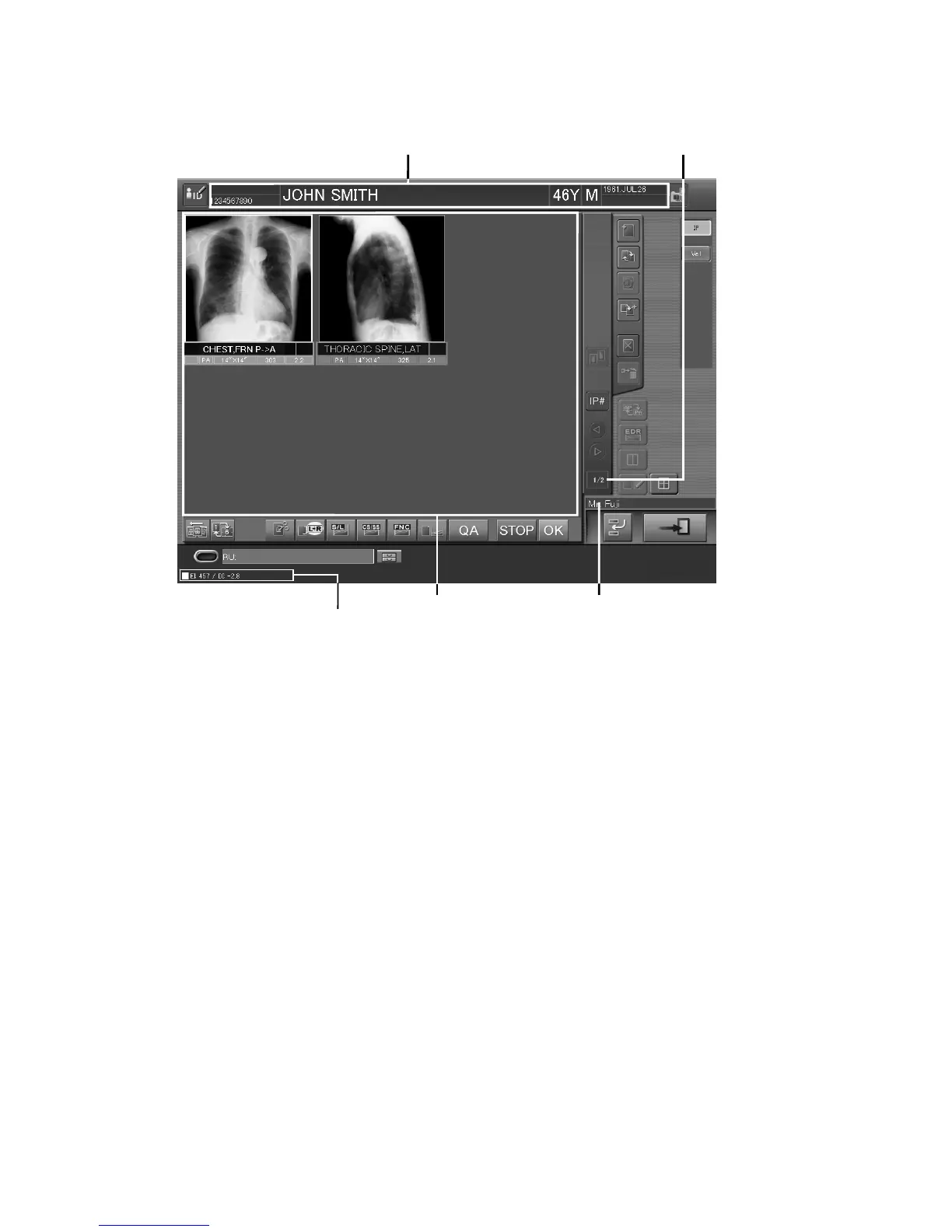
Patient information display field
: Displays patient information.
Selected exposure menu number
: Displays the number of the exposure menu currently being
display field
selected and the total number of all exposure menus.
Technologist display field
: Displays the name of logged-in technologist.
Whether a technologist (user) name is displayed or not in the
“Technologist display field” depends on the setting
performed at installation.
Image display field
: When one-image display mode is selected, an image read
from an IP is displayed here. When six-image display mode
is selected, images are displayed in the order below: Starting
from the top left → top center → top right → bottom left →
bottom center → bottom right. Connected Image Reader and
registered IP number will be displayed in this field before
image reading session.
Patient information display field
EI/DI display field
Six-image display mode
Image display field Technologist display field
Selected exposure menu
number displa



 To Next Page