CR Console Operation Manual
2010. 03 897N0519J 4 - 49
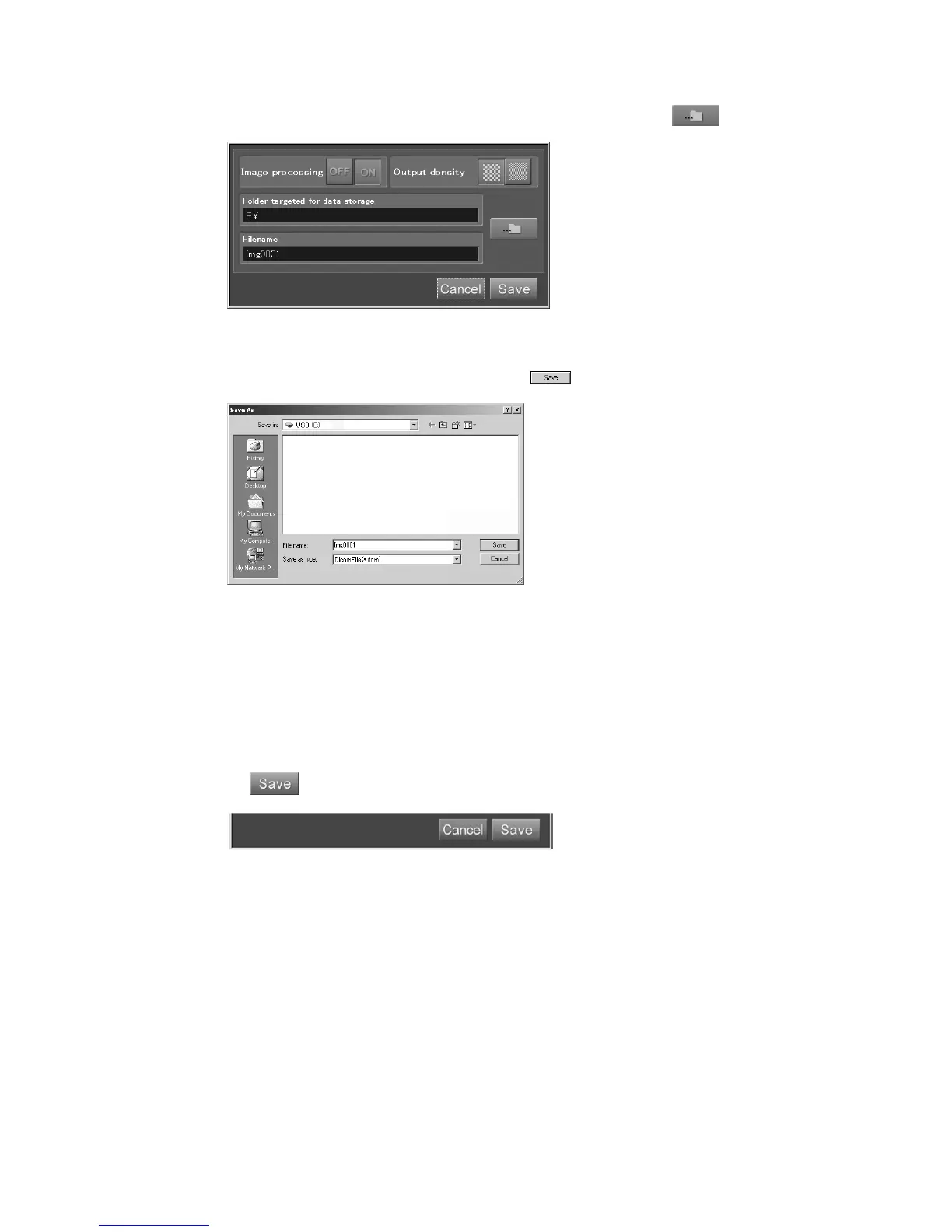
To change the “Folder targeted for data storage” and “Filename”, select .
The “Save As box” opens.
Perform necessary settings accordingly and select
.
Location for storage (Save in:) :
Select the directory to save the image. However, do not select the C drive of the CR
Console, since it is for system use.
Filename :
Enter any file name, otherwise images are saved with a default file name.
File type (Save as type) :
Fixed to the DICOM format. No other formats can be selected.
Select
.
The images are stored in the DICOM stream format (.dcm), and the output file information is stored
at the same time in the text format (.txt). (Format used for the storage of the output file information is
the same as that used for image storage in the JPEG format.)



 To Next Page