CR Console Operation Manual
2006. 10 897N0519C 5 - 25
Display order of information items
Sets order of information items to be displayed.
Select information items in each folder, and then select
(toward left on the list) or
(toward right on the list).
If pixel value is input in the “Selection Item” field, the width of the information items currently
selected can be set.
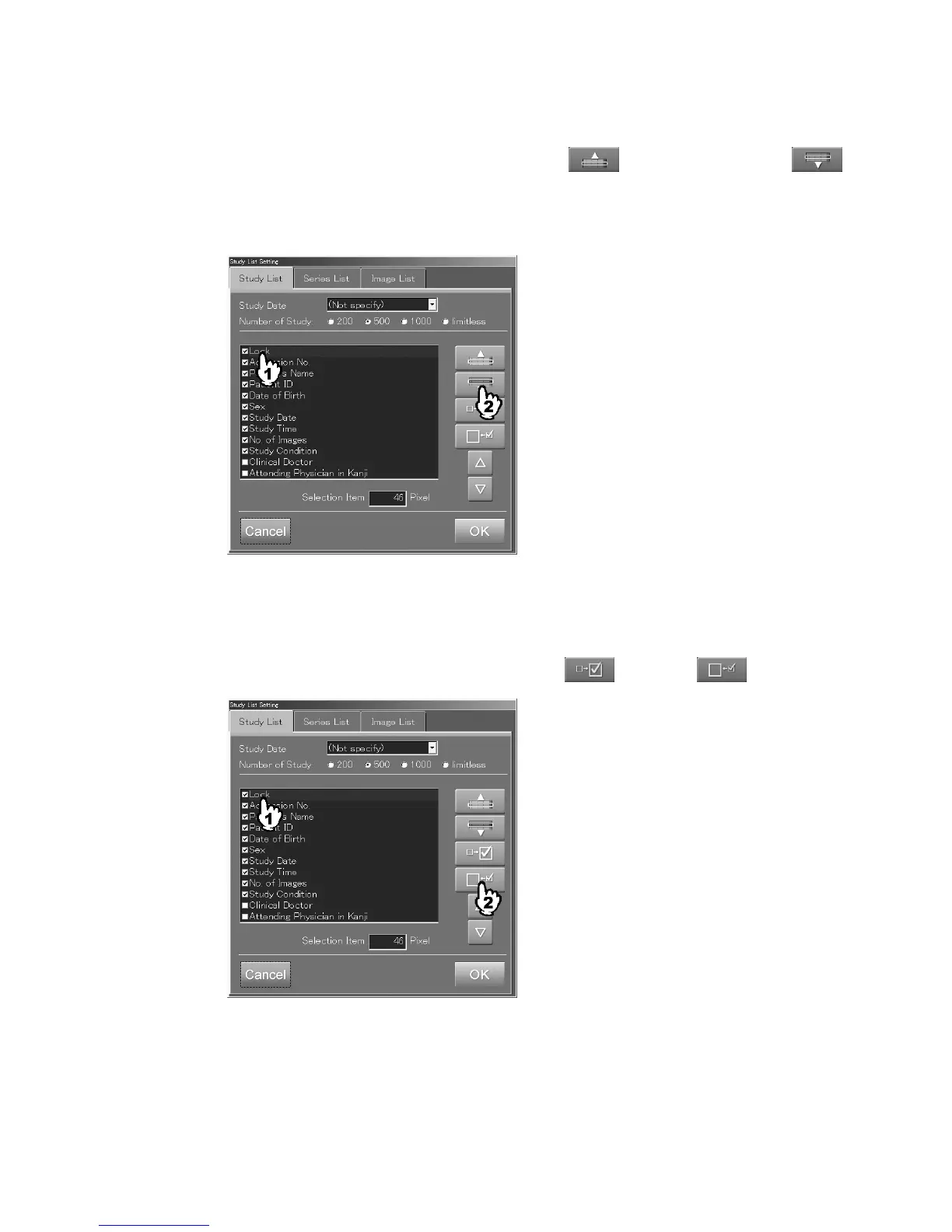
<Example: Moves “Lock” to the right direction of the list.>
Display/non-display of information items
Alternately switches information items to be displayed or not.
Select information items in each folder, and then select
(display) or (non-display).
<Example: Sets “Lock” to be a non-display item
.>



 To Next Page