CR Console Operation Manual
5 - 30 2010. 03 897N0519J
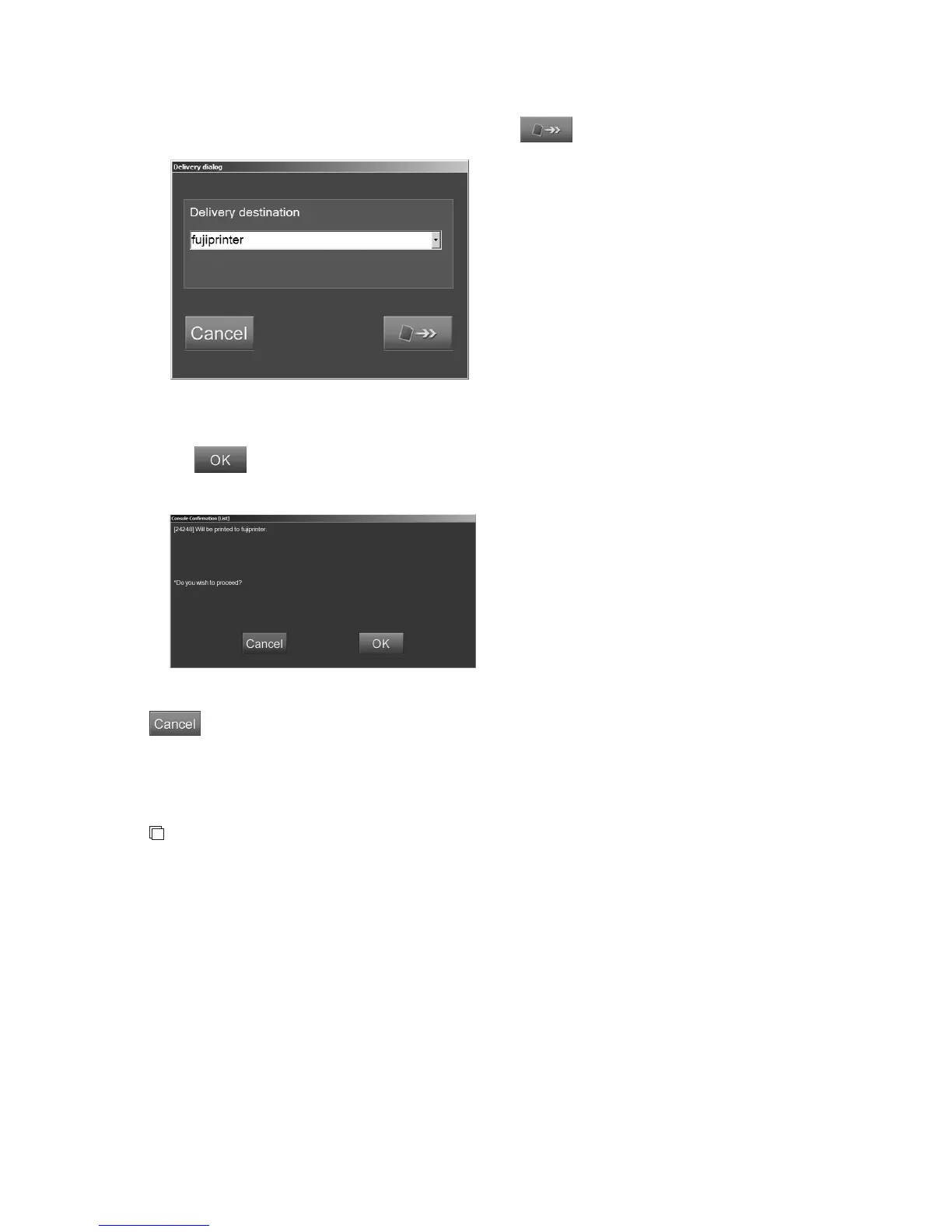
The “Delivery dialog box” is displayed.
Select the destination from the drop-down list, and select
.
“Delivery dialog box”
The following confirmation box is displayed.
Select
.
“Confirmation box”
: Cancels operation.
When redelivery is started, the dialog box indicating the progress is displayed. When the delivery is
completed, the dialog box is closed.
NOTES
• An undelivered study cannot be delivered. If an undelivered study is selected, a message
appears. Continue the redelivery process (undelivered studies excluded) or select other study.
• Redelivery cannot be performed for mis-exposure images as well as energy subtraction images
and long-view images that are not set to be output.
• If the printer selected on the “Image Edit Screen” is different from that in the delivery
destination setting, output density may not be the same as the contents stored in the image
information.
• If the following items in the “Delivery” folder are set for the images to be redelivered,
redelivery is performed according to the settings. For details, see
[4.3.2 Delivery]
.
• Number of printouts
*1
• Film format
• Filing mode
• Soft copy image density setting
*1: If the number of printouts is set to 0, it is corrected to 1 automatically.



 To Next Page