CR Console Operation Manual
2009. 09 897N0519H 3 - 3
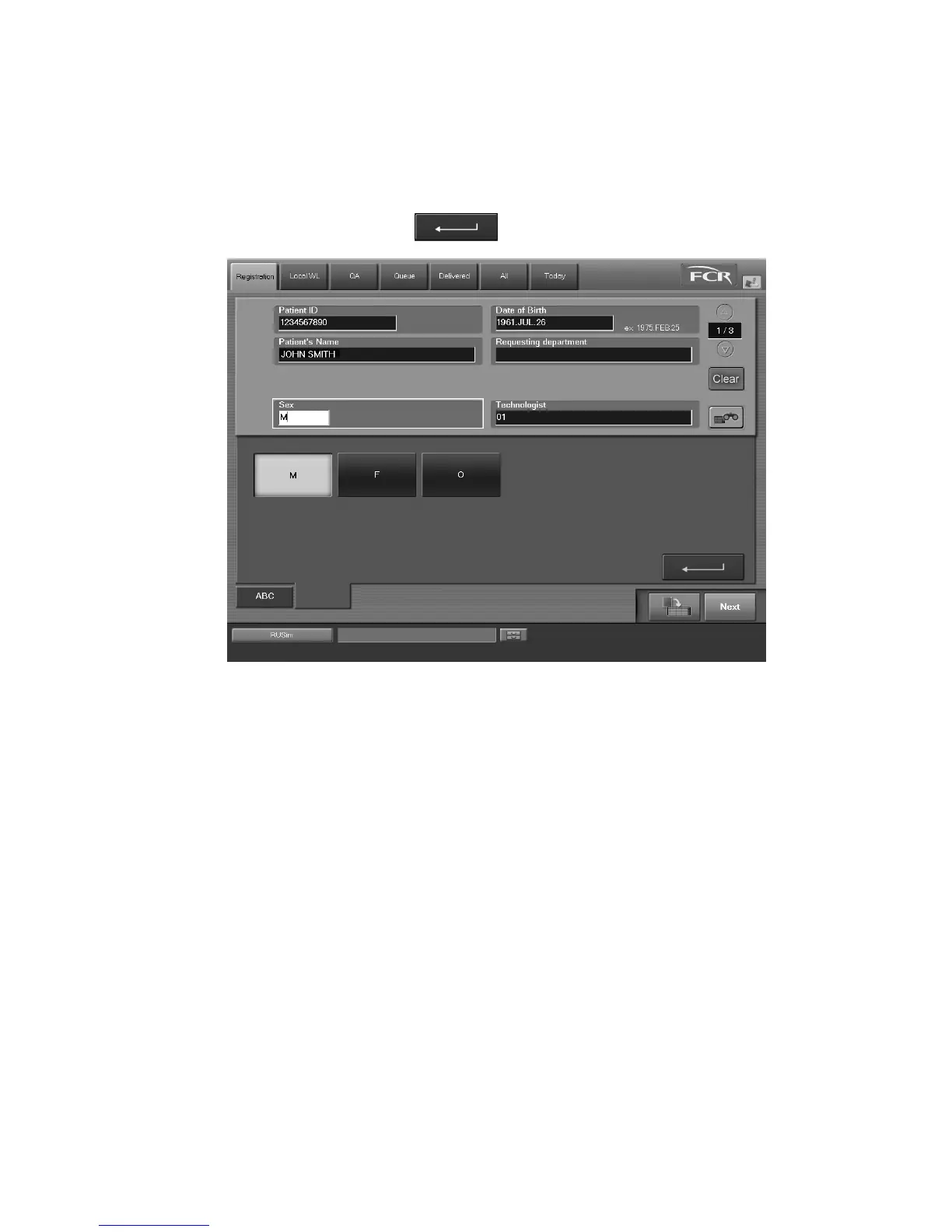
Operation of the input items for which selection buttons are displayed
When the caret “
|
” for character input moves to boxes such as Sex, Requesting department,
Technologist, Pregnancy, Outpatient/Inpatient, and Blood type, a tab for data setting is displayed at
the lower left of the screen keyboard. For example, when the caret “
|
” is at the Sex input box, the
“Sex” tab is displayed as shown below.
Indicate any of them, and select
. Then, the “Sex” tab is closed to complete the input.
As for items other than Technologist (Sex, Requesting department, Pregnancy, Outpatient/
Inpatient, Blood type), you can input arbitrary characters.
For example, when inputting Sex, select the “ABC” tab to input “M” from the screen keyboard or a
value that is for the sex ([0] (zero) or [M] for Male) at the press of the equivalent key on the
keyboard. For more information about a value to be input, see [
2.2.6 Patient Information Input
Screen
].



 To Next Page