EasyManua.ls Logo

Fujitsu M10-4 - Fixing the Cable Support

Fujitsu M10-4
342 pages
Print Icon
To Next Page IconTo Next Page
To Previous Page IconTo Previous Page
Loading...
A
Figure
6-1
  
Installing
the
power
cord
2.
Clip
the
cable
clamp
around
the
power
cord
and
then
fix
the
cable
clamp.
The
cable
clamp
is
firmly
fixed
by
locking
the
latch
(A
in
the
figure)
and
then
pushing
the
cable
clamp
towards
the
front
of
the
chassis.
Figure
6-2
  
Locking
the
cable
clamp
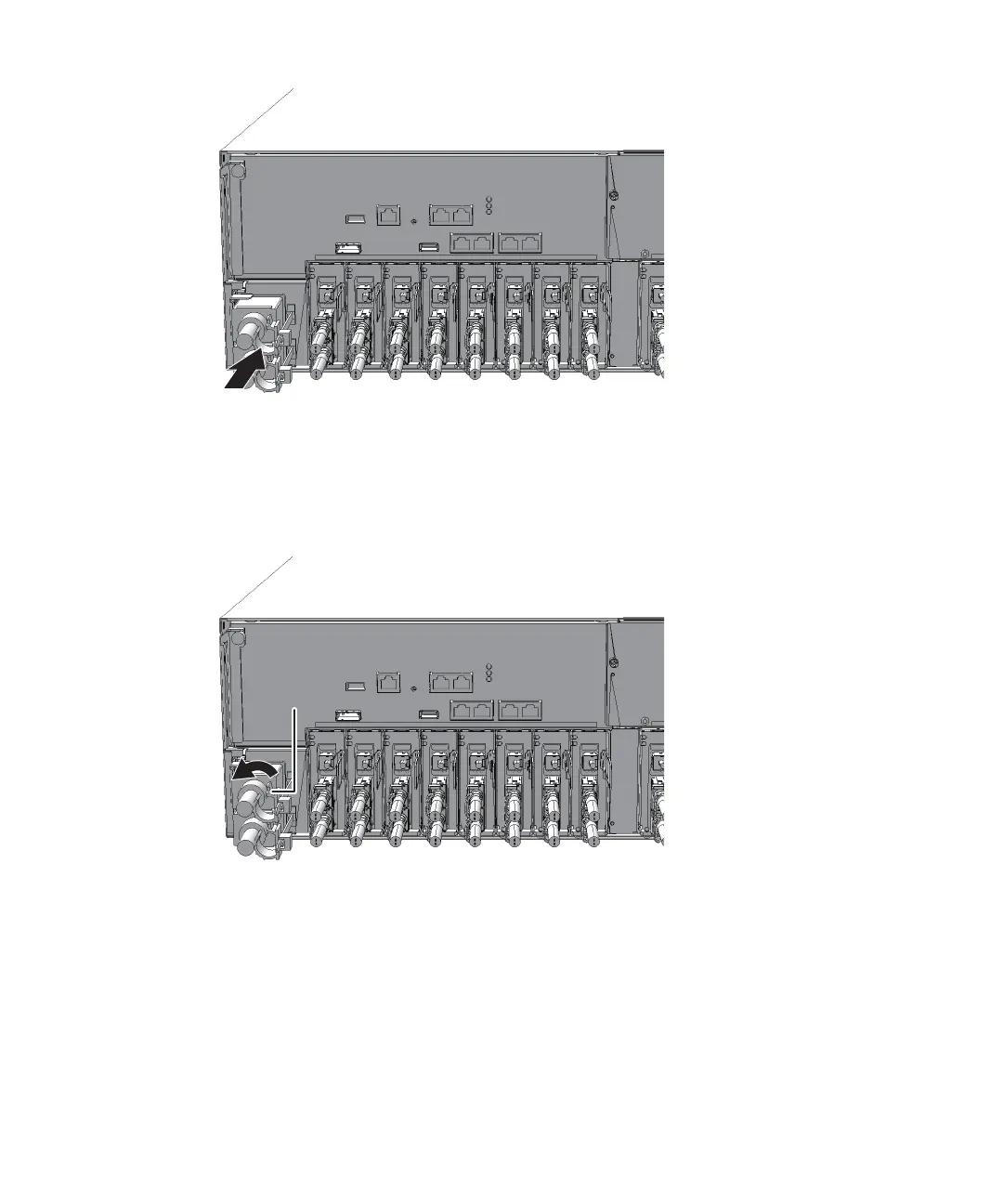
6.1.2 Fixing
the
cable
support
After
performing
maintenance
on
a
component
at
the
rear
of
the
SPARC
M10-4/M10-
4S,
lift
the
cable
support
and
fix
it
in
place.
1.
Lift
the
cable
support
and
lock
it
in
place
by
pushing
the
upper
and
lower
screw
fitting s
toward
the
back
(direction
of
the
arrow).
Fujitsu
M10-4/Fujitsu
M10-4S/SPARC
M10-4/SPARC
M10-4S
Service
Manual
November
201488

Table of Contents

Related product manuals