EasyManua.ls Logo

Fujitsu M10-4 - Installing a PCI Express Cable

Fujitsu M10-4
342 pages
Print Icon
To Next Page IconTo Next Page
To Previous Page IconTo Previous Page
Loading...
Note
-
A
part
of
the
procedure
varies
depending
on
the
CPU
memory
unit
type.
To
determine
the
CPU
memory
unit
type,
check
the
label
in
Figure
9-2.
Note
-
If
PCIe
cables
have
not
been
connected
to
the
CPU
memory
unit
lower
when
you
are
installing
a
CPU
memory
unit
upper,
use
the
PCIe
cables
supplied
with
the
CPU
memory
unit
upper.
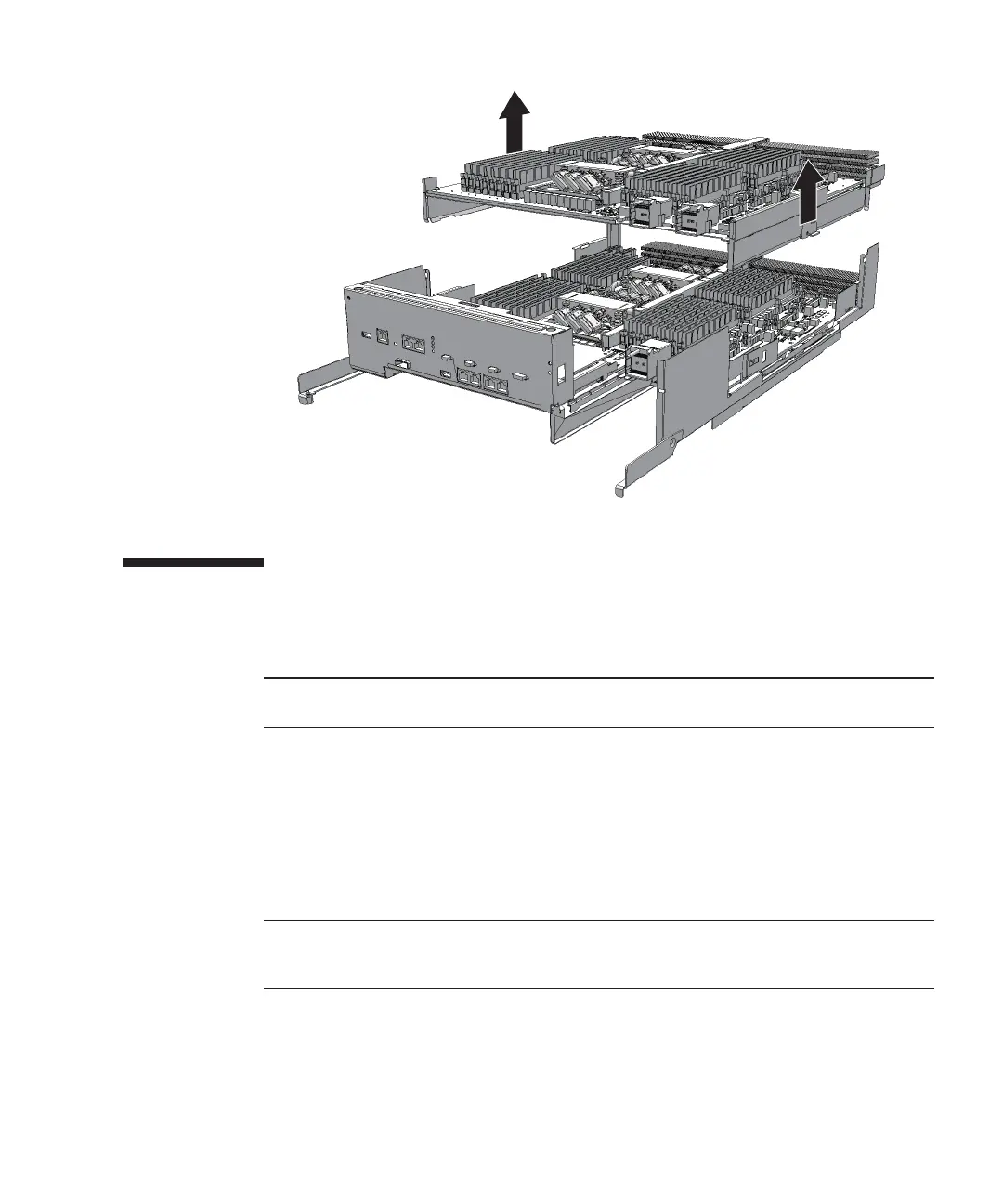
Figure
9-17
怀怀
Removing
CPU
memory
unit
upper
9.4 Installing
a
PCI
Express
Cable
Connect
the
CPU
memory
unit
lower
and
CPU
memory
unit
upper
with
a
PCIe
cable.
Before
installing
a
CPU
memory
unit
upper,
confirm
that
PCIe
cables
are
connected
to
the
CPU
memory
unit
lower.
If
PCIe
cables
have
not
been
connected
to
the
CPU
memory
unit
lower,
remove
the
CPU
memory
unit
board
(lower)
once,
and
connect
PCIe
cables.
If
PCIe
cables
are
connected
to
the
CPU
memory
unit
lower,
this
work
is
not
required.
1.
Remove
the
eight
screws
at
both
ends
of
the
XSCF
cable
connection
port
on
the
rear
of
the
CPU
memory
unit
lower.
Use
a
flathead
screwdriver
(small)
to
remove
them.
For
the
SPARC
M10-4
with
a
FRAME-A
CPU
memory
unit
and
the
SPARC
M10-4/M10-4S
with
a
FRAME-B
CPU
memory
unit,
this
step
is
not
necessary.
Chapter
9
怀
Maintaining
the
CPU
Memory
Unit/Memory 201

Table of Contents

Related product manuals