EasyManua.ls Logo

Fujitsu M10-4 - Attaching the Crossbar Cables to the Cable Support

Fujitsu M10-4
342 pages
Print Icon
To Next Page IconTo Next Page
To Previous Page IconTo Previous Page
Loading...
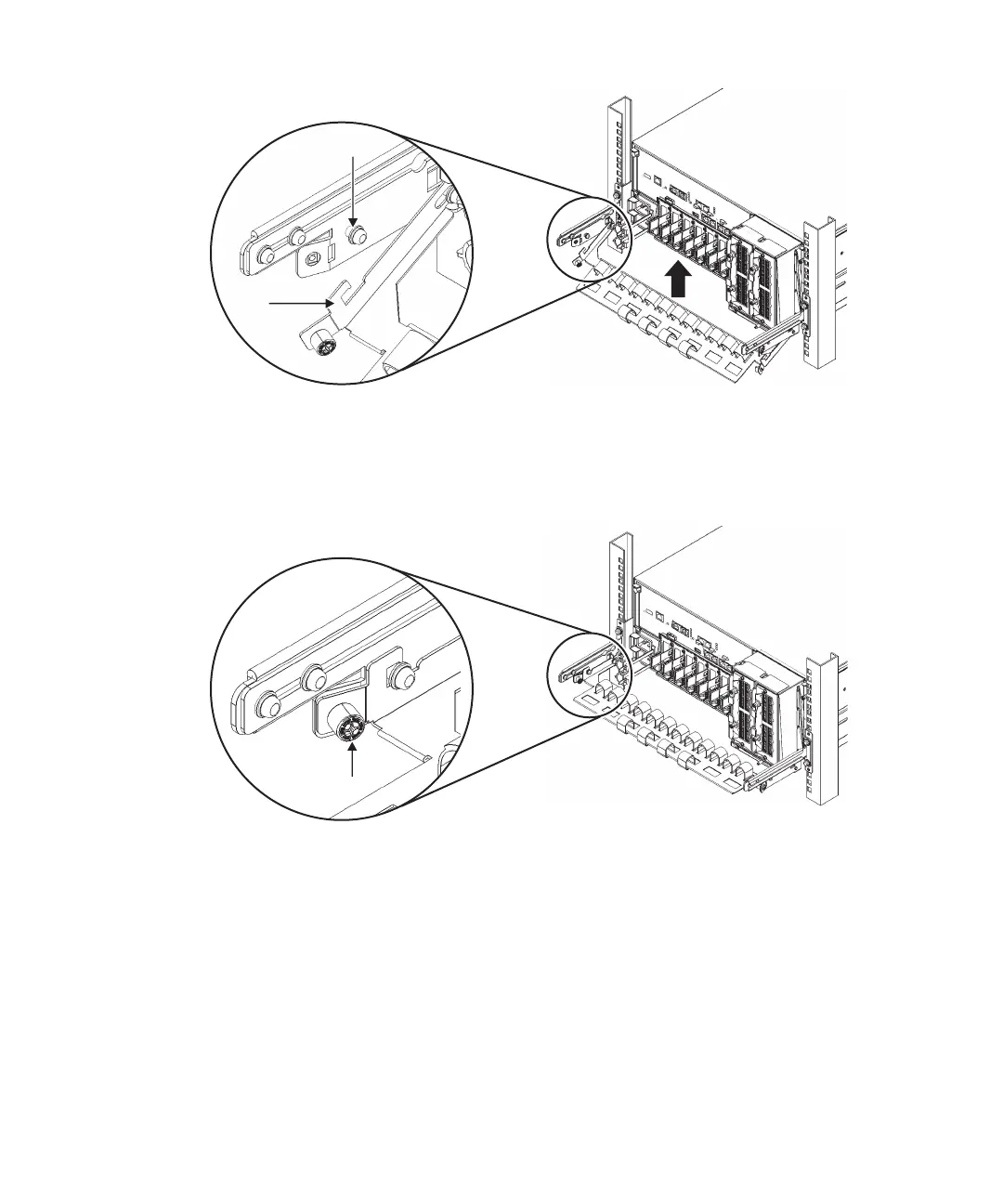
B
C
A
Figure
6-4
  
Handling
the
cable
support
2.
Tighten
the
right
and
left
screws
(A
in
Figure
6-5
Locking
the
cable
support)
to
fix
the
cable
support
in
place.
Figure
6-5
  
Locking
the
cable
support
6.1.4 Attaching
the
crossbar
cables
to
the
cable
support
After
maintenance
with
the
crossbar
cables
removed
is
done
in
a
building
block
configuration
of
the
SPARC
M10-4S,
restore
the
cables
to
their
original
state.
1.
Connect
the
cros sbar
cables
to
the
cable
support.
Perform
this
procedure
only
when
equipment
rack
model
26xx
or
equipment
rack
model
16xx
is
used.
The
procedure
may
vary
depending
on
the
model
of
the
equipment
rack.
Procedure
when
equipment
rack
model
26xx
is
used
a.
Remove
the
hook-and-loop
fastener
of
the
crossbar
cables
from
the
cable
Fujitsu
M10-4/Fujitsu
M10-4S/SPARC
M10-4/SPARC
M10-4S
Service
Manual
November
201490

Table of Contents

Related product manuals