EasyManua.ls Logo

Fujitsu M10-4 - Removing a Power Supply Unit

Fujitsu M10-4
342 pages
Print Icon
To Next Page IconTo Next Page
To Previous Page IconTo Previous Page
Loading...
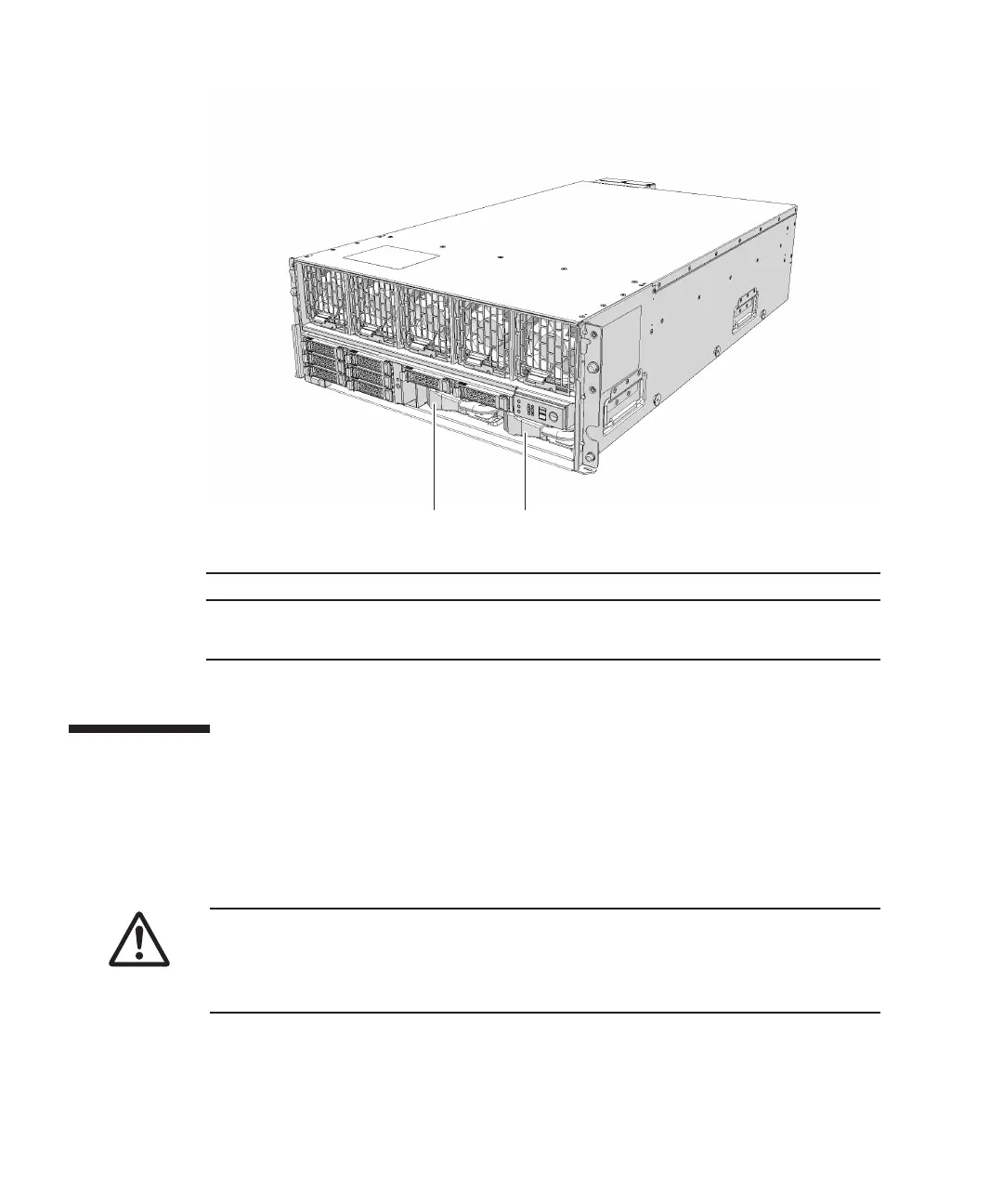
(1) (2)
Location
number Component
1
Power
supply
unit
(PSU#0)
2Power
supply
unit
(PSU#1)
Caution
-
Before
you
handle
any
components,
wear
a
wrist
strap
to
ground
any
static
electricity.
If
you
perform
this
procedure
without
a
wrist
strap,
individual
components
or
the
overall
system
may
be
damaged.
For
details,
see
"1.5
Notes
Regarding
Static
Electricity."
Figure
12-1
  
Location
of
power
supply
unit
12.2 Removing
a
Power
Supply
Unit
This
section
describes
the
procedure
for
removing
a
power
supply
unit.
Enable
the
removal
of
the
power
supply
unit
before
attempting
to
remove
it.
For
details,
follow
the
procedure
in
"Chapter
7
Maintenance
Flow."
1.
Remove
the
power
cord
from
the
power
supply
unit
requiring
maintenance.
2.
Loosen
the
screws
securing
the
power
supply
unit
and
open
the
lever.
Fujitsu
M10-4/Fujitsu
M10-4S/SPARC
M10-4/SPARC
M10-4S
Service
Manual
November
2014264

Table of Contents

Related product manuals