EasyManua.ls Logo

Fujitsu M10-4 - Removing the Crossbar Cables from the Cable Support

Fujitsu M10-4
342 pages
Print Icon
To Next Page IconTo Next Page
To Previous Page IconTo Previous Page
Loading...
Note
-
Record
the
positions
of
the
cables
before
removing
them
to
ensure
that
they
are
reinstalled
correctly.
A
5.9.1 Removing
the
crossbar
cables
from
the
cable
support
Perform
these
operations
when
the
SPARC
M10-4S
has
a
building
block
configuration
and
when
maintaining
any
of
the
following
FRUs:
-
CPU
memory
unit
-
Memory
-
PSU
backplane
unit
-
Operation
panel
1.
Remove
the
crossbar
cables
from
the
cable
support.
Perform
this
procedure
only
when
using
equipment
rack
model
26xx
or
equipment
rack
model
16xx.
The
procedure
may
vary
depending
on
the
model
of
the
equipment
rack.
If
you
are
not
using
19-inch
rack
model
26xx
or
19-inch
rack
model
16xx,
this
work
is
not
required.
Procedure
when
equipment
rack
model
26xx
is
used
a.
Remove
all
the
crossbar
cables
from
the
crossbar
unit.
b.
Remove
the
hook-and-loop
fastener
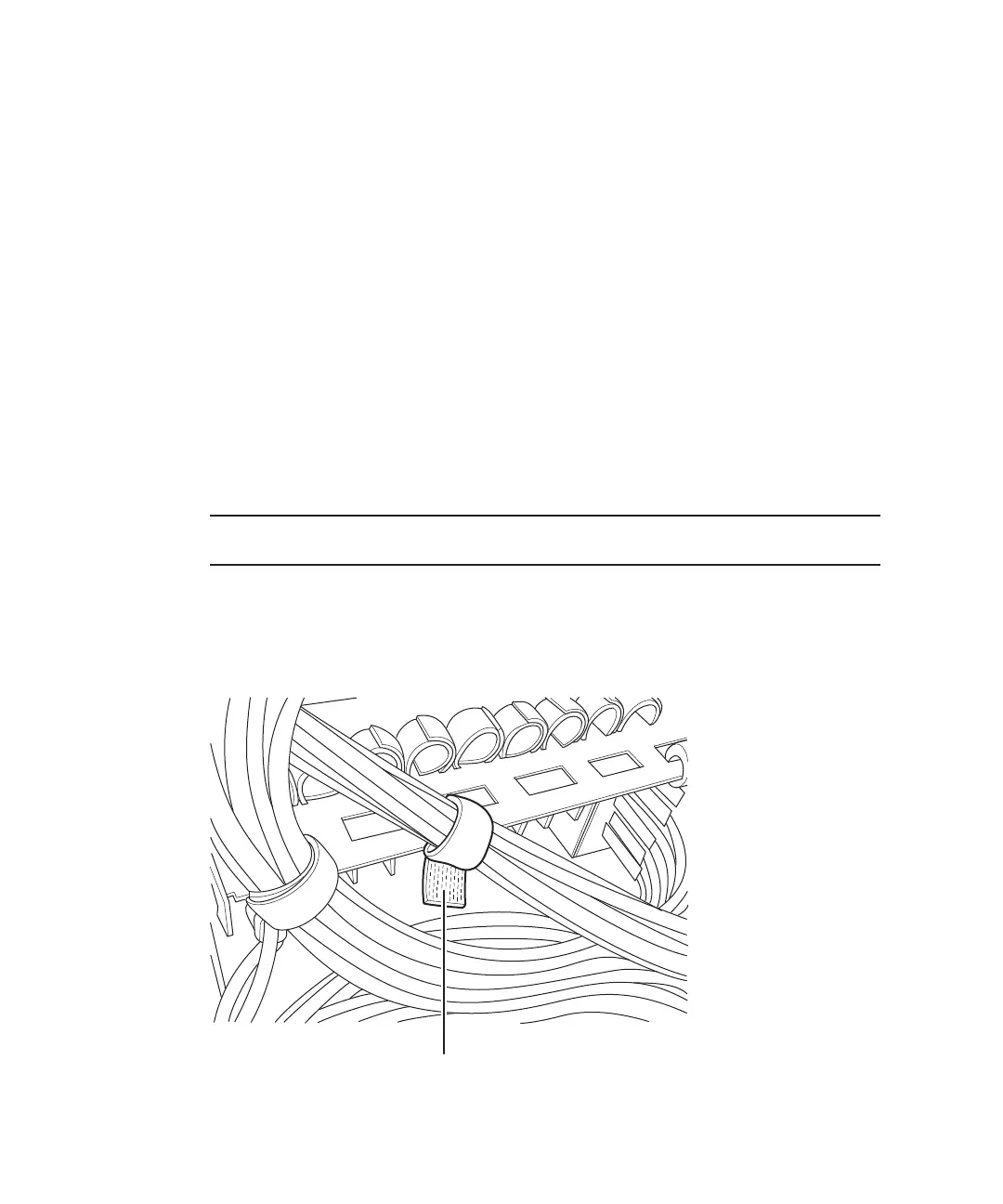
(A
in
the
figure)
of
the
cable
support,
securing
the
crossbar
cables.
Figure
5-1
  
Hook-and-loop
fastener
of
the
cable
support
c.
Remove
the
screw
securing
the
cable
holder
(A
in
the
figure)
that
is
fixed
to
Fujitsu
M10-4/Fujitsu
M10-4S/SPARC
M10-4/SPARC
M10-4S
Service
Manual
November
201480

Table of Contents

Related product manuals