EasyManua.ls Logo

Fujitsu M10-4 - Removing an XSCF DUAL Control Cable

Fujitsu M10-4
342 pages
Print Icon
To Next Page IconTo Next Page
To Previous Page IconTo Previous Page
Loading...
Caution
-
Before
you
handle
any
components,
wear
a
wrist
strap
to
ground
any
static
electricity.
If
you
perform
this
procedure
without
a
wrist
strap,
individual
components
or
the
overall
system
may
be
damaged.
For
details,
see
"1.5
Notes
Regarding
Static
Electricity."
Note
-
The
cables
connected
to
the
rear
of
the
crossbar
box
are
bundled
together
and
fastened
to
the
right
cable
support
with
a
hook-and-loop
fastener.
To
remove
the
XSCF
DUAL
control
cables,
therefore,
remove
the
hook-and-loop
fastener
from
the
cable
support.
17.2 Removing
an
XSCF
DUAL
Control
Cable
This
section
describes
the
procedure
for
removing
an
XSCF
DUAL
control
cable.
Enable
the
removal
of
the
XSCF
DUAL
control
cables
before
attempting
to
remove
them.
For
details,
see
"Chapter
7
Maintenance
Flow."
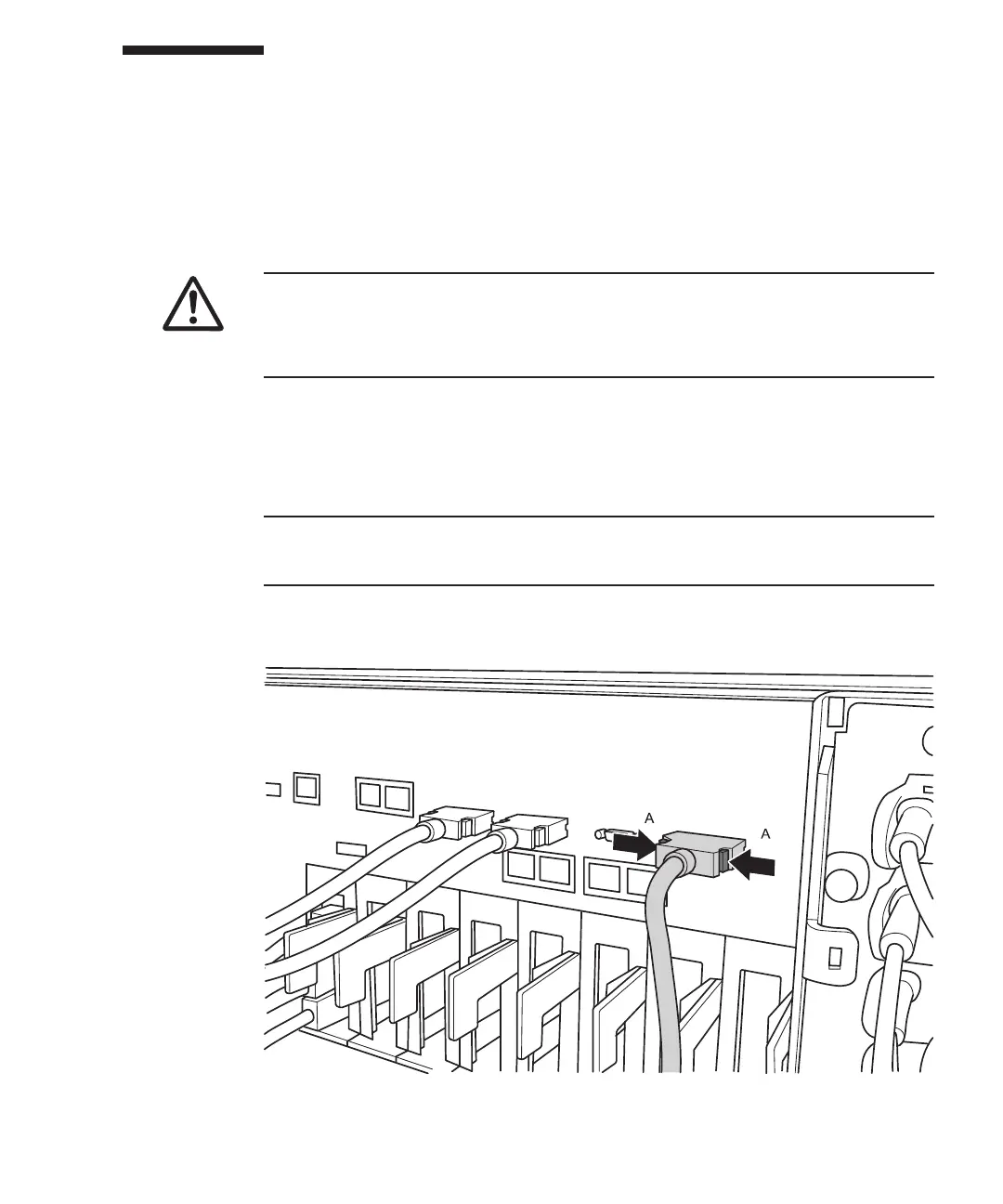
1.
Remove
the
XSCF
DUAL
control
cables
from
the
SPARC
M10-4S
or
the
crossbar
box.
Pull
out
the
XSCF
DUAL
control
cable
while
pushing
the
lock
release
buttons
(A
in
the
figure)
on
the
both
sides
of
the
cable.
Figure
17-3
  
Removing
the
XSCF
DUAL
control
cables
(SPARC
M10-4S)
Chapter
17
 
Maintaining
the
XSCF
DUAL
Control
Cables 299

Table of Contents

Related product manuals